Content protection
In Free, more in Pro
Restrict Content in WordPress & WooCommerce to Members Only
Restrict posts, pages, products and whole categories to members. Decide what everyone else sees – nothing, a teaser, a paywall or a redirect – and check it with a one-click visitor preview.
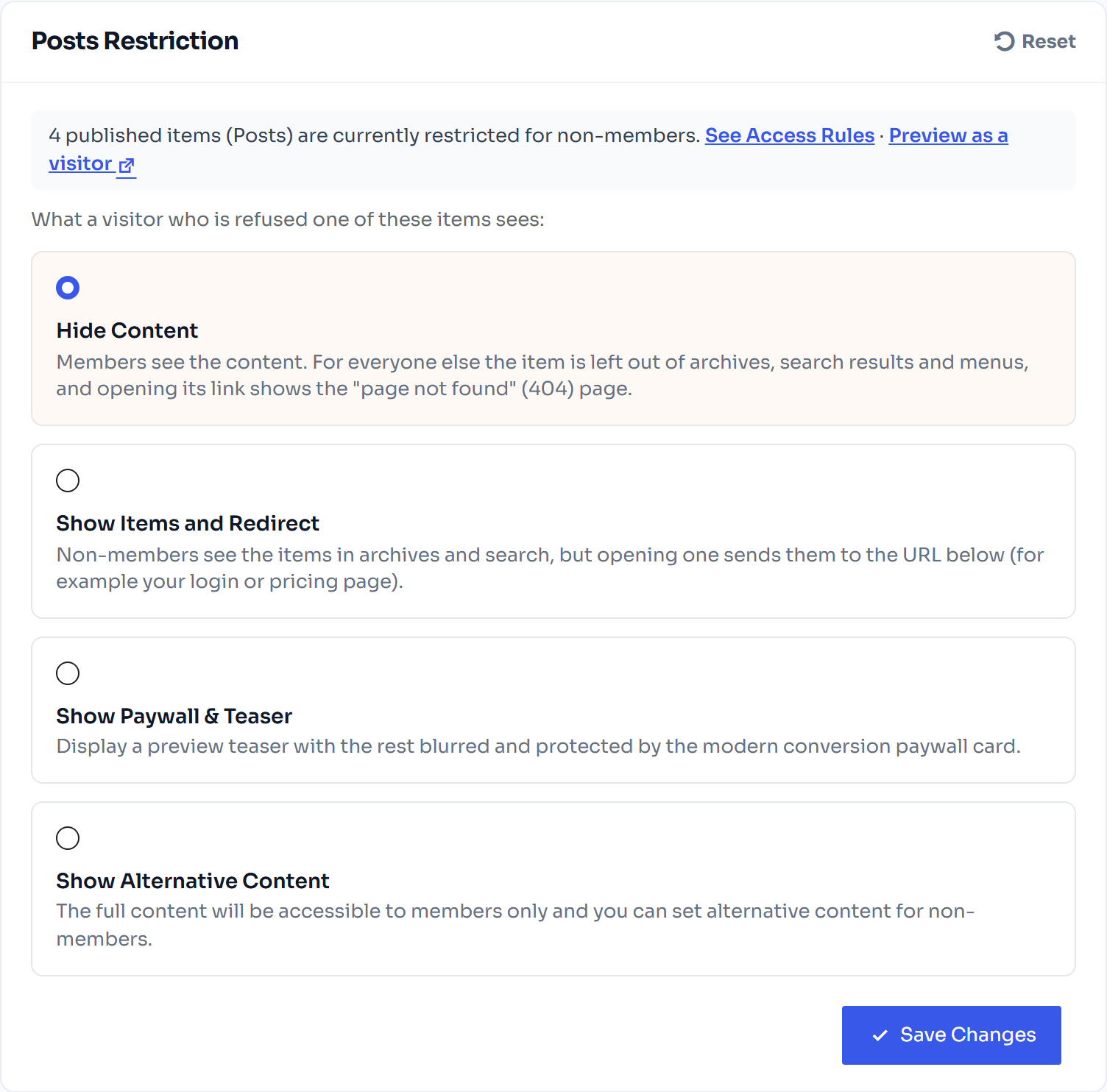
Hidden from search
and archives for non-members
Why it matters
Your Best Content, Kept for Paying Members
Good protection is invisible to members and clear to everyone else.
Posts, pages & products
Protect single items, whole post types or entire categories and tags.
Your choice of fallback
Hide items, redirect to pricing page, show message, or content block.
Preview as a visitor
See any page exactly as a non-member sees it before you publish.
Feeds stay protected
RSS feeds and search results don’t leak members-only content.
Members-only shop
Show products only to members or all, and members can buy or download.
Partial content
Lock part of a post with a shortcode and keep the introduction public (Pro).
How it works
Precise Control, Plain Language
Access rules
One Table That Shows Who Can Open What
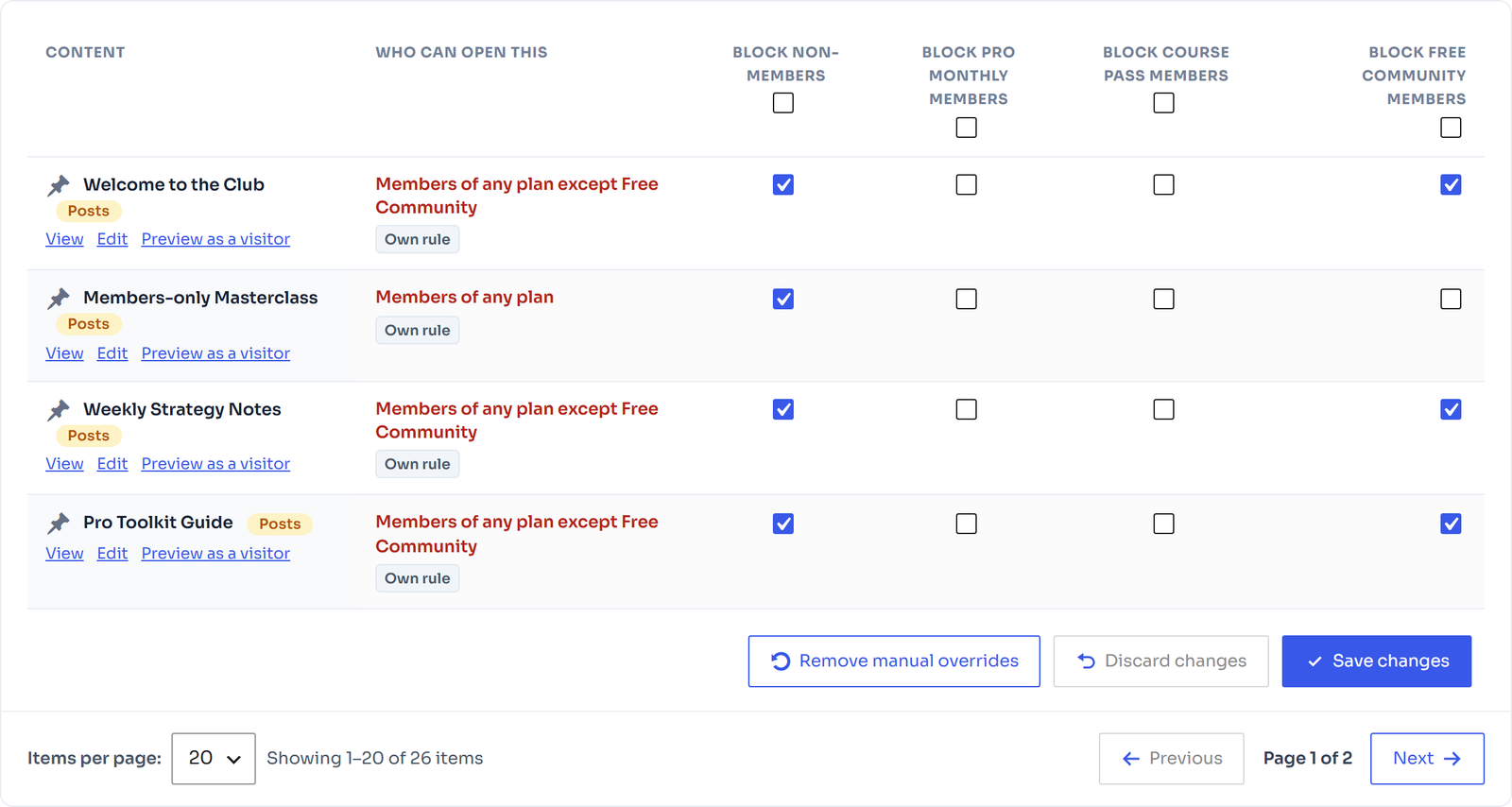
Every post, page, product and category is listed with a plain sentence such as “Members of any plan except Free Community”. Tick boxes to block non-members or members of a plan; manual overrides are highlighted and can be reverted any time.
- “Who can open this” in plain words
- Category and parent-page rules are inherited
- Preview as a visitor from every row
Rules follow your plans
until you override them
One click to join
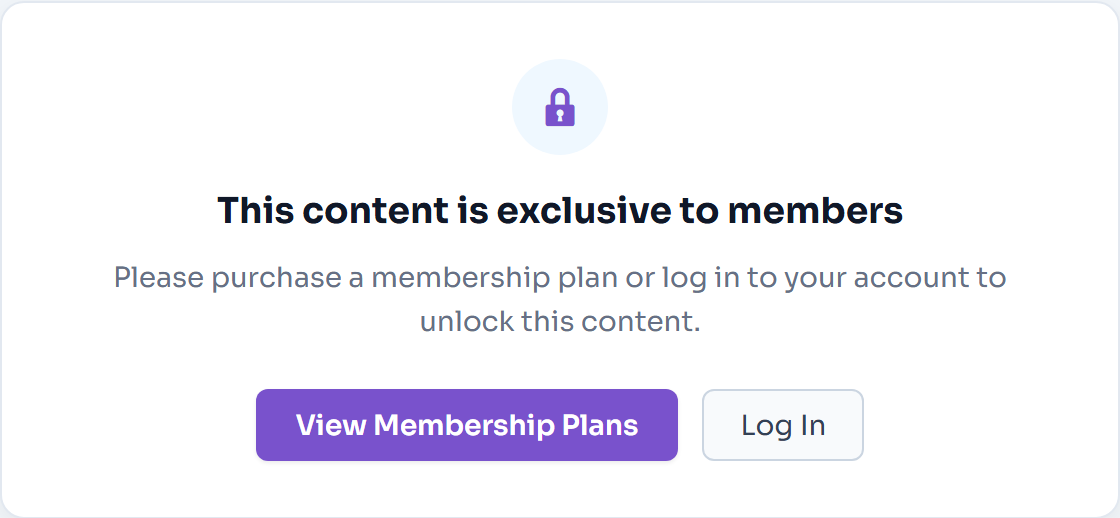
straight to the plan checkout
Paywall
Pro
A Paywall That Sells the Rest of the Story
Show the first paragraphs, fade or blur the rest and put a branded paywall card in front of it with Join and Log in buttons. Style it with live desktop and mobile previews.
- Teaser length and blur you control
- Branded card, buttons and lock icon
- Live desktop and mobile preview
Product restriction
A Members-Only Shop, Your Way
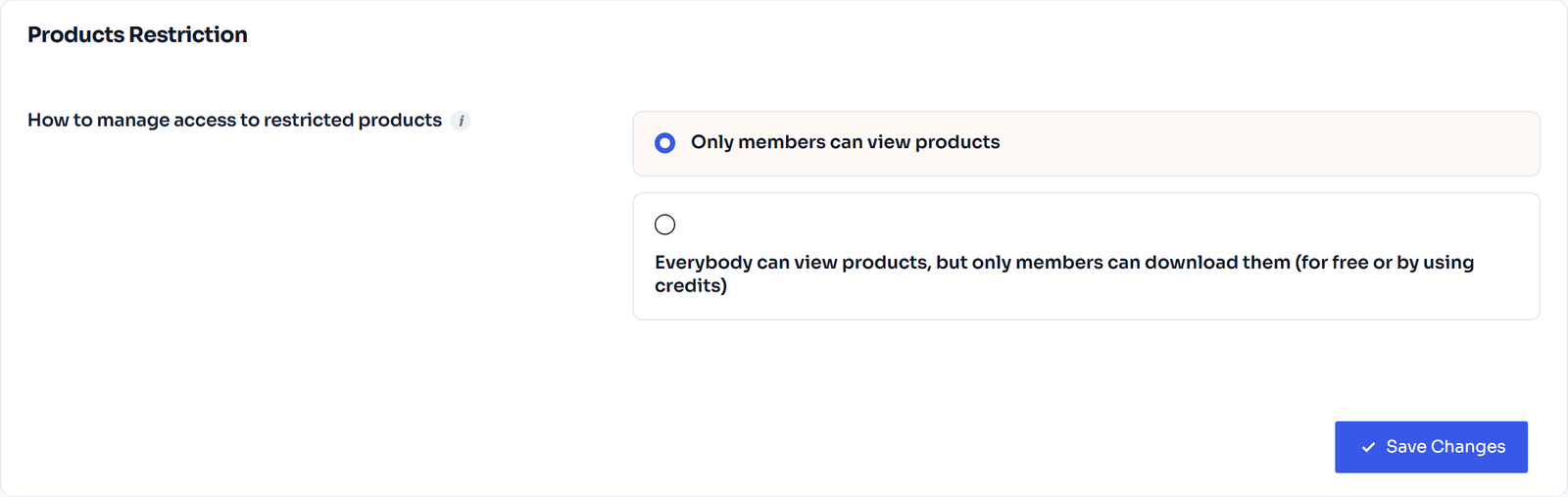
Decide whether non-members can see restricted products at all, or let everyone browse while only members can buy or download them. Restricted products drop out of shop pages, search and widgets.
- Only members can view products
- Everyone views, members download (Pro)
- Hidden from catalogue, search and widgets
Reusable blocks
for every locked page
Content blocks
Pro
Replace Locked Content With Something Useful
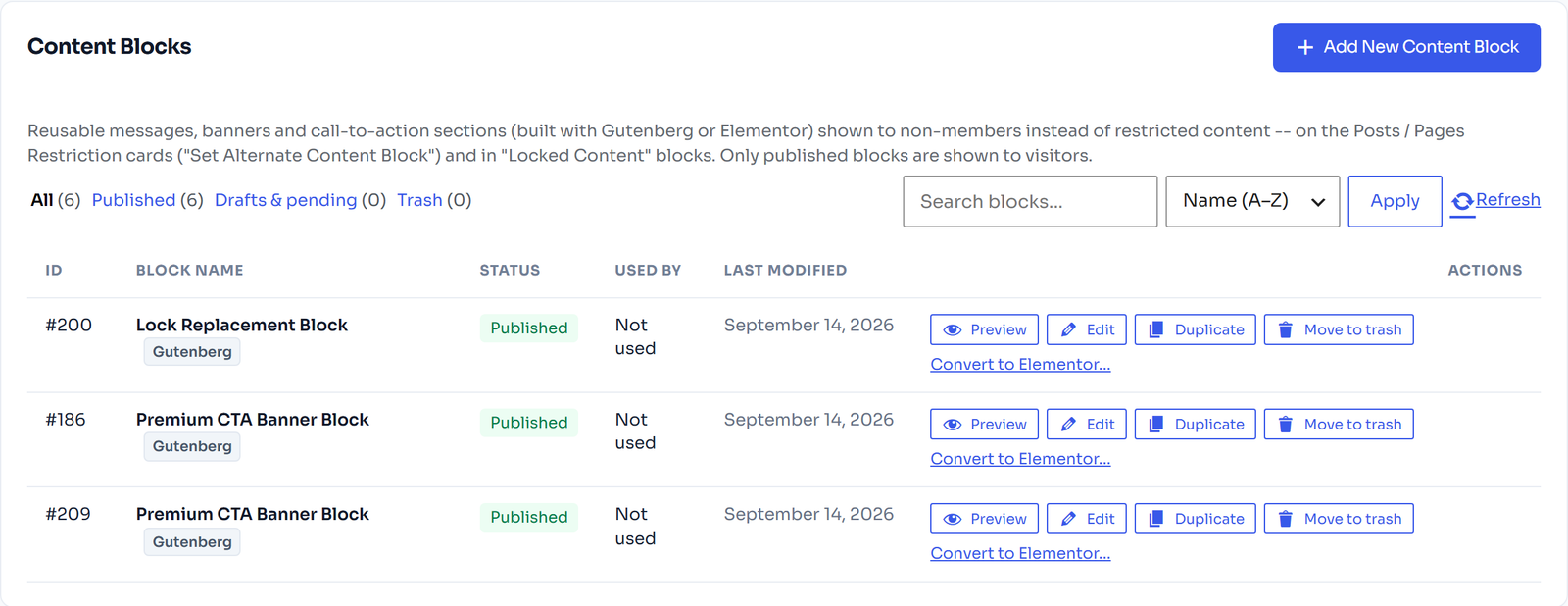
Build reusable messages, banners and call-to-action sections with Gutenberg or Elementor, then show them to non-members instead of the protected content.
- Built with Gutenberg or Elementor
- Reuse one block on many pages
- Convert a block to Elementor in one click
FAQ
Frequently Asked Questions
What do non-members see on a restricted page?
You decide per content type: the item can be hidden, redirect to a page of your choice, show a message, or show a reusable content block. With Pro you can also show a teaser behind a paywall.
Can I protect a whole category at once?
Yes. Category and tag rules apply to every item in them that has no rule of its own, and child pages follow their parent page.
Do restricted posts show up in search or RSS?
No. Restricted items are kept out of search results, archives and RSS feeds for visitors who are not allowed to open them.
Will my cart and checkout pages ever be locked?
No. WooCommerce’s cart, checkout and account pages are always open so customers can buy and log in.
Keep exploring
Related Features
Content dripping
Release pages, posts, and products after a set number of days after each member signs up for content.
Blocks & Elementor widgets
Ten member blocks and widgets, visibility conditions and dynamic tags for page builders.
Membership plans
Free, lifetime, fixed-length and subscription plans, each sold as a normal WooCommerce product.
Start protecting your content for free
Content restriction, access rules and visitor previews are all part of the free plugin.