
Content dripping
Included in Pro
Drip Content for WooCommerce: Release Lessons Automatically
Unlock lessons, resources and products a set number of days after each member signs up. Everyone moves at the right pace, and you never have to publish anything by hand.
Unlocks in 14 days
counted per member
Why drip content
Keep Members Engaged for Longer
A steady stream of new content gives members a reason to come back and to stay subscribed.
No overwhelm
Members get content step by step instead of everything on day one.
Hands-free
Once set, content unlocks on schedule without any manual work.
Per member
The clock starts when each member joins, so late joiners gets full journey.
Made for courses
Perfect for lesson-by-lesson programmes and coaching.
Lower churn
Something new to look forward to keeps subscriptions renewing.
Visible schedule
Show members what is open now and what unlocks next.
How it works
Set the Delay Where the Content Lives
Content timing
Choose When Each Plan’s Members Get it
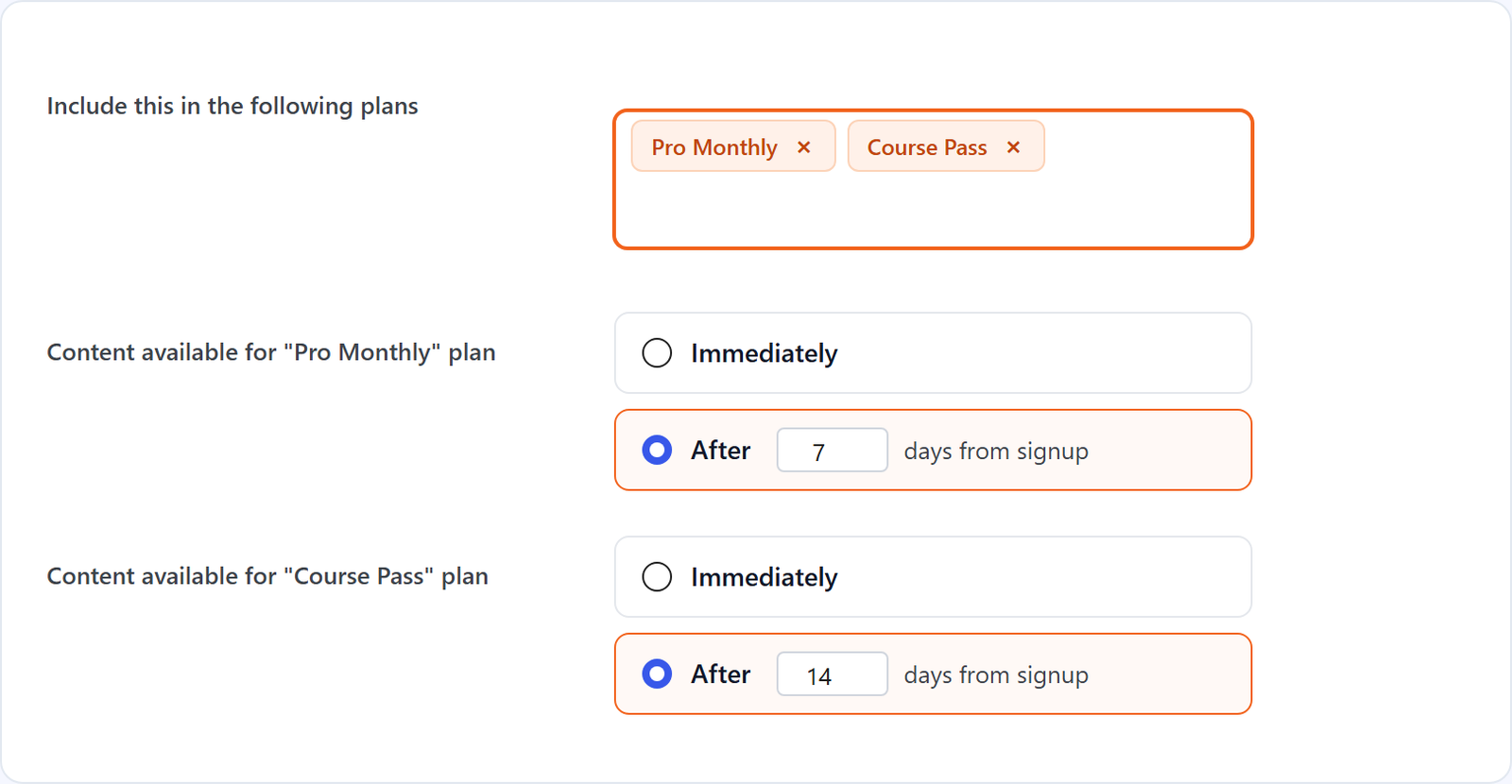
In the Membership Options box of any page, post or product, pick the plans it belongs to and choose, per plan, “Immediately” or “After N days from signup”. Different plans can wait different lengths of time for the same content.
- Per plan: immediately or after N days
- Counted from each member’s own start date
- Works on pages, posts and products
After 14 days
from each member’s signup
Always up to date
for each member
Drip schedule
Show Members What is Coming Next
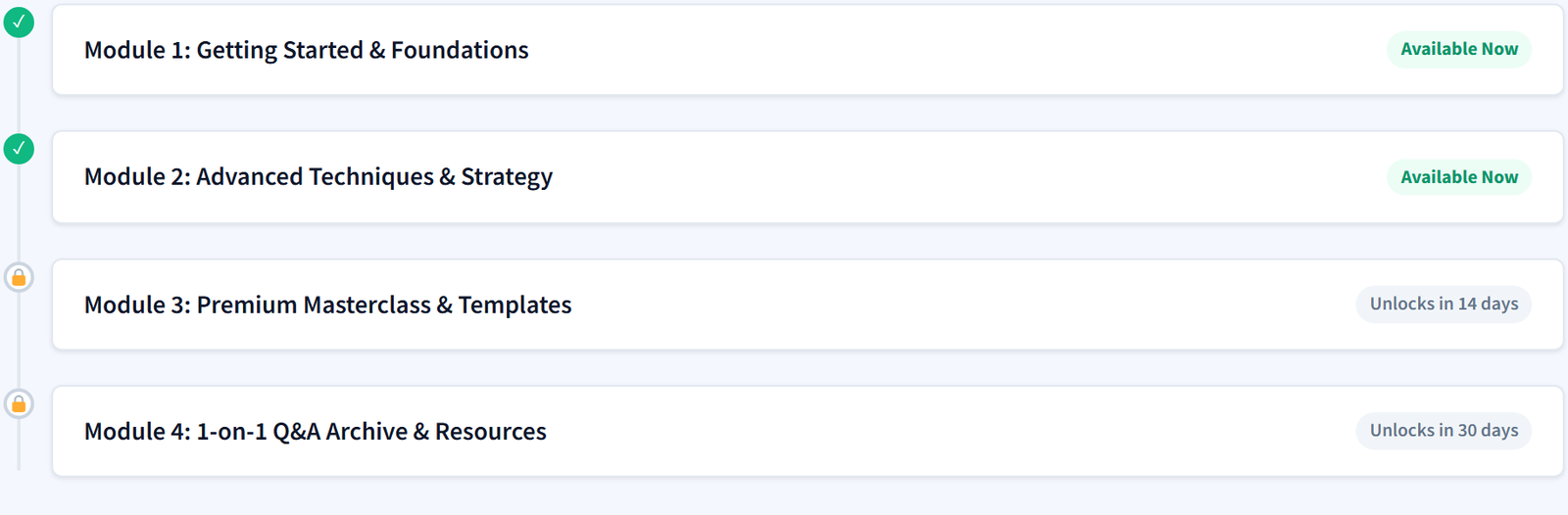
Add the Drip Schedule block or Elementor widget to any page. Members see which modules are open, which unlock soon and how many days are left.
- Gutenberg block and Elementor widget
- Open modules marked as available
- “Unlocks in N days” countdown
Works with restriction
Who Can Open it, and From When
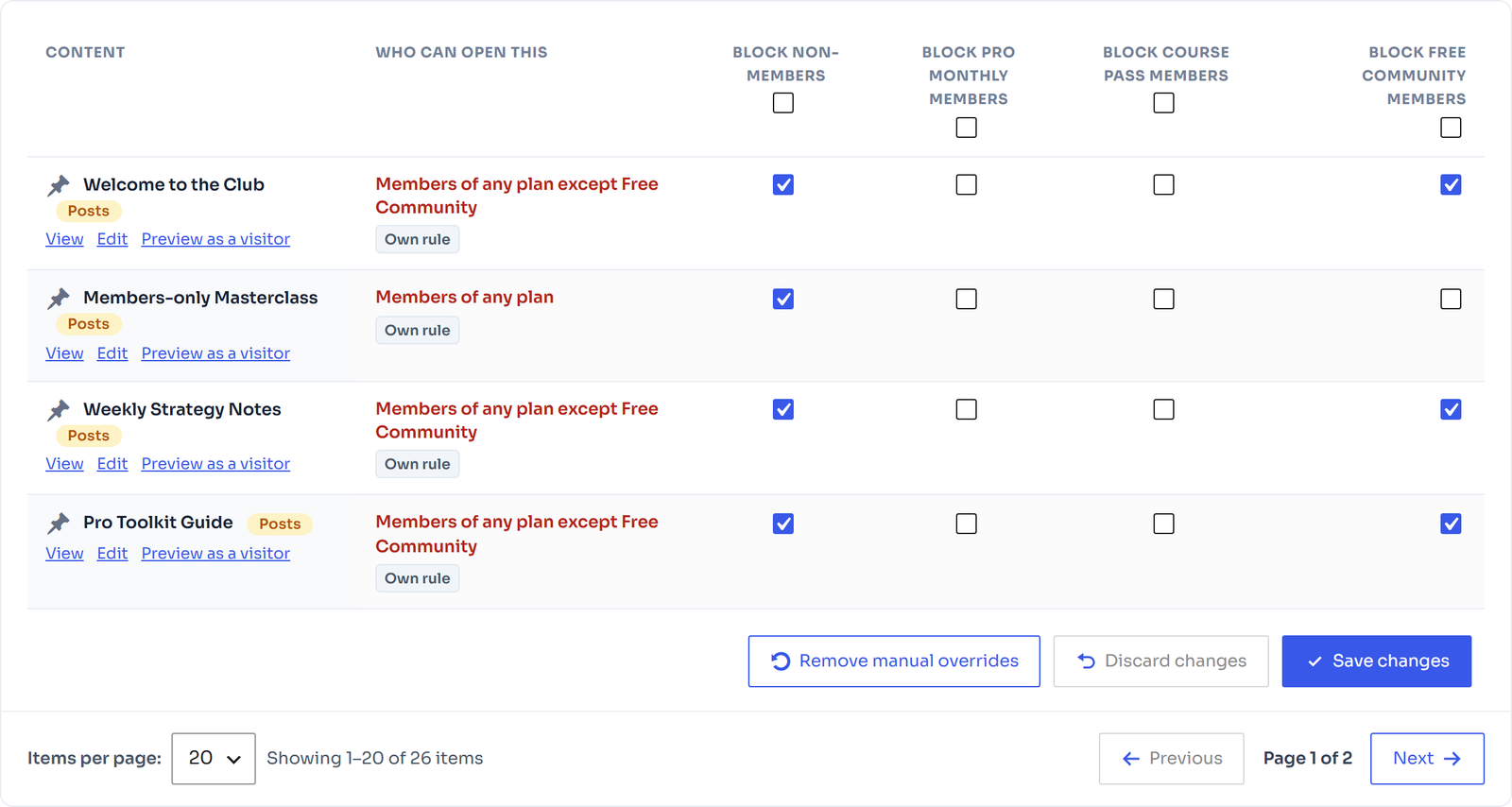
Content restriction decides who may open an item; drip decides when. Access rules show who can open each item, and a member sees it once both say yes.
- Restriction and drip work together
- Visitor preview from every row
- No cron jobs to set up
FAQ
Frequently Asked Questions
When does the drip clock start?
From the day each member’s membership starts, so a member who joins today gets the same timeline as one who joined last month.
Can I combine drip with content restriction?
Yes. Restriction decides who may open an item; drip decides when. A member sees the item once both say yes.
Can different items unlock on different days?
Yes. Each page, post or product has its own delay per plan, so lesson 2 can open after 7 days and lesson 3 after 14.
Is content dripping in the free plugin?
Content dripping is part of FlexWoo Memberships Pro. The free plugin shows where the setting lives so you can see how it works.
Keep exploring
Related features
Content protection
Lock posts, pages, products and categories with redirects, teasers, paywalls and per-item access rules.
Blocks & Elementor widgets
Ten member blocks and widgets, visibility conditions and dynamic tags for page builders.
Member account area
My Account tabs where members see and manage their plans, subscriptions and downloads.
Turn your content into a journey
Content dripping is included in every FlexWoo Memberships Pro plan, with a 30-day money-back guarantee.