
Subscriptions & renewals
In Free, more in Pro
WooCommerce Subscriptions & Recurring Payments, Built In
Sell subscriptions that renew automatically through Stripe, PayPal or Razorpay. Add free trials and signup fees, remind members before each charge, retry failed payments and let members pause or cancel on your terms.
Renewals on autopilot
charged by your gateway
Why it matters
Predictable Revenue Without the Busywork
Everything a subscription business needs, inside the store you already run.
Automatic renewals
Stripe, PayPal and Razorpay charge each cycle with the member’s saved payment method.
Trials & signup fees
Offer a free or paid trial and charge a one-time signup fee (Pro).
Flexible cycles
Bill every few days or weeks, or monthly and yearly with Pro.
Reminders
Renewal reminders and trial-ending notices go out before each charge.
Failed-payment retries
Retry failed renewals on your schedule, then apply your final action.
Pause & cancel rules
Decide whether and how often members may pause or cancel.
How it works
Subscriptions You Can See and Control
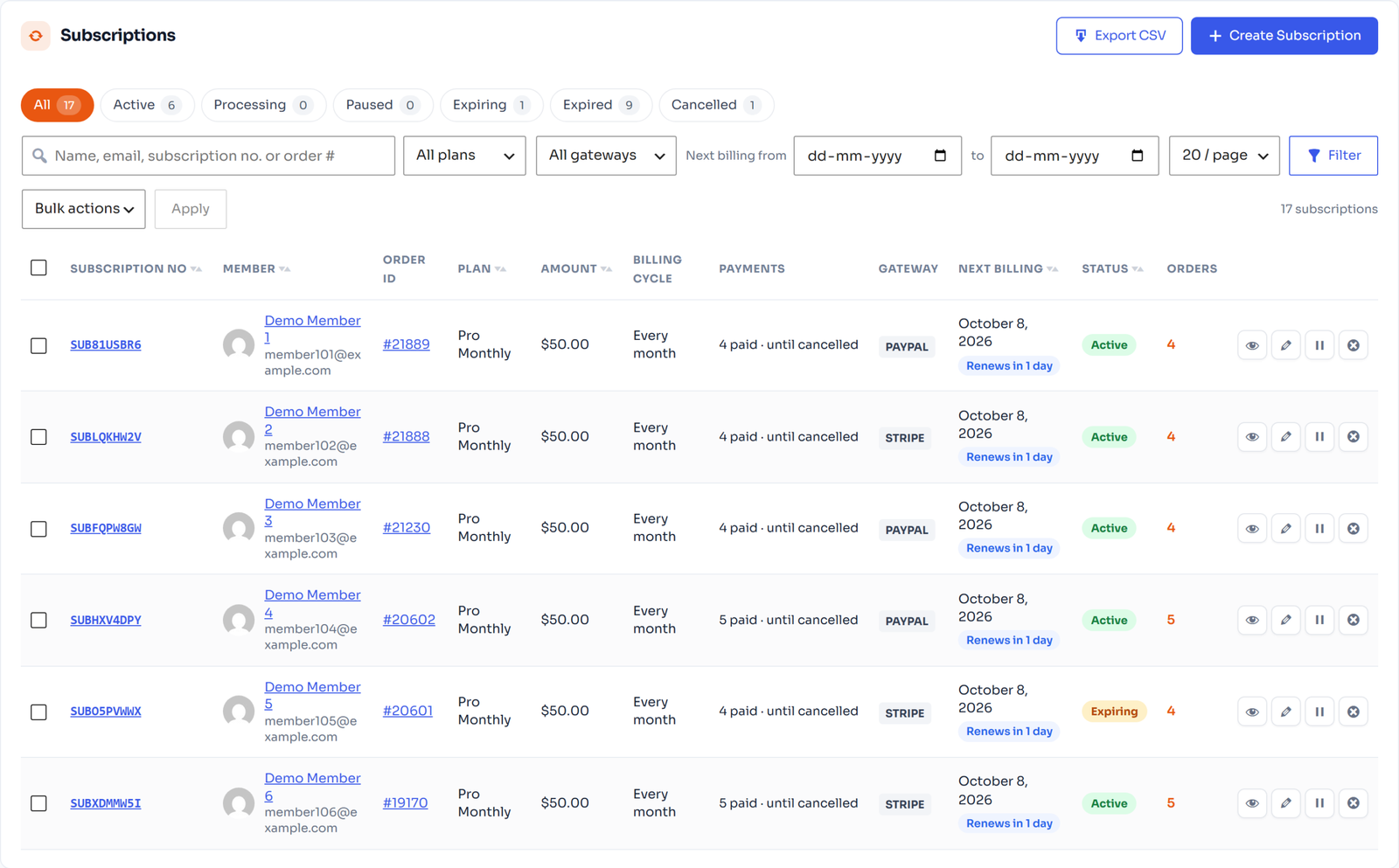
Subscriptions list
Every Subscription on One Screen
Filter by status, plan, gateway and next billing date. See payments made, the next charge and the gateway for each subscription, and pause, edit or cancel it from the row.
- Status tabs: active, paused, expiring, cancelled
- Filter by plan, gateway and billing date
- Bulk actions and CSV export
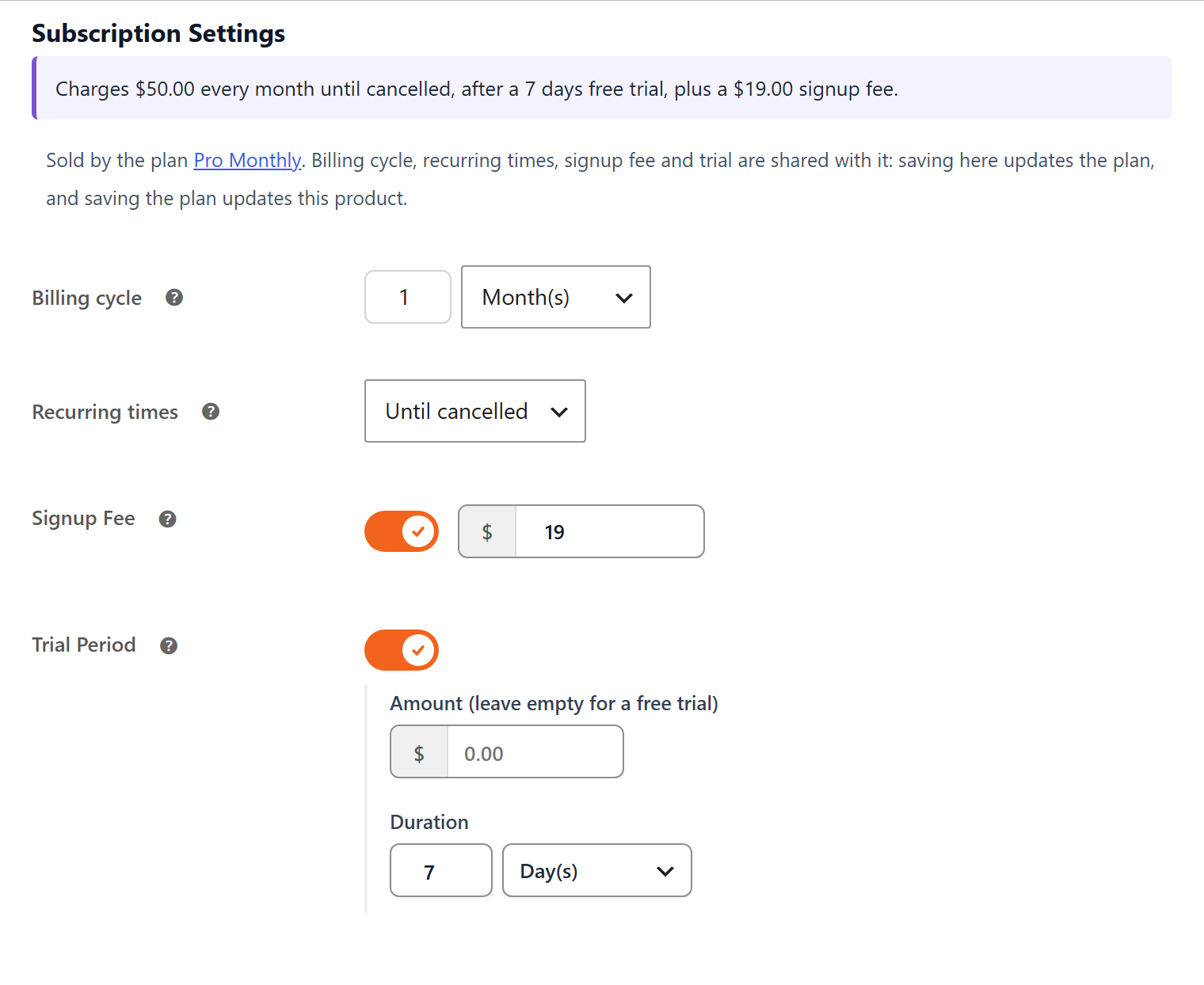
Plain-English summary
of what members pay
Product settings
Billing Set on the Product, Shared With the Plan
Billing cycle, number of payments, signup fee and trial live on the linked WooCommerce product, with a plain summary such as “Charges $50.00 every month until cancelled, after a 7 days free trial”.
- Cycle in days, weeks, months or years
- Until cancelled or a fixed number of payments
- Free or paid trial and signup fee (Pro)
Renewal pricing
Pro
Reward Loyal Subscribers Automatically
Price each renewal at the normal amount, the sale price, or a percentage or fixed discount that grows with the renewal number. Subscription coupons can discount the signup fee and future renewals too.
- Discount steps by renewal number
- Subscription coupons for renewals
- Applied automatically at every charge
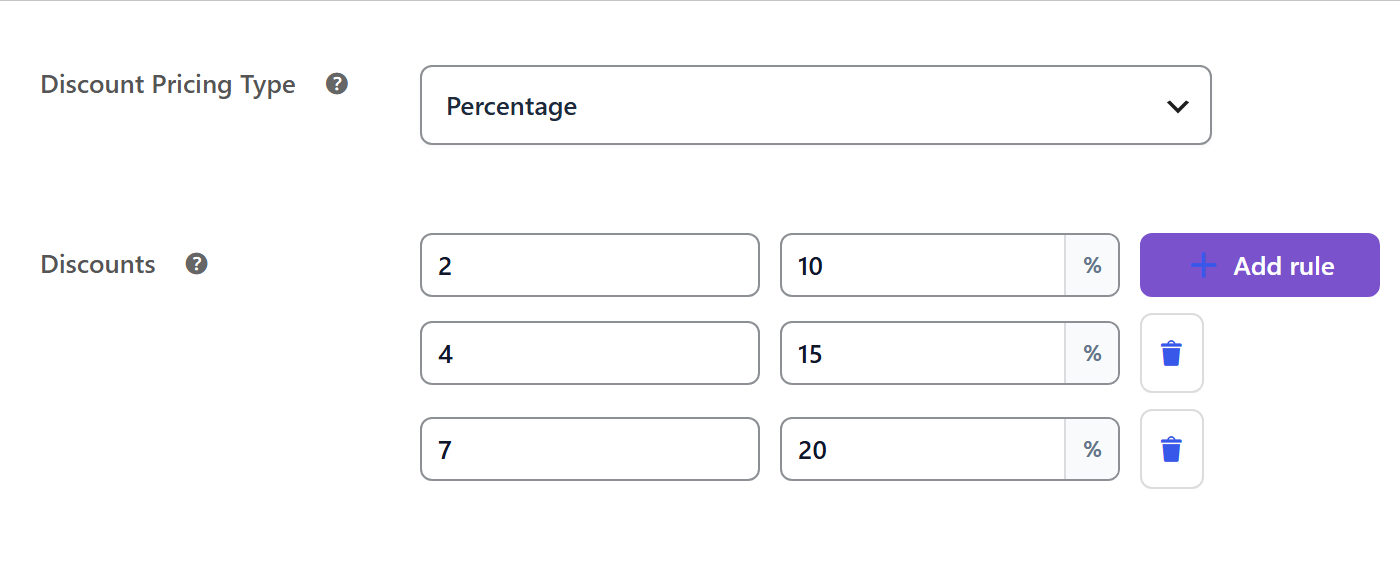
20% off from renewal 7
applied automatically
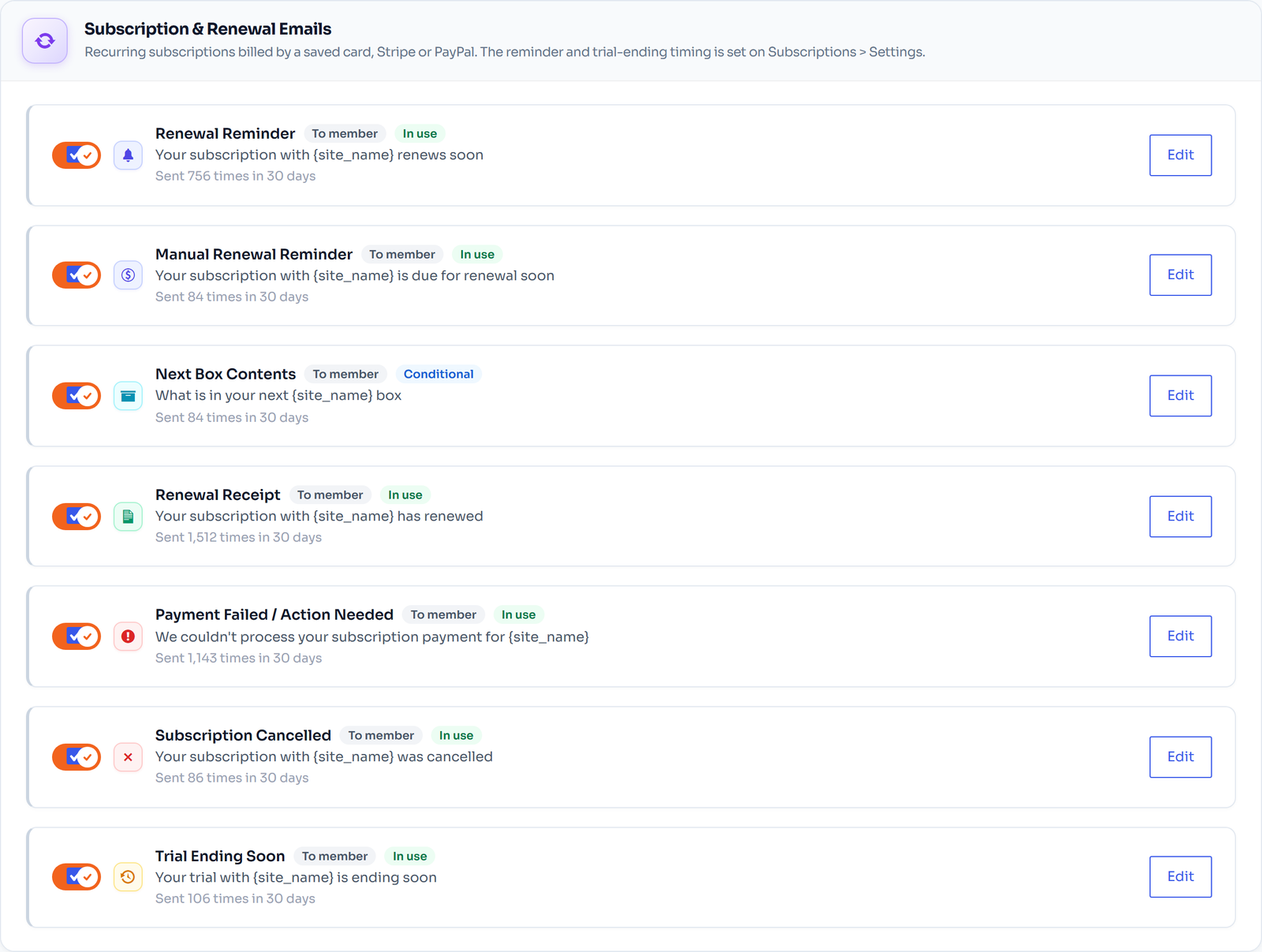
Renewal e-mails
Members Always Know What is Coming
Renewal reminders, receipts, failed-payment notices, trial-ending reminders and cancellation e-mails are ready to go, with send counts so you can see they work.
- Reminder before each renewal
- Failed payment / action needed
- Editable templates with placeholders
FAQ
Frequently Asked Questions
Do I need WooCommerce Subscriptions?
No. FlexWoo Memberships renews subscriptions itself. If you already use WooCommerce Subscriptions, memberships follow its subscriptions instead.
Who charges the renewals?
Your payment gateway. With our free Stripe, PayPal and Razorpay gateways a subscription can be run by the gateway itself, or charged by your store with the member’s saved payment method.
What happens when a renewal payment fails?
The member is notified, the payment is retried on your schedule, and your final action is applied only if the retries fail.
Can members pause or cancel themselves?
You set the rules for pausing and cancelling. With Pro members can switch plan, pause and cancel from their account.
Which billing cycles are available?
The free plugin renews every 1–7 days or 1–3 weeks. Pro adds monthly and yearly cycles, signup fees, trials and renewal synchronisation.
Keep exploring
Related Features
Payment gateways
Free Stripe, PayPal and Razorpay gateways, plus WooCommerce Subscriptions support.
Member discounts
Member-only prices in your shop, renewal discounts and subscription coupons.
E-mails & automation
Membership, account and renewal e-mails, grace periods and end-of-plan actions.
Start Selling Subscriptions Today
Recurring billing through Stripe, PayPal and Razorpay starts in the free plugin.