The moment someone joins is the moment they are most excited about your membership. It is also when they are most likely to get lost. They pay, they get a generic receipt, they log in to a page full of options, and three weeks later they cannot remember why they joined.
A good member welcome e-mail, followed by a short sequence over the first month, fixes that. Below are seven copy-and-paste templates, when to send each one, and how to set them up on a WordPress membership site.
Key takeaways
What Makes a Great Welcome E-mail
The First-Month Welcome Sequence
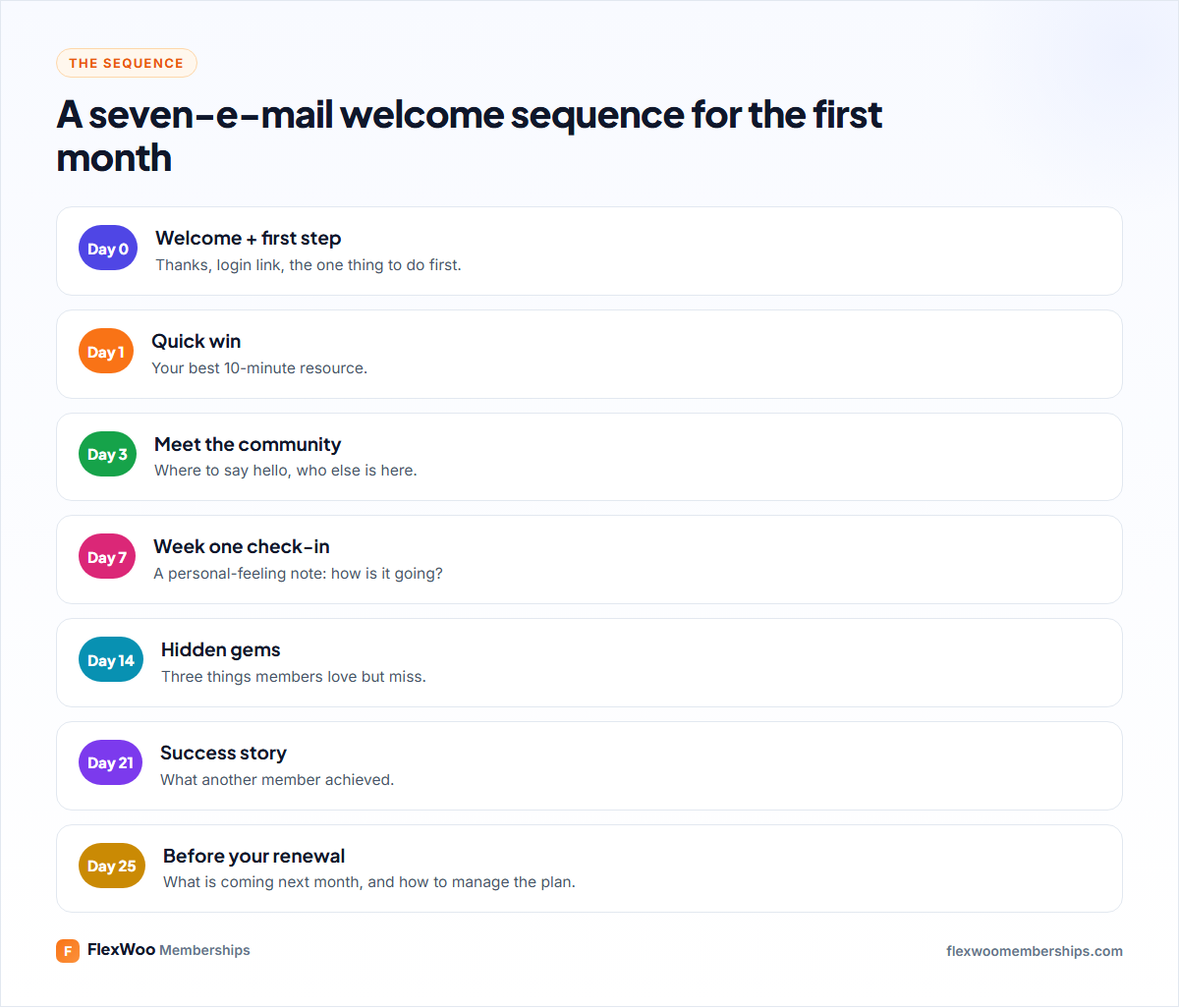
You do not need all seven on day one. Start with template 1, which every membership needs, then add the rest as you have time. Replace the {curly} parts with your own details or with your e-mail tool’s merge tags.
Seven Welcome E-mail Templates
Template 1: The welcome and first step
When: immediately after joining. This is the most important e-mail you will send.
Subject: Welcome to {membership name}, {first name}! Here is where to start
Hi {first name},
Welcome in! I am really glad you joined {membership name}.
The best place to start is {first step, e.g. the 10-minute starter lesson}. Most new members do it on their first day, and it sets you up for everything else:
[Start here]
You can log in any time at {login link}, and you will find your membership under My Account → Memberships.
Questions? Just reply to this e-mail. It comes straight to me.
{your name}
Template 2: The quick win
When: day 1. Give them a result before the excitement fades.
Subject: Your 10-minute win for today
Hi {first name},
If you only have ten minutes today, do this: {best quick resource}.
It is the one members tell us made the biggest difference in their first week.
[Open it now]
{your name}
Template 3: Meet the community
When: day 3. People stay for people. Introduce them.
Subject: Come and say hello
Hi {first name},
One of the best parts of {membership name} is the people in it. There are {number} members here, from {who they are}.
Pop into {community link} and introduce yourself: who you are and what you want to get out of the membership. You will get a warm welcome.
[Say hello]
{your name}
Template 4: The week-one check-in
When: day 7. A plain, personal-feeling e-mail gets replies, and replies build loyalty.
Subject: Quick question, {first name}
Hi {first name},
You have been a member for a week now. How is it going?
Is there anything you were hoping to find that you have not yet? Just hit reply and tell me. I read every answer.
{your name}
Template 5: Hidden gems
When: day 14. Most members only use a fraction of what you offer.
Subject: 3 things members love (that most people miss)
Hi {first name},
A few things in your membership that are easy to miss:
1. {gem 1}: {one line why}
2. {gem 2}: {one line why}
3. {gem 3}: {one line why}
Which one will you try this week?
{your name}
Template 6: The success story
When: day 21. Show what is possible with a real example.
Subject: How {member name} {achieved result} in {timeframe}
Hi {first name},
I wanted to share a quick story. {Member name} joined {timeframe} ago wanting to {goal}. They started with {first step}, then {what they did}.
Last month, {result}.
You are already on the same path. Your next step: {next resource}.
{your name}
Template 7: Before the first renewal
When: a few days before the first renewal. Remind them of the value and what is coming. It prevents surprise-charge cancellations.
Subject: What is coming in {month} for members
Hi {first name},
Your first month is nearly done! Here is what is coming next month:
• {new content 1}
• {new content 2}
• {event or live session}
Your membership renews on {renewal date}. You can see or manage your plan any time under My Account.
See you inside,
{your name}
How to Set Up Welcome E-mails in WordPress
In FlexWoo Memberships, the Welcome / membership activated e-mail goes out automatically when a membership starts, in the free plugin too. Here is how to customise it:
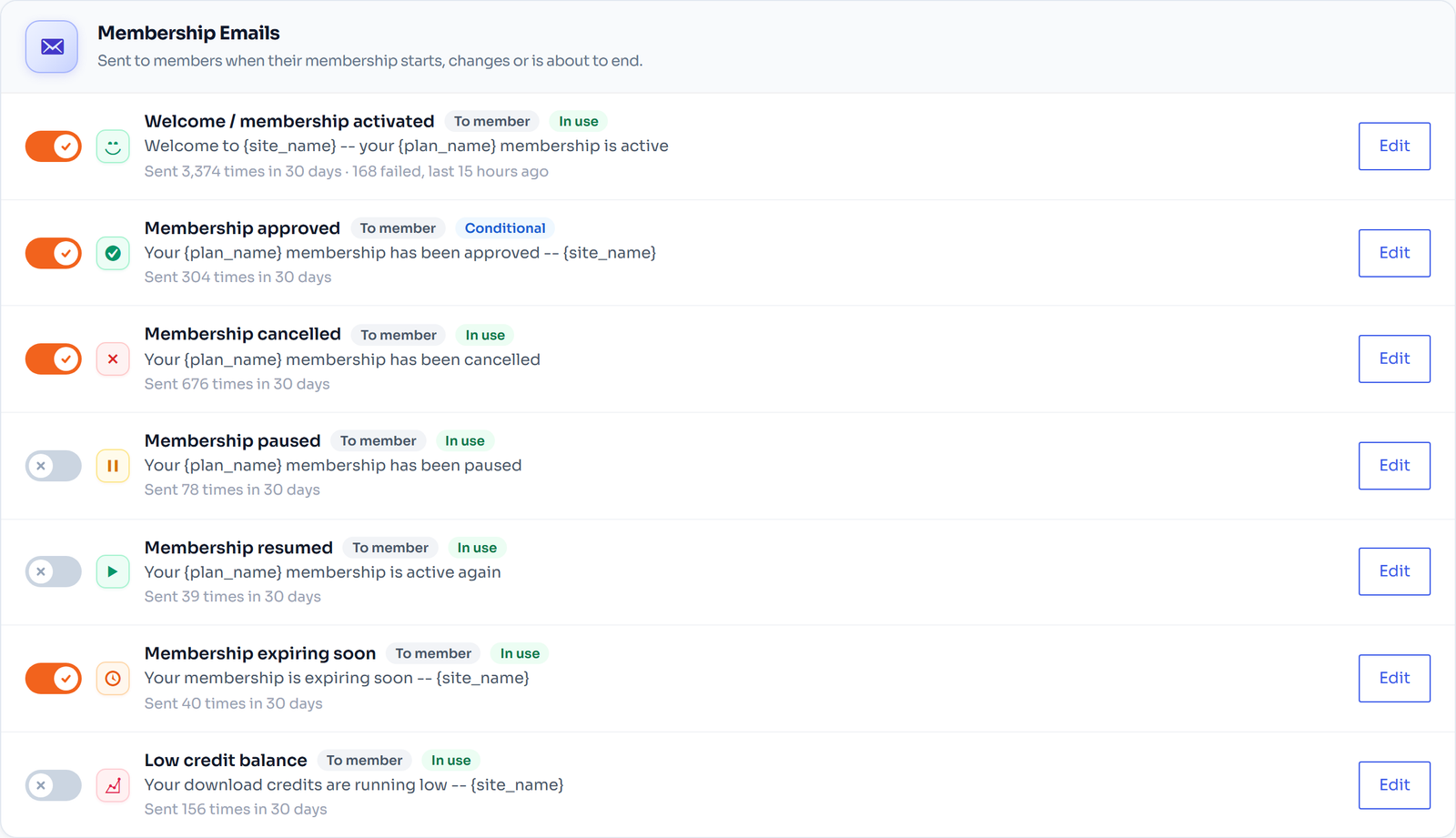
Then brand your e-mails under Settings → Email Branding: your logo, a header colour, a sender name and a From address on your own domain. The preview shows the real layout before you save.
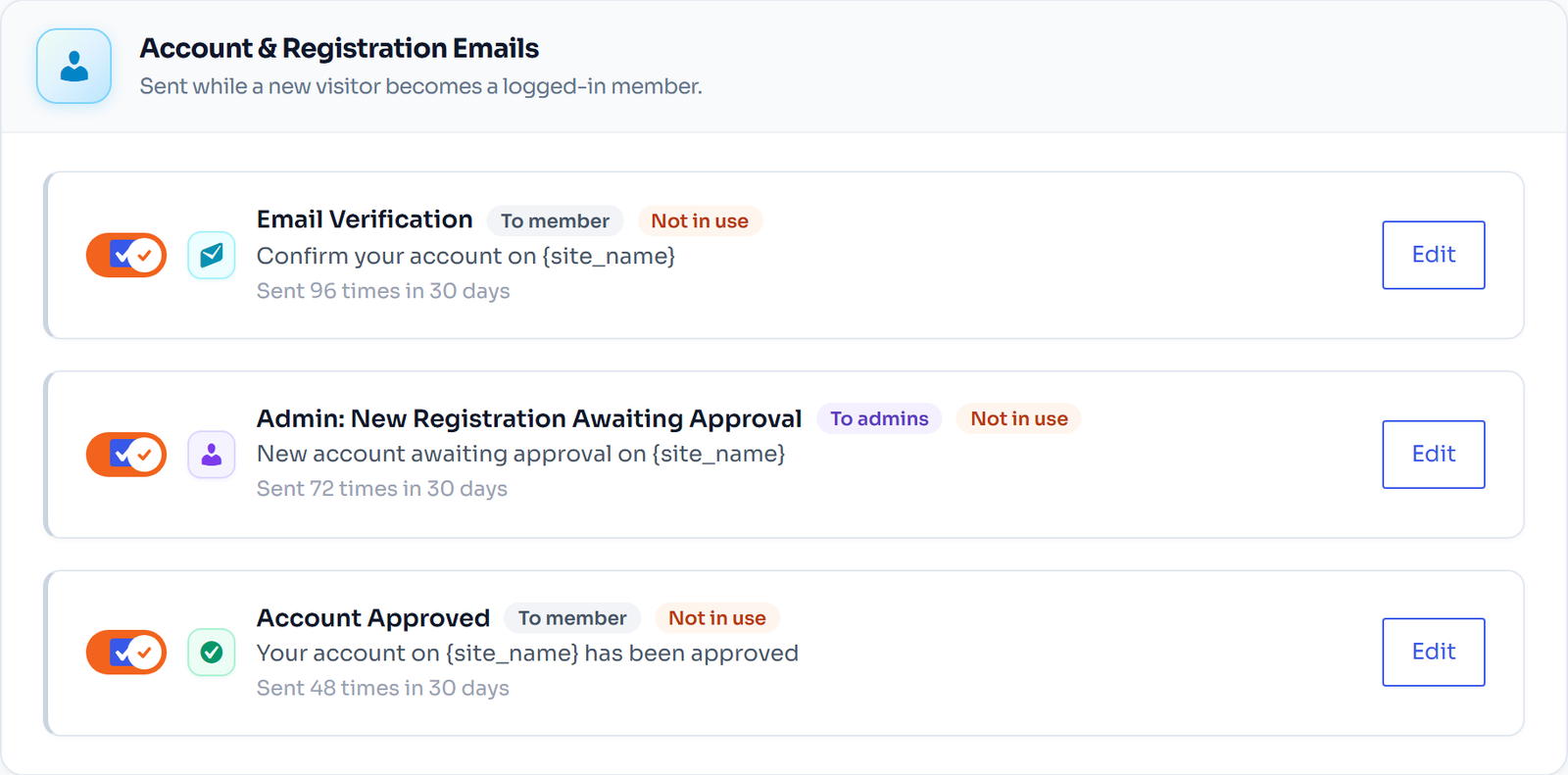
For templates 2 to 7, which go out on later days, use your e-mail marketing tool’s automation (most can trigger a sequence when a customer buys a specific WooCommerce product). The renewal reminder FlexWoo sends a few days before each renewal can carry the spirit of template 7 too.
Deliverability matters. If members do not receive e-mails, install an SMTP plugin connected to a proper mail service and send a test from the Notifications screen. A welcome e-mail in the spam folder is a welcome e-mail nobody reads.
Welcome E-mail Mistakes to Avoid
FAQ: Member Welcome E-mails
Start With One Great E-mail
If you do one thing after reading this, rewrite your welcome e-mail with a single first step. Then add the check-in on day seven. Those two alone will change how your first month feels for new members. For more retention ideas, see 15 ways to reduce membership churn.