Choosing the best WordPress membership plugin is a decision you live with for years. It decides how members pay, what they can see and how their subscriptions renew – and switching later means moving every member and every active payment to a new system.
To make the choice easier, we compared 10 popular WordPress membership plugins on what really matters for user subscriptions: recurring billing, content restriction, member self-service, how far the free version goes and what you actually pay after the first-year discount ends.
Full disclosure: we make FlexWoo Memberships, and it is in this list. We rank it first for WooCommerce stores because that is exactly what it is built for. If you do not use WooCommerce, one of the other plugins will probably suit you better, and we say so below. Every price comes from the vendor’s own pricing page, checked in October 2026.
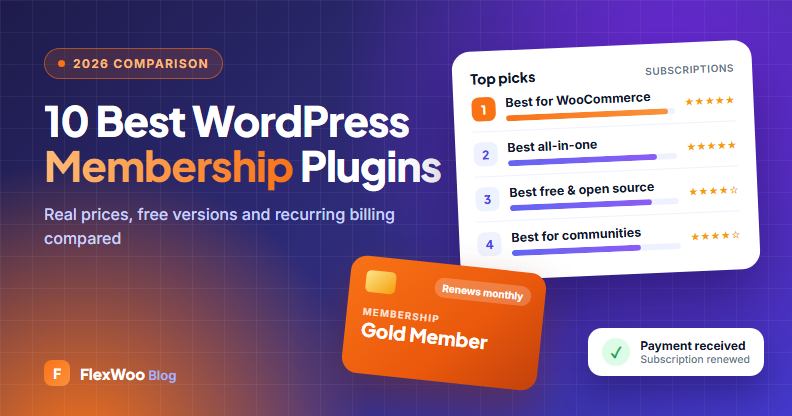
Our Top Picks at a Glance
WordPress Membership Plugins Compared
Here is how the 10 plugins compare on price, free versions and recurring billing. First-year prices are introductory offers; the table shows what you pay when you renew.
| Plugin | Best for | Free version | Price (1 site) | Recurring billing | Refund |
|---|---|---|---|---|---|
| FlexWoo Memberships | WooCommerce stores | Yes | Free · Pro $99/yr | Built in (Stripe, PayPal, Razorpay) | 30 days |
| MemberPress | All-in-one sites | No | $199.50 first year, then $399/yr | Built in | 14 days |
| Paid Memberships Pro | Free & open source | Yes | Free · $49/mo or $499/yr | Built in | 100 days |
| WooCommerce Memberships | Official Woo add-on | No | $199/yr + $279/yr Subscriptions | Needs WooCommerce Subscriptions | 30 days |
| MemberMouse | Upsells & funnels | No | $149.50 first year, then $299/yr | Built in | 14 days |
| SureMembers | Simple setup | No | $69 first year, then $99/yr | Through SureCart | 14 days |
| Ultimate Member | Profiles & communities | Yes | Free · bundles from $276/yr | Stripe in the $348/yr Pro bundle | 30 days |
| Simple Membership | Free & lightweight | Yes | Free | PayPal & Stripe | – |
| WishList Member | Courses & many levels | No | $149.50 first year, then $299/yr | Built in | 14 days |
| ARMember | Budget lifetime deal | Yes (Lite) | $89/yr · lifetime from $229 | Built in (22+ gateways) | 14 days |
What Does a WordPress Membership Plugin Do?
A membership plugin turns a normal WordPress site into one where people pay – once or on a schedule – to unlock content, products or services. A good one handles five jobs for you:
How We Chose These Plugins
We looked at each plugin through the eyes of a site owner who wants to sell subscriptions, not just lock a few pages. These were our criteria:
The 10 Best WordPress Membership Plugins in 2026
1. FlexWoo Memberships
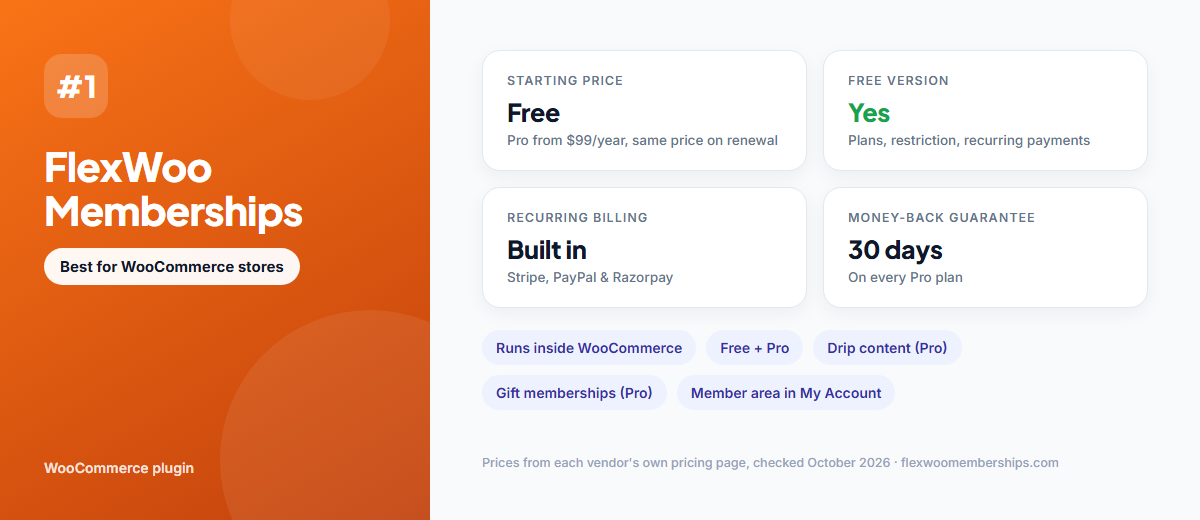
FlexWoo Memberships turns a WooCommerce store into a membership and subscription business without bolting on a second checkout. Every membership plan is sold as a normal WooCommerce product, so the checkout, coupons, taxes and payment methods you already use keep working.
Recurring payments run through free Stripe, PayPal and Razorpay gateway plugins, and members manage their plans from WooCommerce’s My Account page. Unlike WooCommerce Memberships, you do not need a second paid extension for recurring billing: the free plugin handles daily and weekly billing cycles, and Pro adds monthly and yearly plans, free trials and signup fees.
Key features
Pros
Cons
Pricing: Free plugin. Pro costs $99/year for 1 site, $199/year for 10 sites, $349/year for 100 sites or $599/year for unlimited sites. Lifetime licences start at $199. See FlexWoo pricing.
2. MemberPress
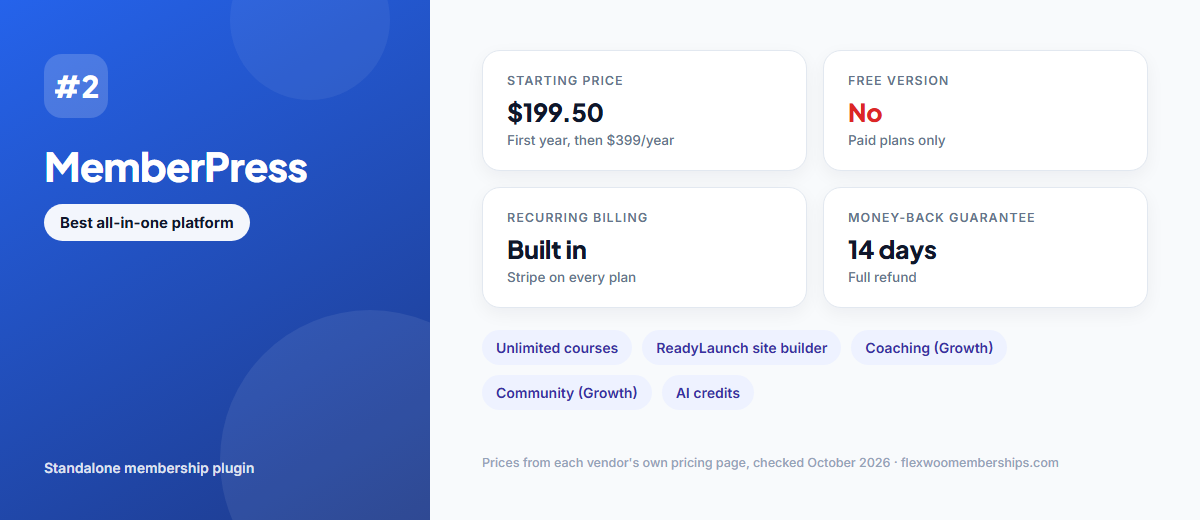
MemberPress is one of the best-known WordPress membership plugins and positions itself as an all-in-one platform: memberships and courses on every plan, with coaching and community tools on the higher tiers. It handles recurring billing itself, so it does not need WooCommerce.
Key features
Pros
Cons
Pricing: Launch $399/year ($199.50 for the first year), Growth $699/year ($349.50 first year), Scale $999/year ($499.50 first year). 14-day money-back guarantee. Source: MemberPress pricing.
3. Paid Memberships Pro
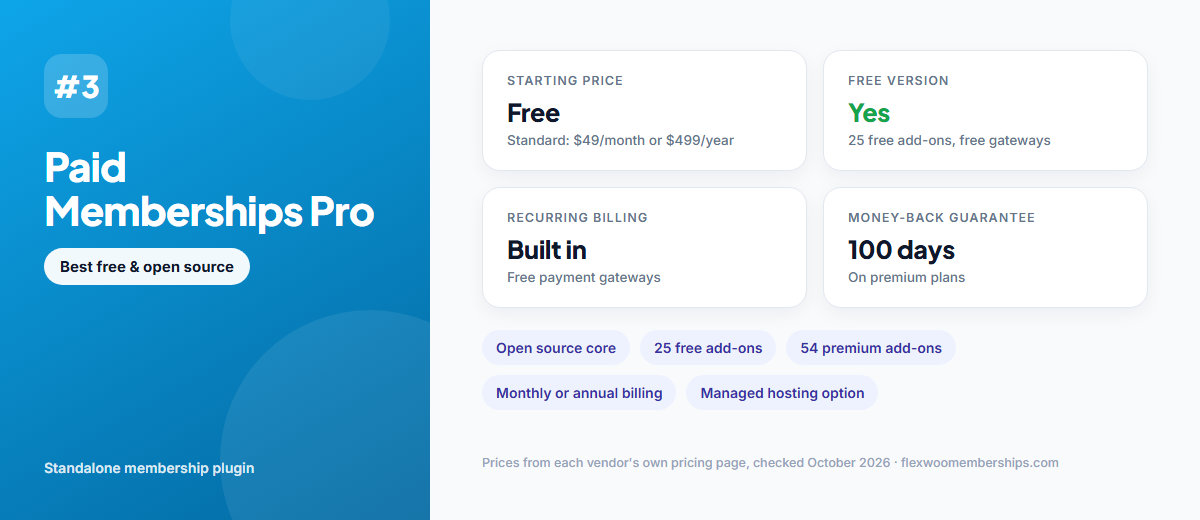
Paid Memberships Pro is a free, open-source membership plugin with a large library of add-ons. The core plugin, 25 free add-ons and the payment gateway integrations cost nothing, which makes it popular with developers and with sites on a tight budget.
Key features
Pros
Cons
Pricing: Free core. Standard costs $49/month or $499/year for 1 site. Max (with managed hosting) is $99/month or $499 for the first year, then $999/year. Source: Paid Memberships Pro pricing.
4. WooCommerce Memberships
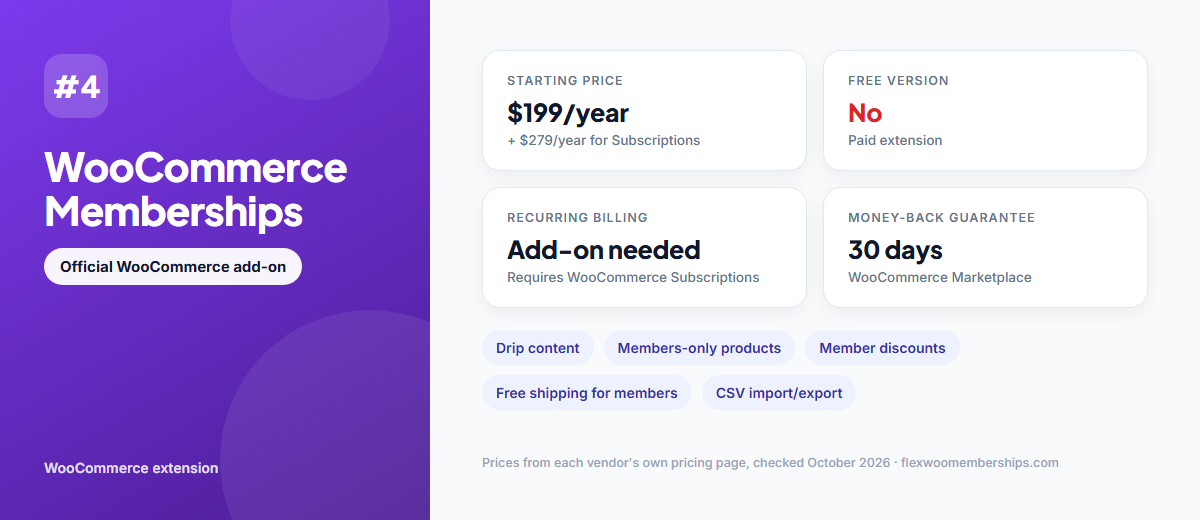
WooCommerce Memberships is the official membership extension sold on WooCommerce.com. It is strong at restricting content and products, but on its own it sells memberships for a set term. For automatic recurring billing you also need the separate WooCommerce Subscriptions extension.
Key features
Pros
Cons
Pricing: $199/year, plus $279/year for WooCommerce Subscriptions if you want automatic renewals. Source: WooCommerce Memberships.
5. MemberMouse
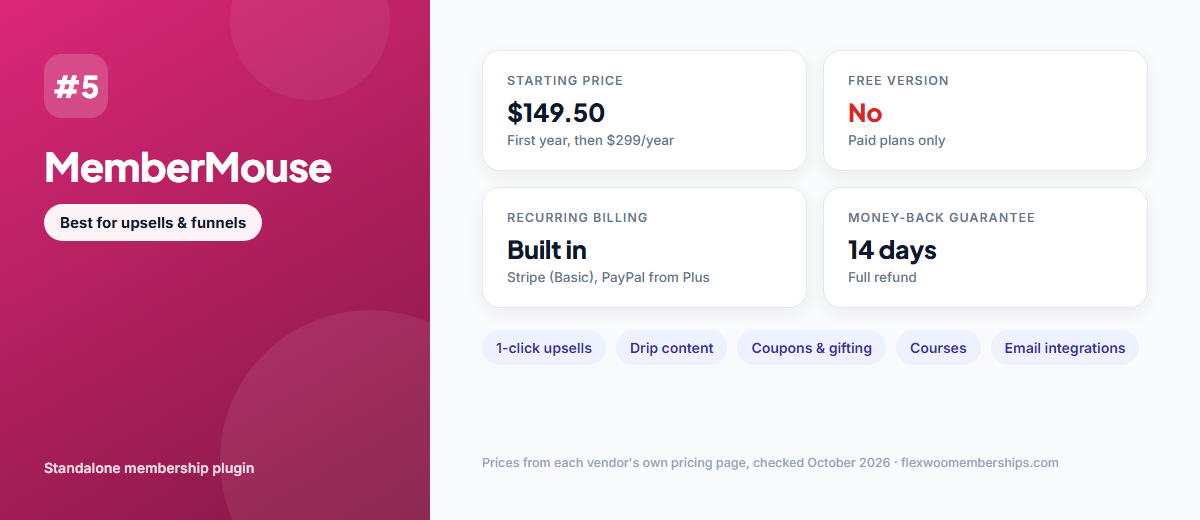
MemberMouse is built for selling. One-click upsells, coupons, gifting and detailed reporting make it a favourite of marketers who run sales funnels around their membership.
Key features
Pros
Cons
Pricing: Basic $299/year ($149.50 first year), Plus $499/year ($249.50 first year), Pro $699/year ($349.50 first year). 14-day money-back guarantee. Source: MemberMouse pricing.
6. SureMembers
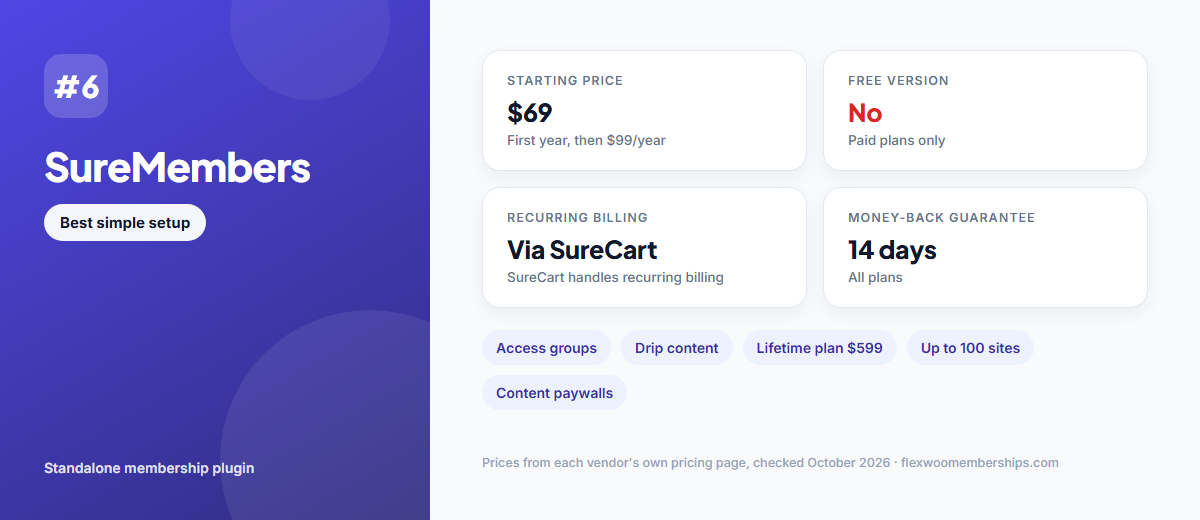
SureMembers keeps memberships simple: create access groups, choose what each group can see and drip content on a schedule. Payments and recurring billing are handled by SureCart, its sister e-commerce plugin.
Key features
Pros
Cons
Pricing: Starter $99/year for 1 site ($69 first year), Pro $199/year for 10 sites ($149 first year), Business $299/year for 100 sites ($199 first year), Business Lifetime $599 once. 14-day money-back guarantee. Source: SureMembers pricing.
7. Ultimate Member
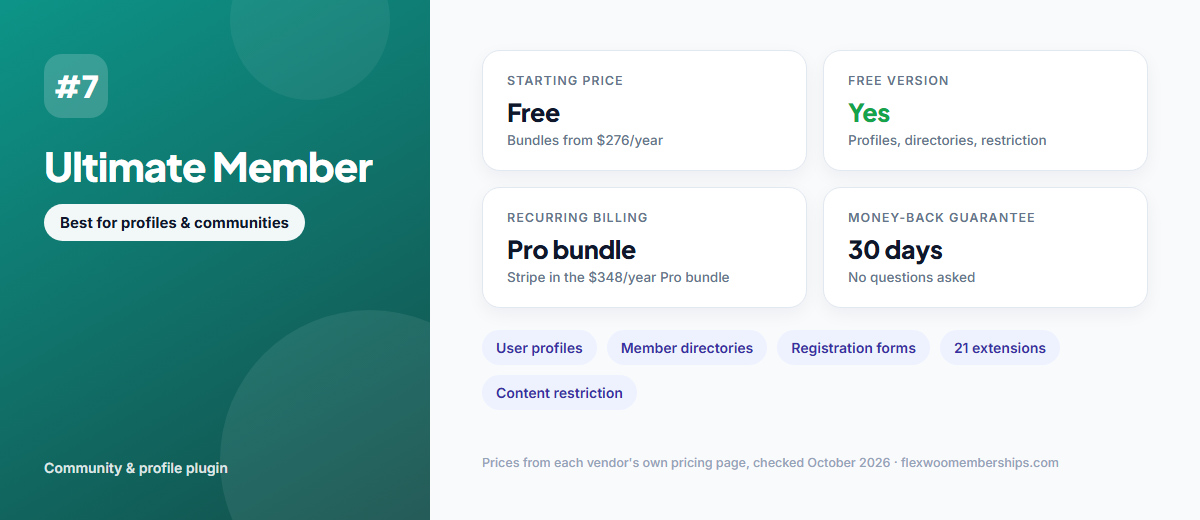
Ultimate Member is best known for front-end user profiles, registration forms and member directories. The free core plugin also handles content restriction, which makes it a strong choice for community sites. To take payments, the $348/year Pro bundle adds a Stripe integration.
Key features
Pros
Cons
Pricing: Free core. Standard bundle $276/year (1 site), Pro bundle $348/year (2 sites, adds Stripe and Zapier). Source: Ultimate Member pricing.
8. Simple Membership
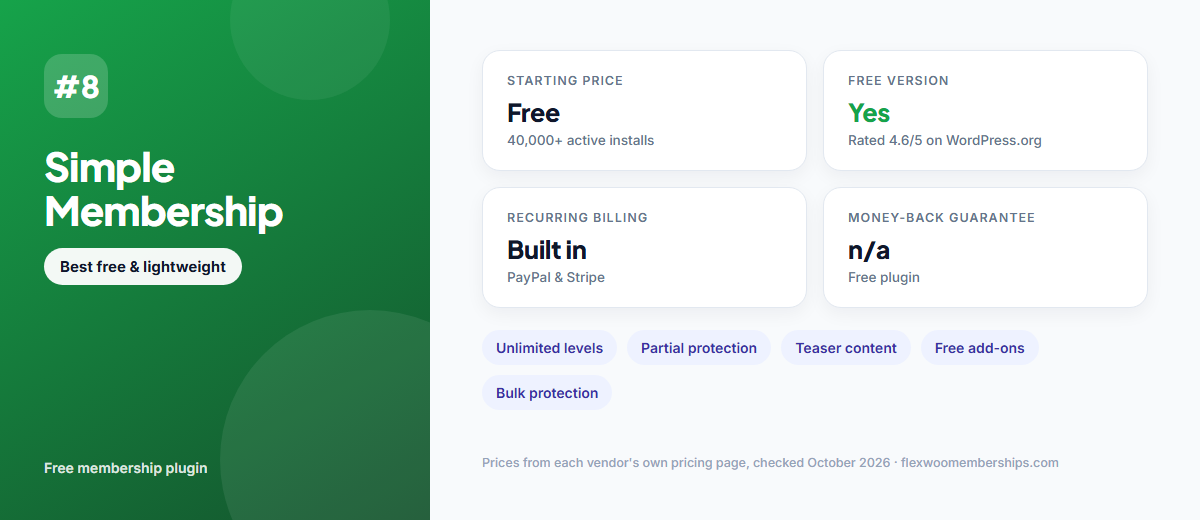
Simple Membership is a free plugin on WordPress.org with more than 40,000 active installations and a 4.6 out of 5 rating. It covers the essentials well: unlimited membership levels, full or partial content protection, and PayPal or Stripe payments, including recurring subscriptions.
Key features
Pros
Cons
Pricing: Free. Source: Simple Membership on WordPress.org.
9. WishList Member
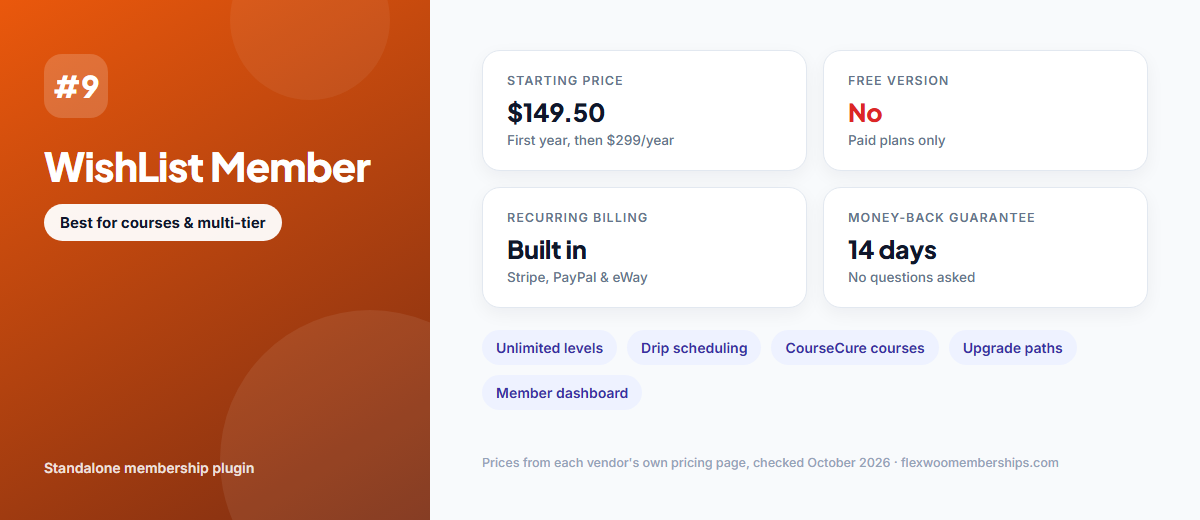
WishList Member suits sites with many membership levels and courses. Unlimited levels and upgrade paths, drip scheduling and the CourseCure course builder are included on every plan, with no transaction or monthly fees.
Key features
Pros
Cons
Pricing: Basic $299/year for 1 site ($149.50 first year), Plus $499/year for 2 sites ($249.50 first year), Pro $699/year for 5 sites ($349.50 first year). 14-day money-back guarantee. Source: WishList Member pricing.
10. ARMember
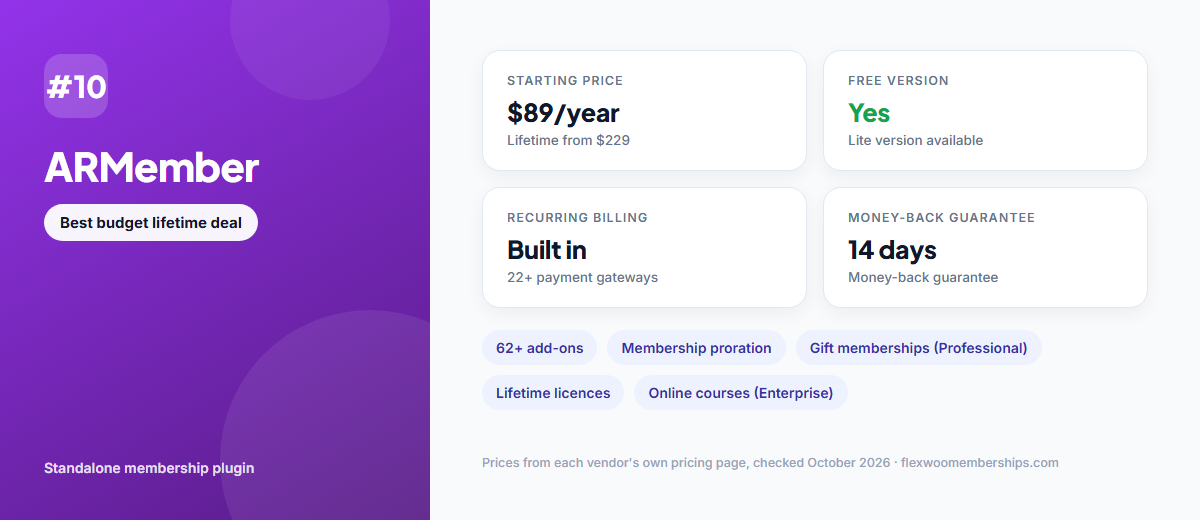
ARMember offers a free Lite version and some of the cheapest paid plans in this list, including lifetime licences. It supports more than 22 payment gateways and comes with a large library of add-ons.
Key features
Pros
Cons
Pricing: Standard $89/year (1 site), Professional $139/year (2 sites), Enterprise $299/year (10 sites). Lifetime licences cost $229, $379 or $599. Source: ARMember pricing.
How to Choose the Right WordPress Membership Plugin

Start with where you sell
If you already run a WooCommerce store, a WooCommerce-based plugin keeps one checkout, one customer account and one set of orders. FlexWoo Memberships and WooCommerce Memberships both work this way. If you do not sell physical or digital products, a standalone plugin such as MemberPress or Paid Memberships Pro avoids installing WooCommerce just for memberships.
Compare the true three-year cost
First-year discounts hide the real price. For a single site, three years cost about $297 with FlexWoo Memberships Pro, $997.50 with MemberPress Launch, $1,434 with WooCommerce Memberships plus Subscriptions and $1,497 with Paid Memberships Pro Standard. Free versions cost nothing – check whether the features you need are included before you pay.
Check the recurring billing details
Look beyond “supports subscriptions”. Can you offer free trials and signup fees? What happens when a card fails – are payments retried and members warned? Can the payment gateway charge renewals automatically, so renewals do not depend on your site’s scheduled tasks? These details decide how much revenue you keep.
Think about what members see
Members expect to manage their own plan. A clear account area where they can see payments, update their plan, pause or cancel saves you support e-mails and reduces chargebacks.
Test before you commit
Install the free version where there is one, or use the money-back window to build a test plan, buy it and cancel it. Moving active subscriptions between plugins later is hard, so a week of testing now is worth it.
How to Set Up a Membership Site with FlexWoo Memberships
If you sell with WooCommerce, here is how quickly you can go from a normal store to a membership site. The quick start guide covers each step in more detail.
Step 1: Install FlexWoo Memberships and a payment gateway
Install the free FlexWoo Memberships plugin, then add the free gateway you want to use – Stripe, PayPal or Razorpay. Follow the installation guide if you need help.
Step 2: Create a membership plan
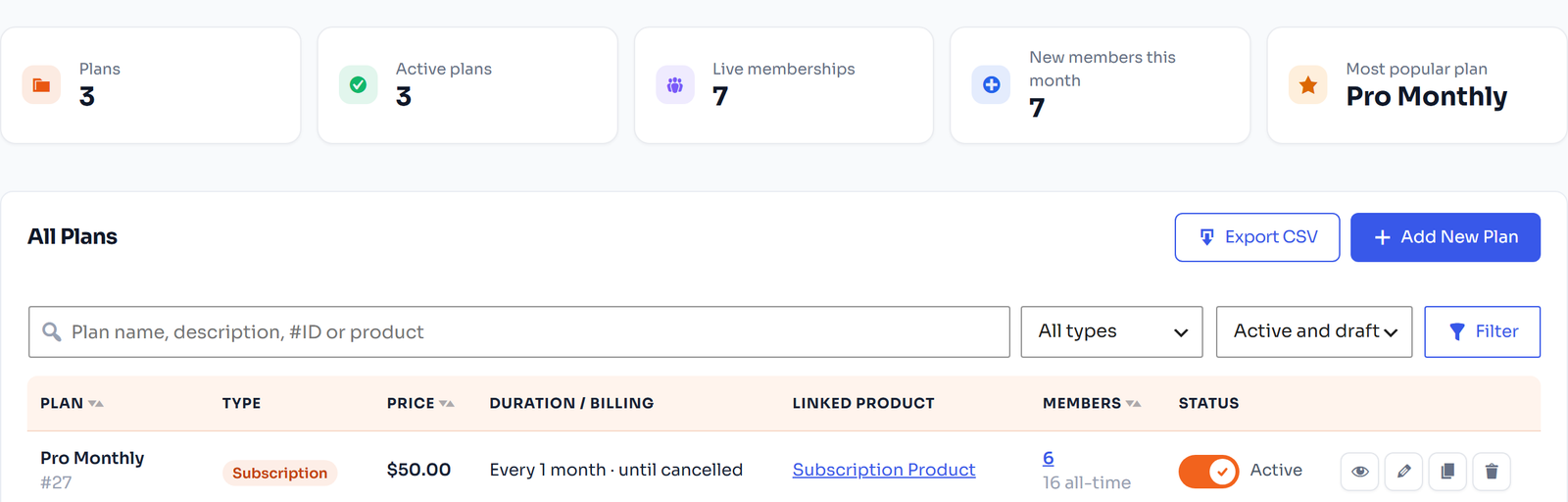
In the FW Memberships menu, create a new plan. Choose its type – free, fixed-length or subscription – and decide whether new members need approval. See Create a membership plan.
Step 3: Sell the plan with a WooCommerce product
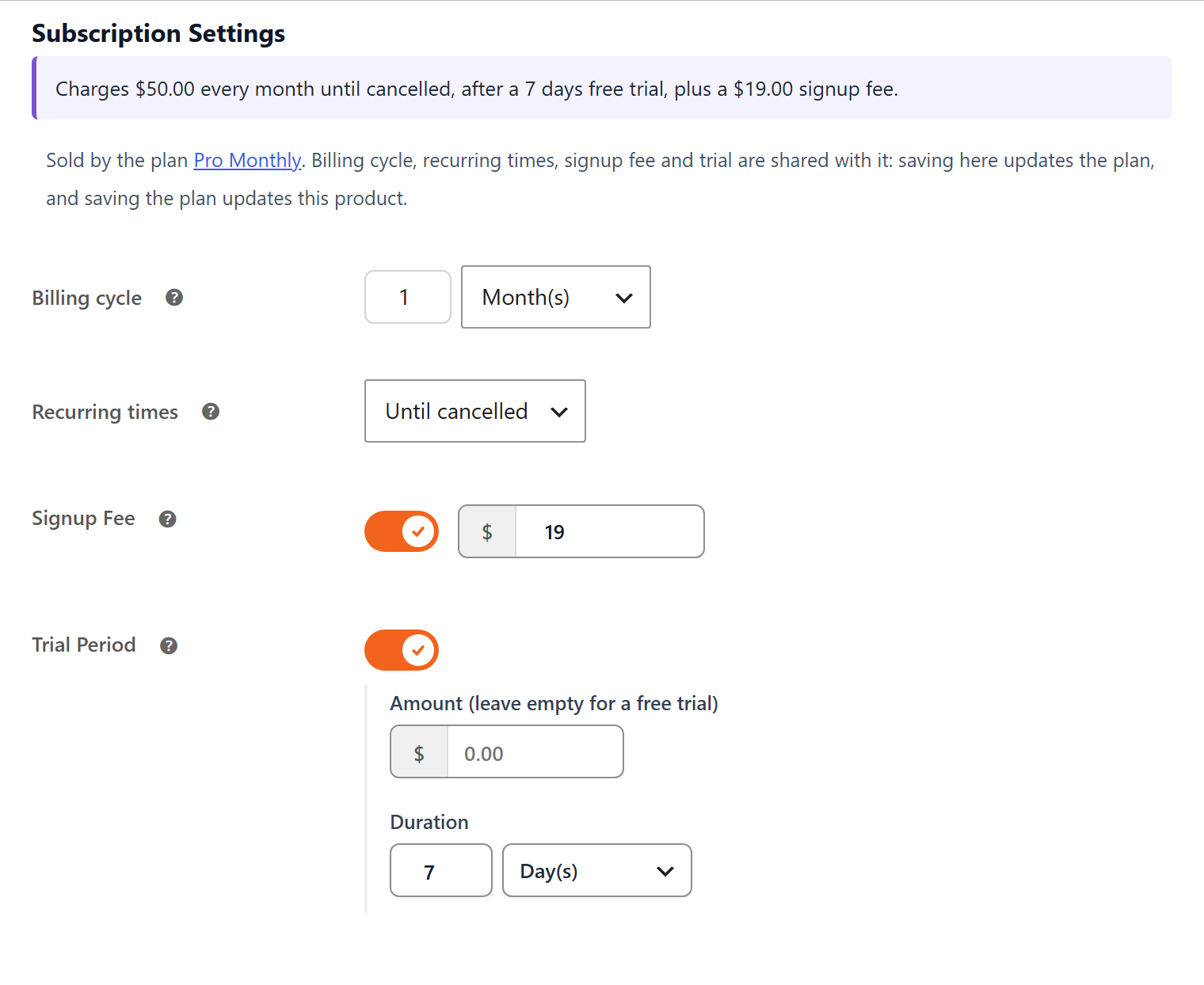
Link the plan to a WooCommerce product. For recurring billing, turn the product into a subscription and set the price and billing cycle. Buying the product starts the membership automatically. See Turn a product into a subscription.
Step 4: Restrict your content
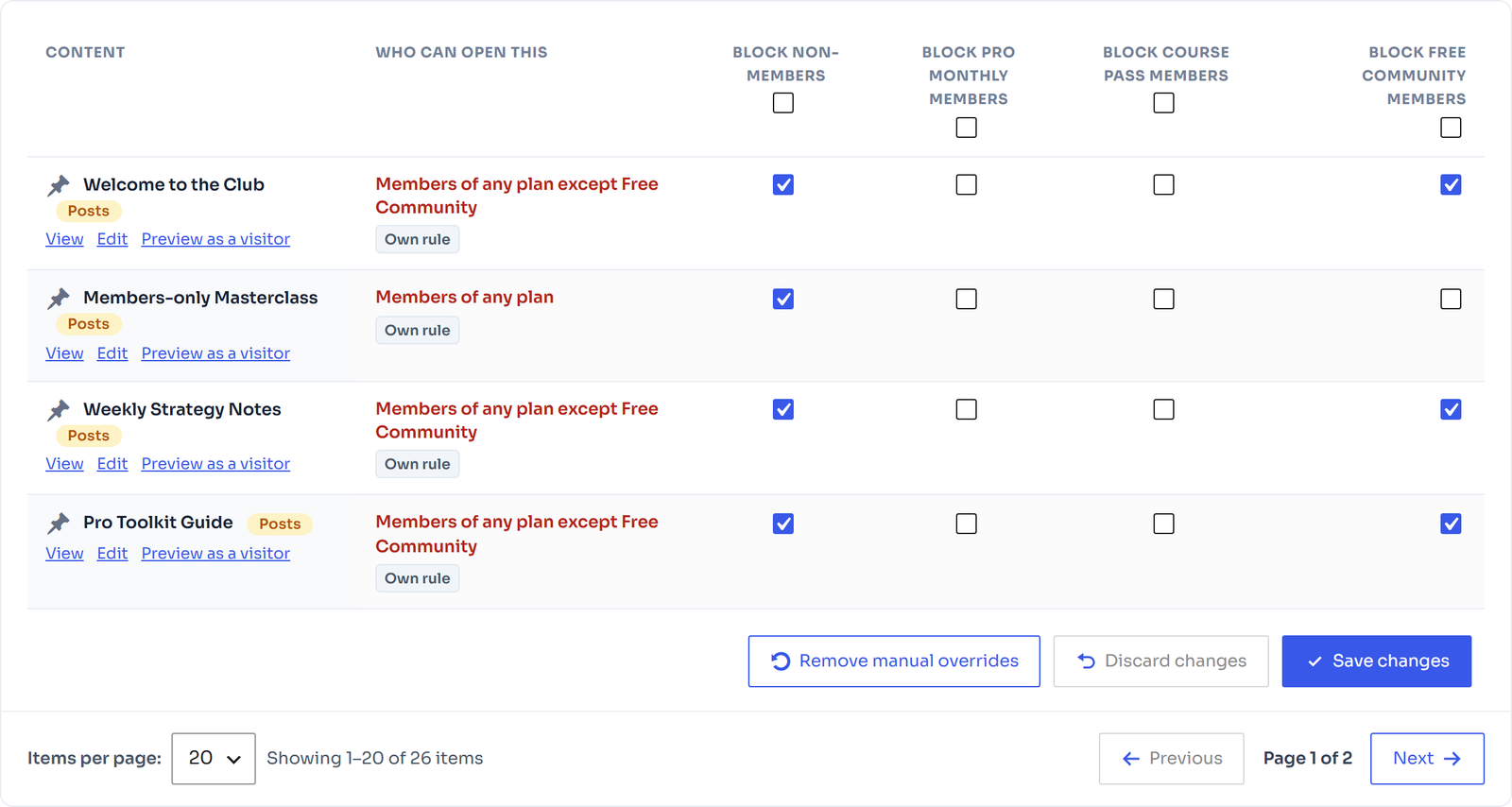
Choose what the plan unlocks – pages, posts, categories or products – and what non-members see instead: a redirect, a paywall or alternative content. The Access Rules table shows who can open every item in one place.
Step 5: Connect Stripe, PayPal or Razorpay
Add your API keys, run a test payment and switch on renewal billing. Members can then manage their plans from My Account. See Set up Stripe or the PayPal guide.

Frequently Asked Questions
Final Verdict
There is no single best WordPress membership plugin for everyone – the right one depends on where you sell and how you want to bill. If you run a WooCommerce store, FlexWoo Memberships gives you memberships and recurring subscriptions in one plugin, with a free version to start and Pro from $99 a year. If you want an all-in-one platform outside WooCommerce, choose MemberPress; for a free, open-source core, choose Paid Memberships Pro.
Whichever you pick, compare the renewal price, test recurring billing before launch and make sure members can manage their own plans. Ready to try FlexWoo? Get the free plugin below.