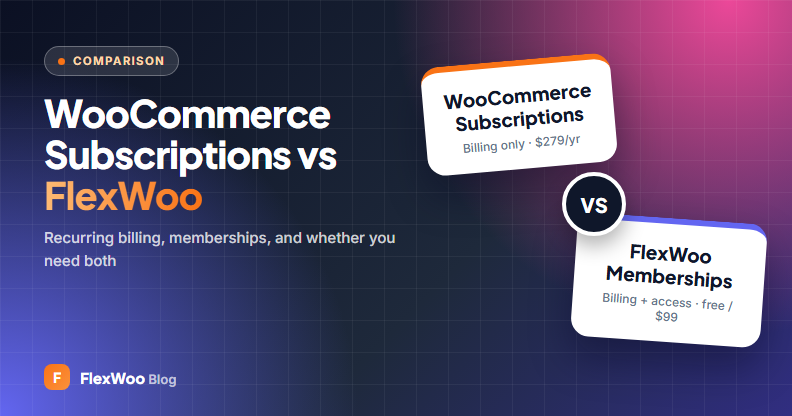
WooCommerce Subscriptions is the official way to bill customers on repeat in WooCommerce. FlexWoo Memberships also bills on repeat, but it is a membership plugin first. So store owners often ask us: if I use FlexWoo, do I still need WooCommerce Subscriptions? And if I already have WooCommerce Subscriptions, why would I add FlexWoo?
This WooCommerce Subscriptions vs FlexWoo comparison answers both questions: what each plugin does, where they overlap, what they cost, and when it makes sense to use one, the other, or both together.
Disclosure: we make FlexWoo Memberships. WooCommerce Subscriptions details come from its official WooCommerce.com page (checked October 2026). It is a mature, capable extension, and we say where it is the better choice.
Key takeaways
Do You Need Both?
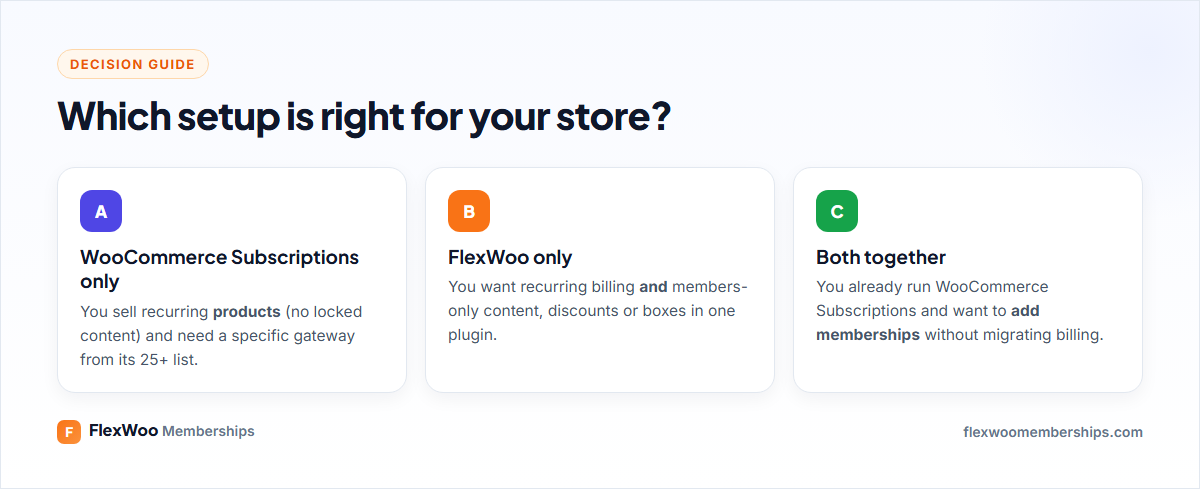
Usually not. If you are starting fresh and want subscriptions plus members-only content, FlexWoo covers both. If you only sell recurring physical products and need a gateway that only WooCommerce Subscriptions supports, it alone is enough. You need both only when you already run WooCommerce Subscriptions and want to add memberships without moving your existing subscribers to a new billing engine.
What Each Plugin Does
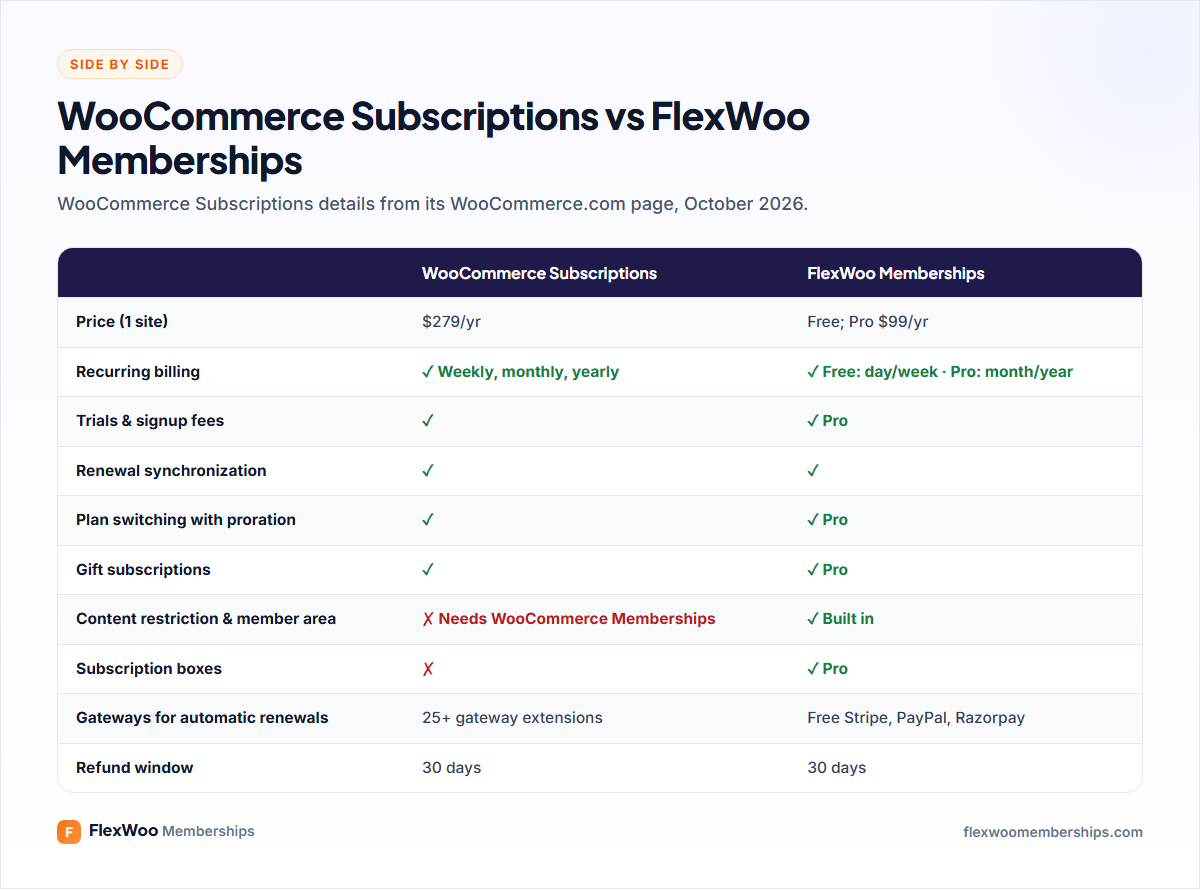
WooCommerce Subscriptions adds subscription products to WooCommerce: weekly, monthly or annual billing, free trials, signup fees, synchronised billing dates, upgrades and downgrades with proration, gift subscriptions, manual renewals with any gateway and automatic renewals with more than 25 gateways. Customers can switch plans, update details and suspend or cancel from My Account. It costs $279 a year with a 30-day money-back guarantee, and it is rated 3.9 out of 5 from 142 reviews on WooCommerce.com at the time of writing.
FlexWoo Memberships is a membership plugin with subscriptions built in. Alongside recurring billing it handles membership plans, content restriction, the member area, member discounts, gifts, subscription boxes, drip content and analytics. The free version bills on daily and weekly cycles; Pro ($99 a year for one site) adds monthly and yearly billing, trials and signup fees.
Pricing
For subscriptions alone, WooCommerce Subscriptions is $279 a year. If you also want to lock content for subscribers, the official route adds WooCommerce Memberships at $199 a year, $478 in total. FlexWoo Memberships Pro is $99 a year for both jobs, or free if day and week billing cycles are enough.
Billing Features Compared
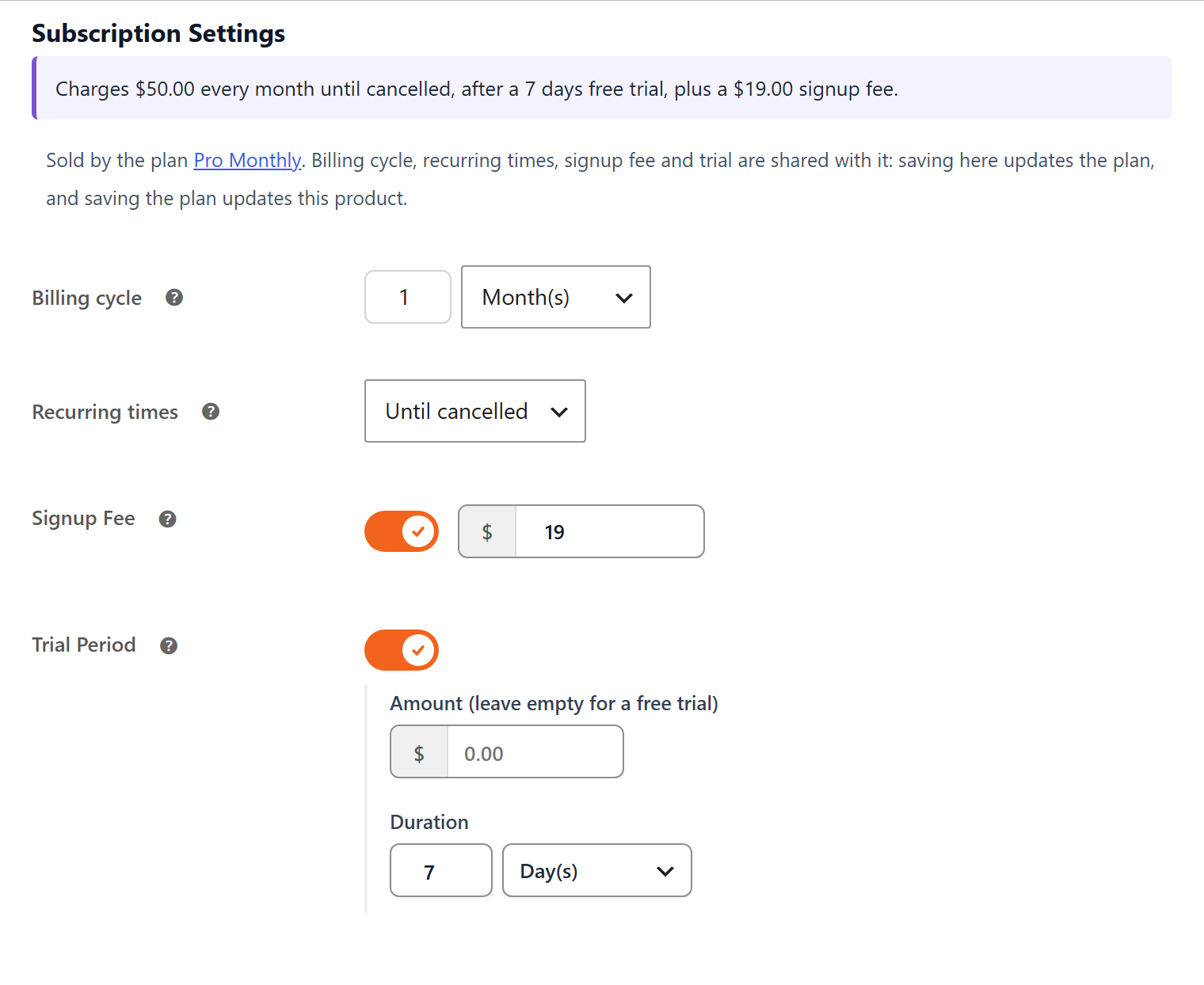
On pure billing, both cover the essentials: trials, signup fees, synchronised renewal dates, plan switching with proration, gift subscriptions and customer self-service. A few differences worth knowing:
Membership Features: The Big Difference
WooCommerce Subscriptions does not restrict content. If a subscriber should unlock pages, posts, downloads or members-only products, you need a membership plugin on top. FlexWoo includes plans, restriction rules, the Access Rules table, the member area in My Account and, with Pro, drip content, paywalls, member discounts and protected downloads.

Using WooCommerce Subscriptions and FlexWoo Together
If you already have subscribers in WooCommerce Subscriptions, you do not have to move them. FlexWoo recognises WooCommerce Subscriptions: a FlexWoo membership linked to a WooCommerce Subscriptions product starts, renews, pauses and ends together with that subscription.
This is a gentle way to add memberships to an existing subscription store, and you can move new products to FlexWoo’s own subscriptions later if you want to.
Which Should You Choose?
| Your situation | Recommendation |
|---|---|
| New store, want subscriptions and members-only content | FlexWoo Memberships |
| Want to start free with weekly billing | FlexWoo Memberships (free) |
| Sell subscription boxes or need Razorpay in India | FlexWoo Memberships Pro |
| Only sell recurring products and need a gateway outside Stripe, PayPal, Razorpay | WooCommerce Subscriptions |
| Already on WooCommerce Subscriptions, want to add memberships | Both: keep billing, add FlexWoo for access |
Want the full picture on subscriptions? Read how to sell subscriptions in WooCommerce, or compare memberships plugins in FlexWoo vs WooCommerce Memberships.
FAQ: WooCommerce Subscriptions vs FlexWoo
The Bottom Line
WooCommerce Subscriptions is excellent at one job: recurring billing. FlexWoo Memberships does recurring billing and memberships in one plugin, at a lower price, with a free version. If you are starting out, FlexWoo alone is usually enough. If you already run WooCommerce Subscriptions, keep it and add FlexWoo for members-only content, with no migration needed.