Most WooCommerce store owners who want to sell memberships hit the same wall. The official route means buying WooCommerce Memberships and then WooCommerce Subscriptions on top of it, which is close to $480 a year before you have signed up a single member. The alternative is a standalone plugin with its own checkout that sits awkwardly next to your shop.
FlexWoo Memberships was built to fix exactly that. In this FlexWoo Memberships review we walk through what the plugin actually does, what you get for free, what Pro adds, how billing works behind the scenes, and where it is not the right fit.
A quick note before we start: we are the team that makes FlexWoo Memberships. So read this as the most detailed tour of the plugin you will find, not as an independent verdict. We have tried to be straight about the limits too, and every price below is taken from our pricing page in October 2026.
FlexWoo Memberships at a Glance
What Is FlexWoo Memberships?
FlexWoo Memberships turns a WooCommerce store into a membership site. You create membership plans, sell them as ordinary WooCommerce products, and decide which pages, posts, products and files each plan unlocks. When an order is paid, the membership starts on its own. Renewals, reminder e-mails and expiry run in the background.
The big idea is that nothing about your store changes. Your checkout, coupons, taxes, shipping and customer accounts stay exactly as they are. Members are just customers who bought a membership product, and they manage everything from the WooCommerce My Account page they already know.
It comes in two parts. The free plugin handles plans, content restriction, subscriptions, the member area, e-mails and security. FlexWoo Memberships Pro is an add-on that unlocks monthly and yearly billing, trials, paywalls, drip content, gifting, analytics and more. If you ever switch Pro off, your Pro settings are kept and come back when you turn it on again.
Who Should Use It (and Who Should Not)
A great fit if you…
Probably not for you if…
Setting Up FlexWoo Memberships
Setup is quicker than you might expect. Our quick start guide gets a paid plan and a members-only page working in about ten minutes. Here is the short version.
Step 1: Create a membership plan
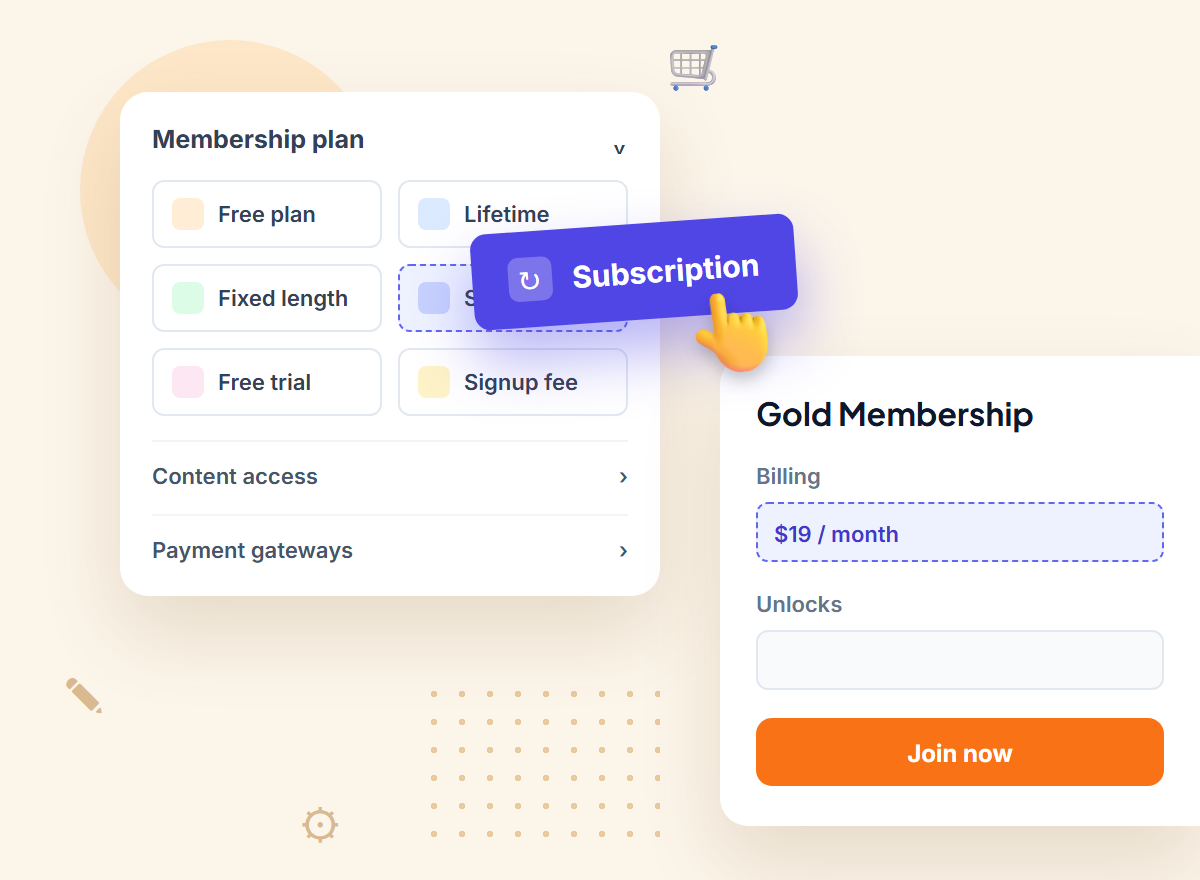
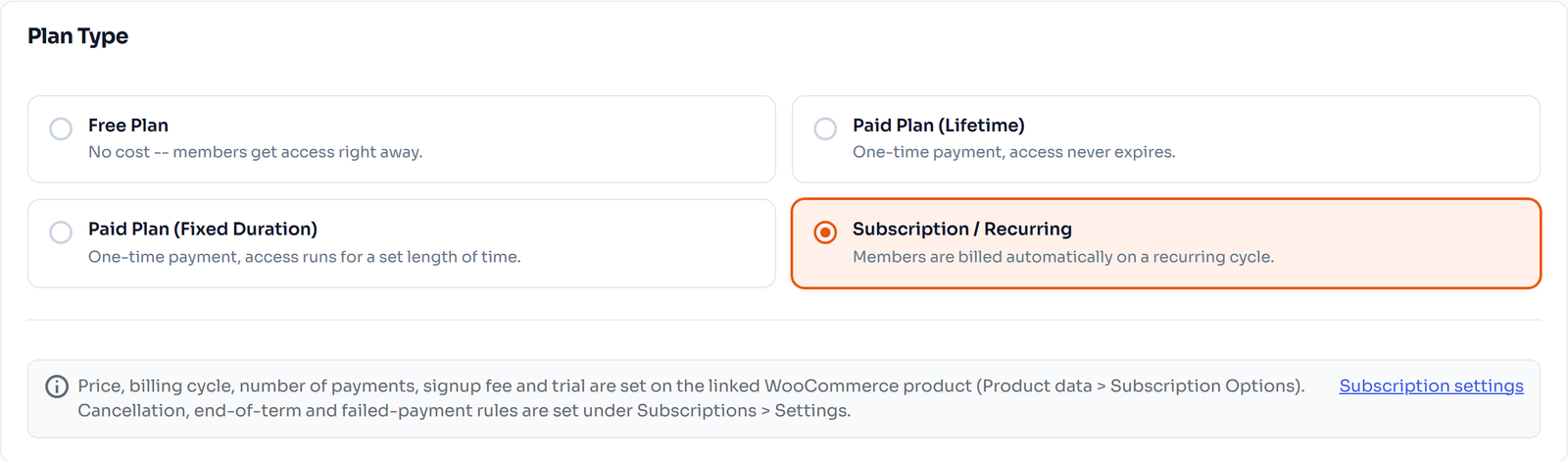
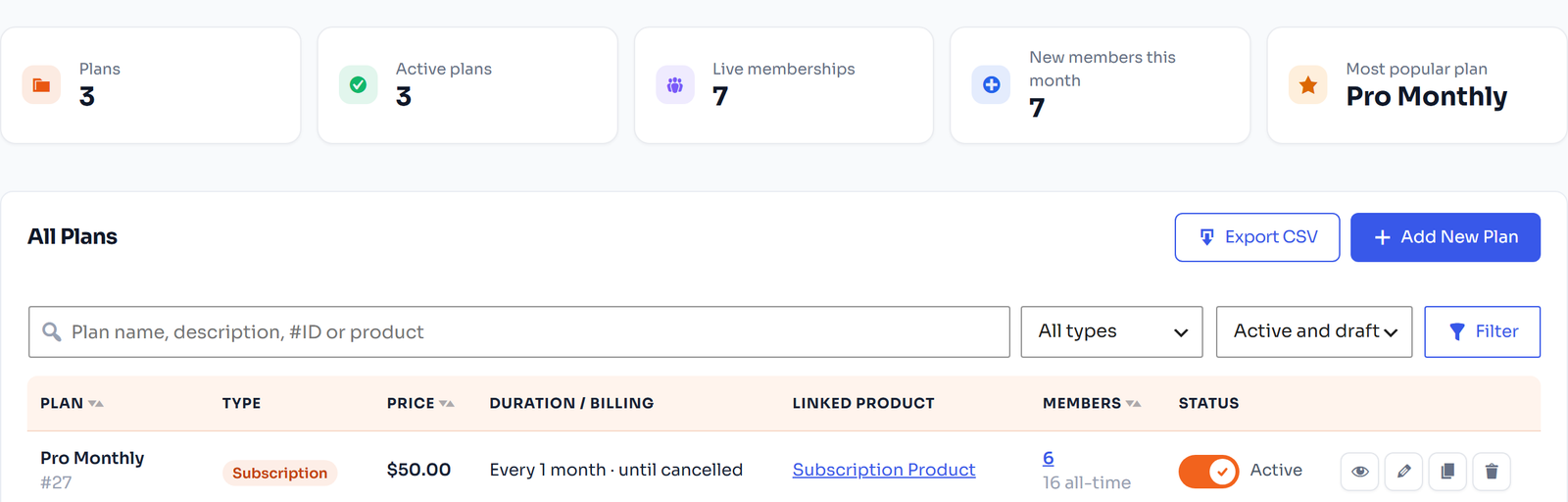
Go to FW Memberships → Memberships → Membership Plans and click Add New Plan. Give it a name, set it to Active and pick one of four plan types: Free, Lifetime, Fixed Duration or Subscription.
Step 2: Link it to a product
Switch on “Allow access to this plan after purchasing a specific product” and pick a product, or let FlexWoo create one with the plan’s price. Anyone who buys that product becomes a member.
Step 3: Choose what the plan unlocks
In the plan’s content section, pick the pages, posts, post categories, products and product categories that members can open. Save the plan.
Step 4: Decide what visitors see
Under FW Memberships → Content Restriction you choose what happens when a non-member opens protected content. That is it: buy the product as a test customer and you will see the membership appear in My Account.
FlexWoo Memberships Features in Detail
Membership plans
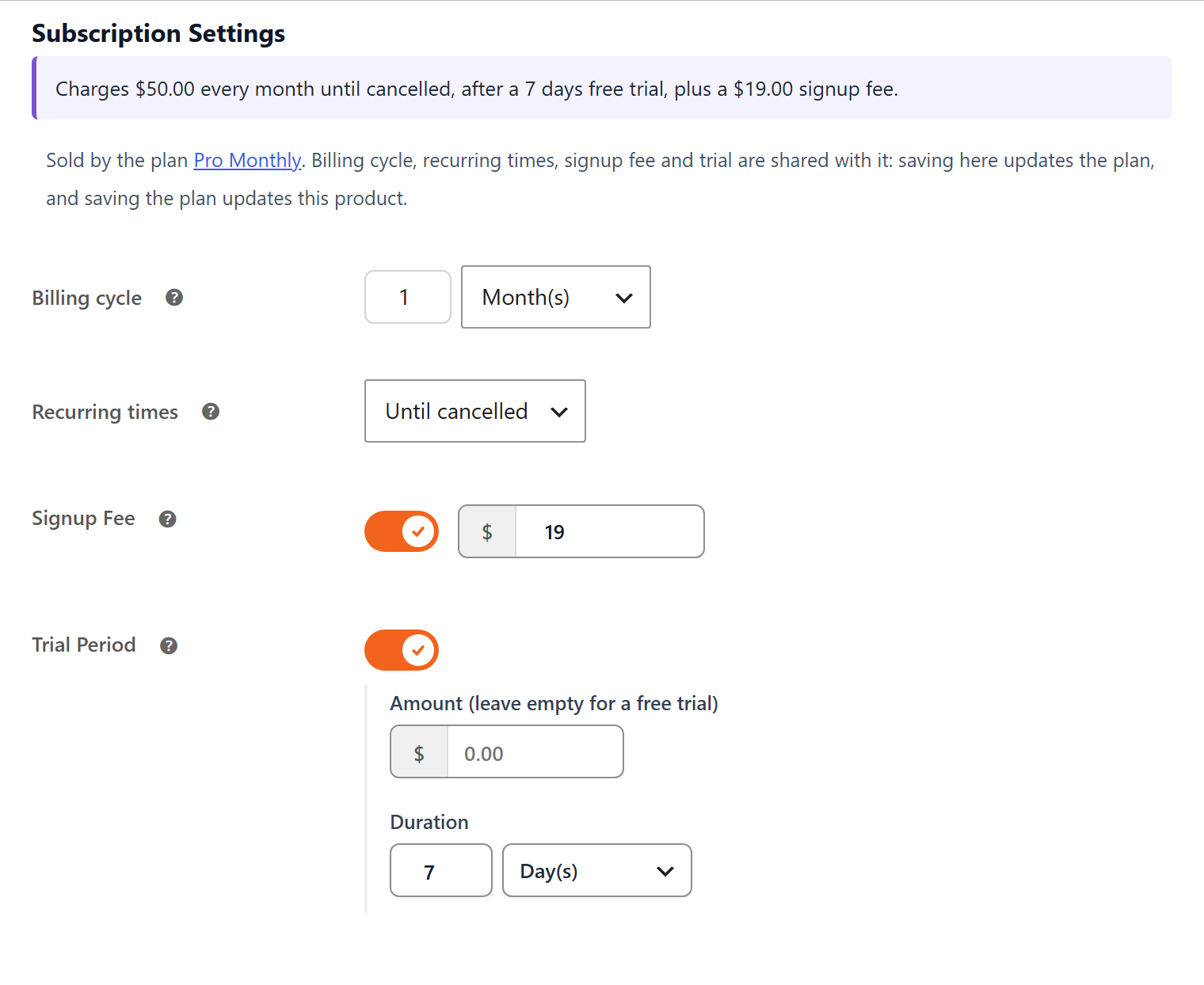
You can create as many plans as you like. A Free plan works well as a community tier or lead magnet, and you can hand it to every new account automatically. Fixed Duration plans give access for a set time after one payment. Subscription plans bill automatically, with the price, cycle, number of payments, trial and signup fee set on the linked product. Lifetime plans, and month or year durations, come with Pro.
Content restriction and access rules
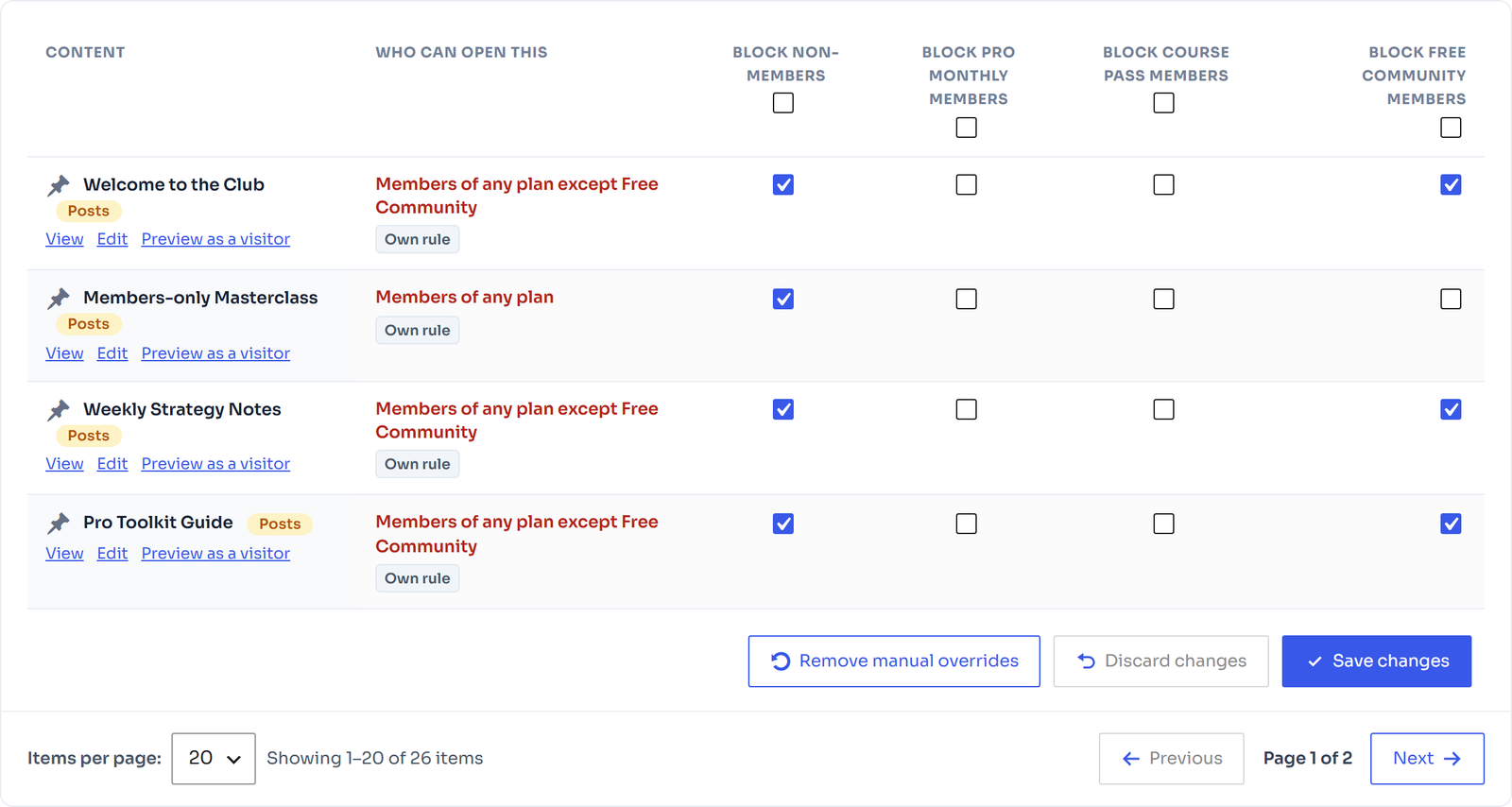
For each content type you choose one of three behaviours for non-members: show the item but redirect them to a page you choose (like your pricing page), show a paywall with a teaser, or show alternative content instead. The Access Rules table is the part we would miss most if it disappeared. It lists every post, page and product with the plans that can open it, so you can check your setup at a glance instead of opening items one by one.
Two small details that save headaches: protected items can be hidden from your menus, and WooCommerce pages like the shop, cart, checkout and My Account always stay open, so nobody gets locked out of buying.
Paywalls and teasers (Pro)
With Pro, non-members can see the first part of a post, from 0 to 300 words, followed by a blurred area and a paywall card with Join and Log in buttons. You design the card yourself with a live preview for desktop and mobile. The blur is made of placeholder lines, so the rest of the post is never sent to the browser. You also decide whether search engines may index protected posts and whether RSS feeds hide them.

Drip content (Pro)
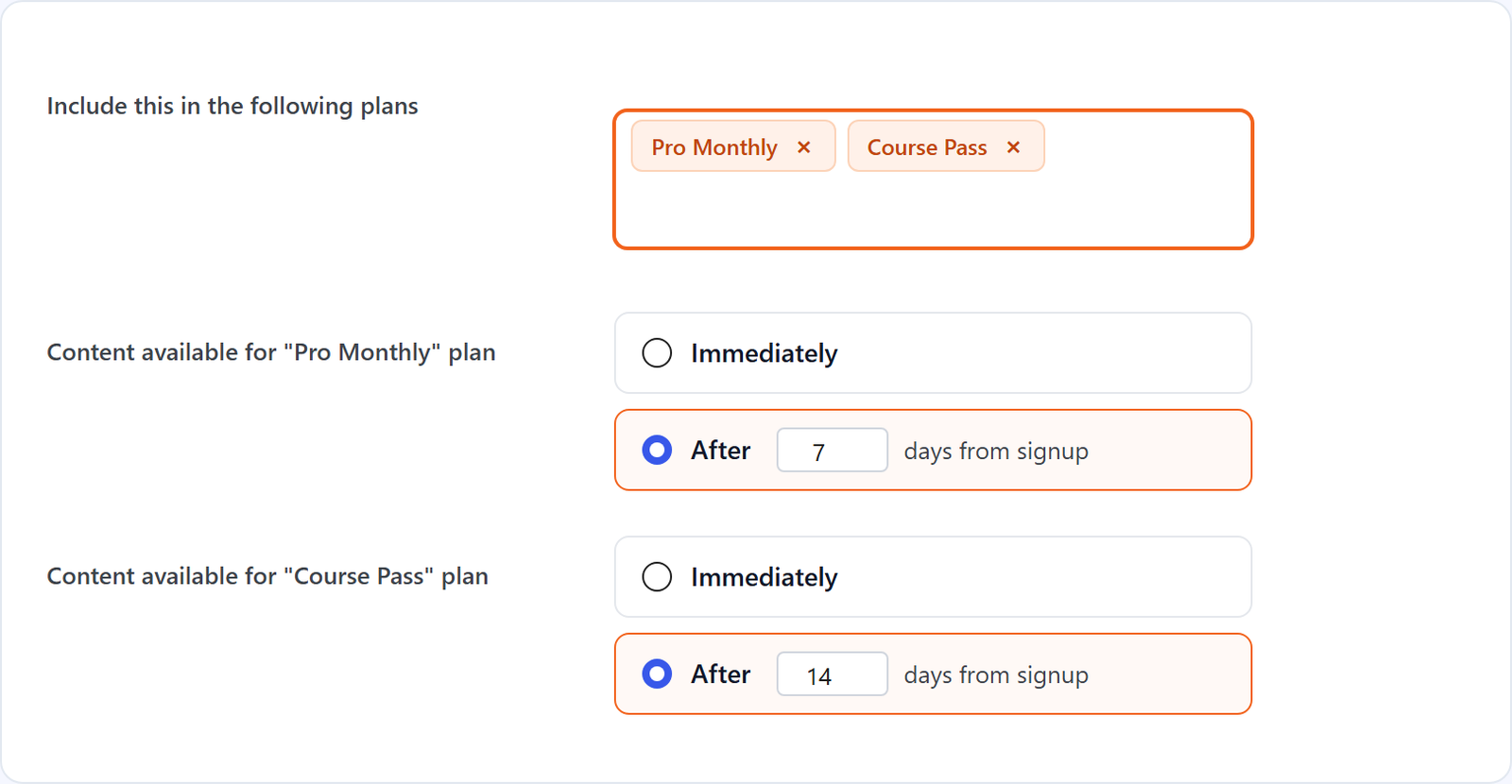
Content dripping releases a page, post or product a set number of days after someone joins. You set the delay per plan, so a Gold member could get a module on day one while a Silver member waits a week. Members can see what is coming next with the Drip Schedule block, which is a nice touch for course sites.
Subscriptions and recurring billing
This is where FlexWoo differs most from the official WooCommerce route. Subscriptions are part of the plugin, not a separate purchase. The free version bills on day and week cycles; Pro adds monthly and yearly billing, free trials and signup fees.
On each renewal date FlexWoo creates a normal WooCommerce renewal order, applies any renewal discount and tax, charges the customer and extends the membership. If a payment fails, it is retried and the member gets a “Payment failed” e-mail. You also get store-wide rules for reminders before renewals and trials end, pausing, cancelling, and whether access stops right away or at the end of the paid period.
One technical point is worth knowing. By default, subscriptions paid with the FlexWoo gateways are created in Stripe Billing, PayPal Subscriptions or Razorpay Subscriptions, and the gateway itself charges each renewal. Your site stays in sync through webhooks. That means renewals keep happening even if your site is down for a while. If you prefer full control, you can switch to having your site charge the saved card instead. Either way, a real server cron job makes everything run on time, and the plugin shows you the exact command under Tools → Cron Jobs.
Payment gateways
FlexWoo has three free gateway plugins: Stripe, PayPal and Razorpay. Stripe and PayPal cover most of the world, and Razorpay matters if you sell in India, because it accepts UPI, cards, netbanking and wallets, including recurring payments. If you already use WooCommerce Subscriptions, FlexWoo works alongside it too. See the payment gateways page for details.

The member area and self-service
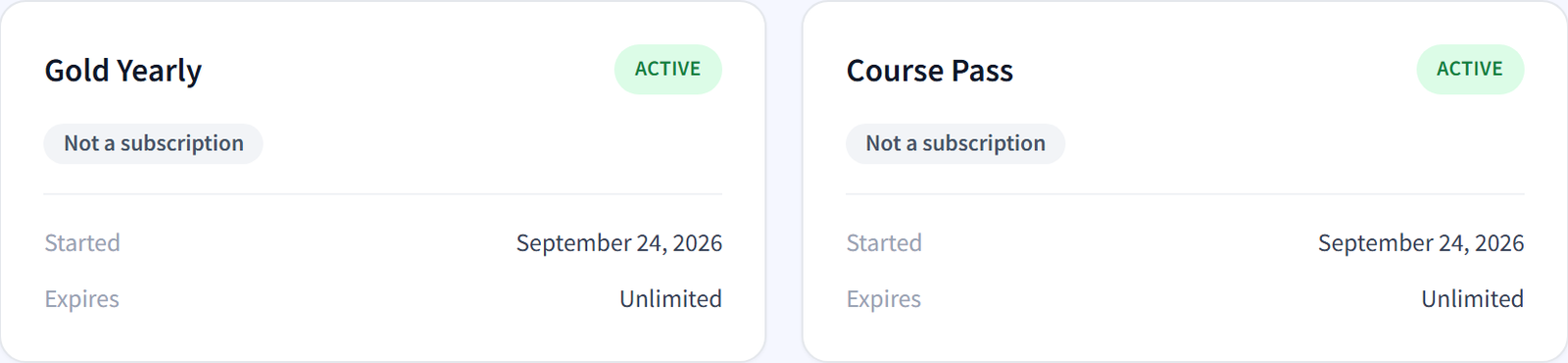
Members get Memberships and Subscriptions tabs in My Account, showing each plan with its status and dates, the next payment, the payment method and the renewal history. You can rename the tabs, move them in the menu and add a welcome banner.
With Pro, members can switch, pause and cancel their own plans from a Manage menu, with optional proration when they switch. This one feature cuts a surprising number of support e-mails.
Gifts, subscription boxes and member discounts (Pro)
Pro adds three features that are hard to find together in other membership plugins:

Reports and analytics
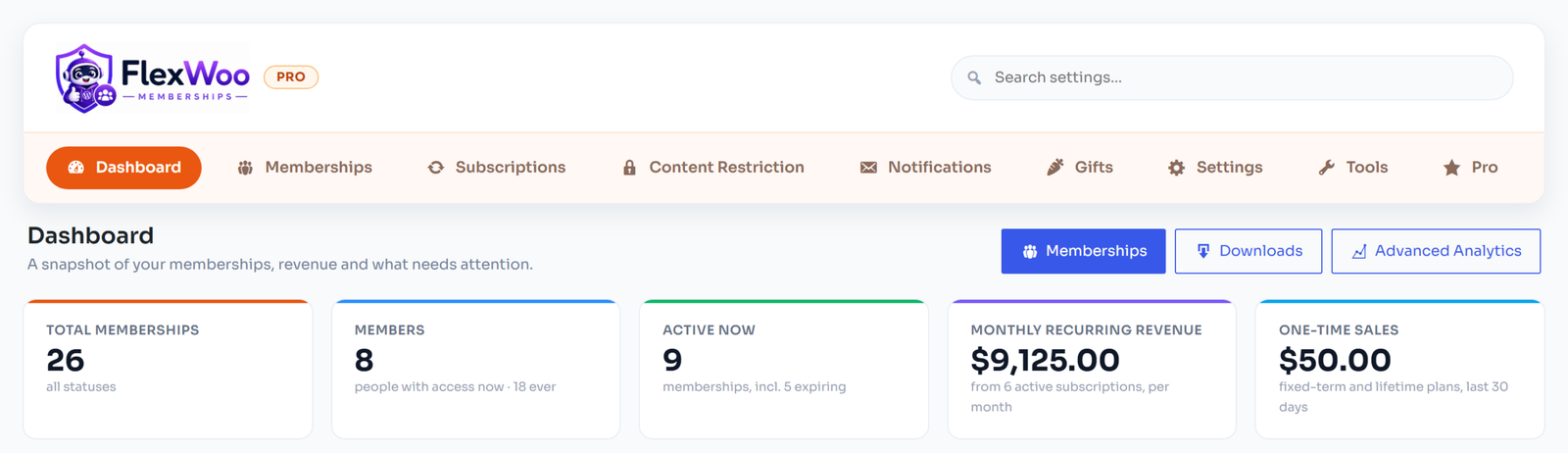
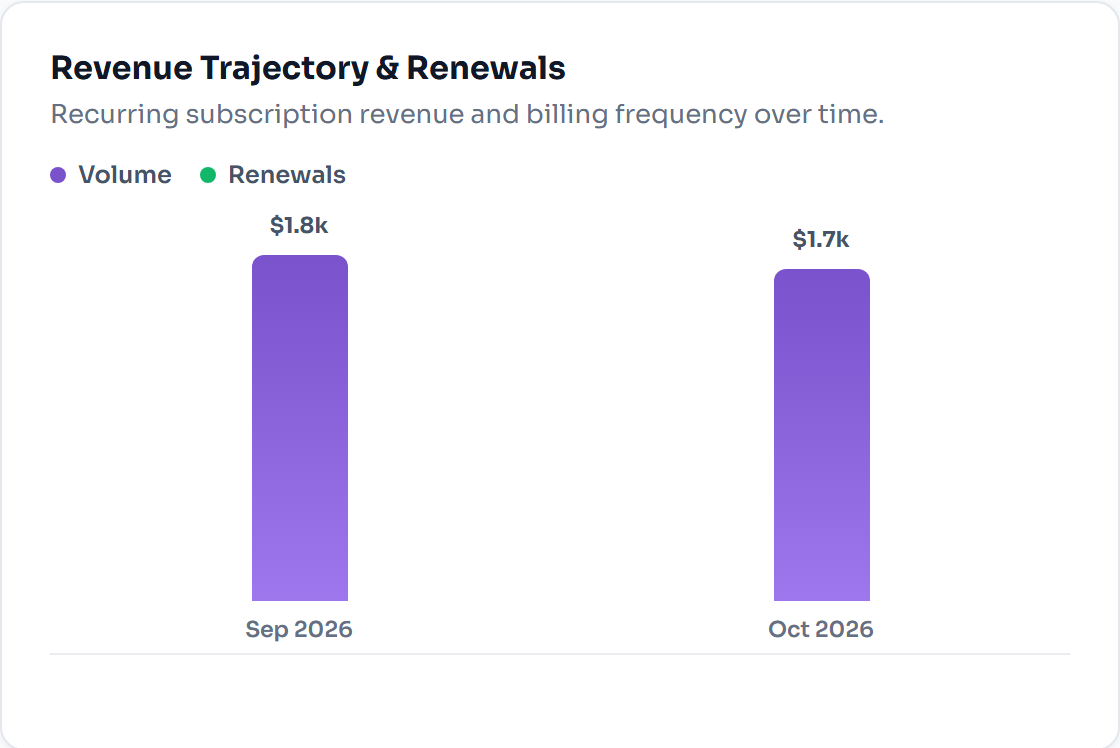
The free plugin includes a dashboard with members, revenue, renewals and things that need your attention, plus a WordPress dashboard widget. Pro adds Advanced Analytics with monthly and yearly recurring revenue (MRR and ARR), churn, subscriber lifetime value, revenue and failed payments per gateway, and CSV exports for your accountant.
Security tools
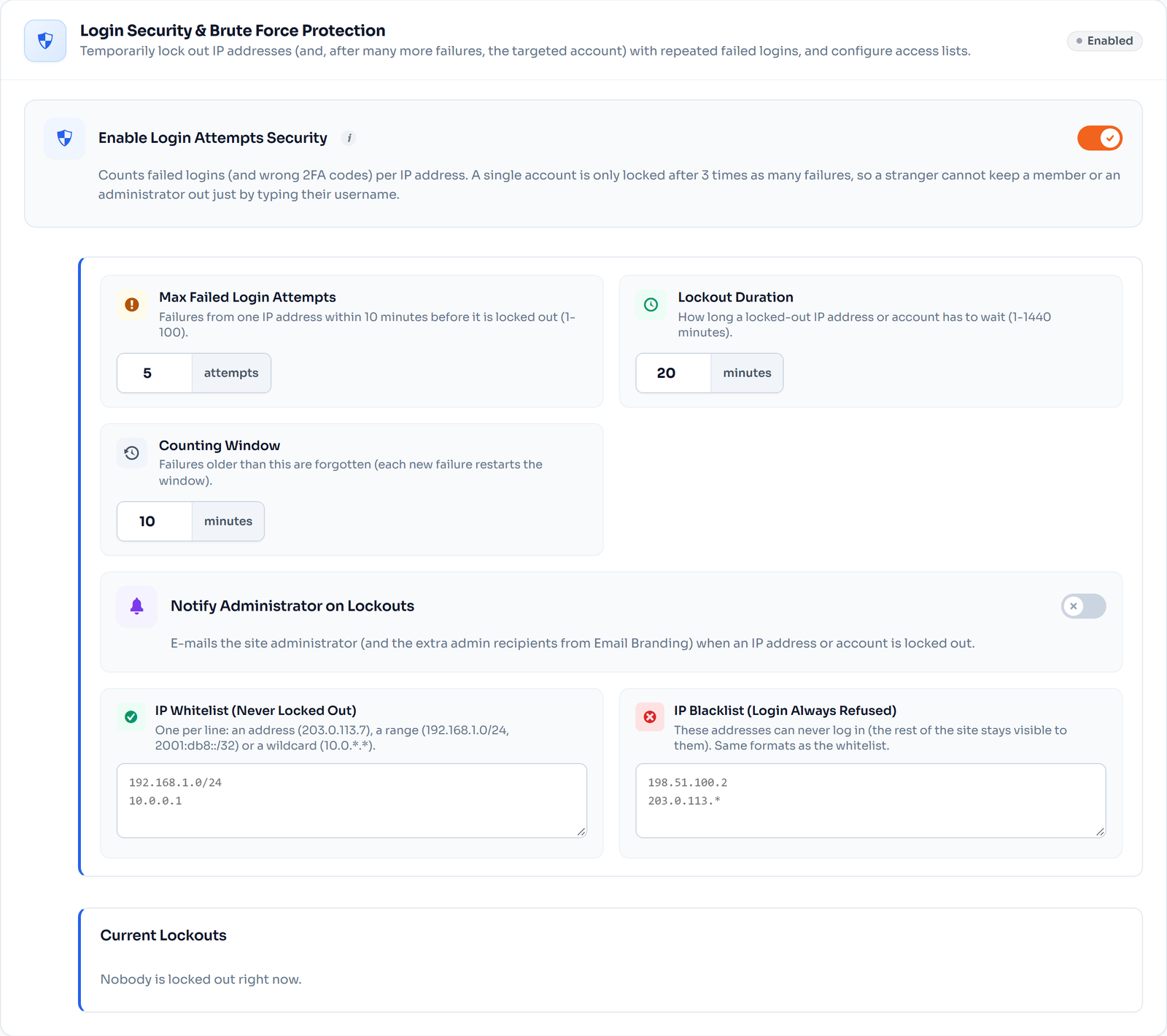
Membership sites attract fake signups and password guessing, so FlexWoo ships security tools in the free version: login lockouts after failed attempts, IP allow and block lists, new user approval (automatic, e-mail verification or manual), blocking of disposable e-mail addresses, allowed e-mail domains for company or school memberships, strong passwords and an audit log. Pro adds two-factor login codes by e-mail.
Blocks and Elementor widgets (Pro)
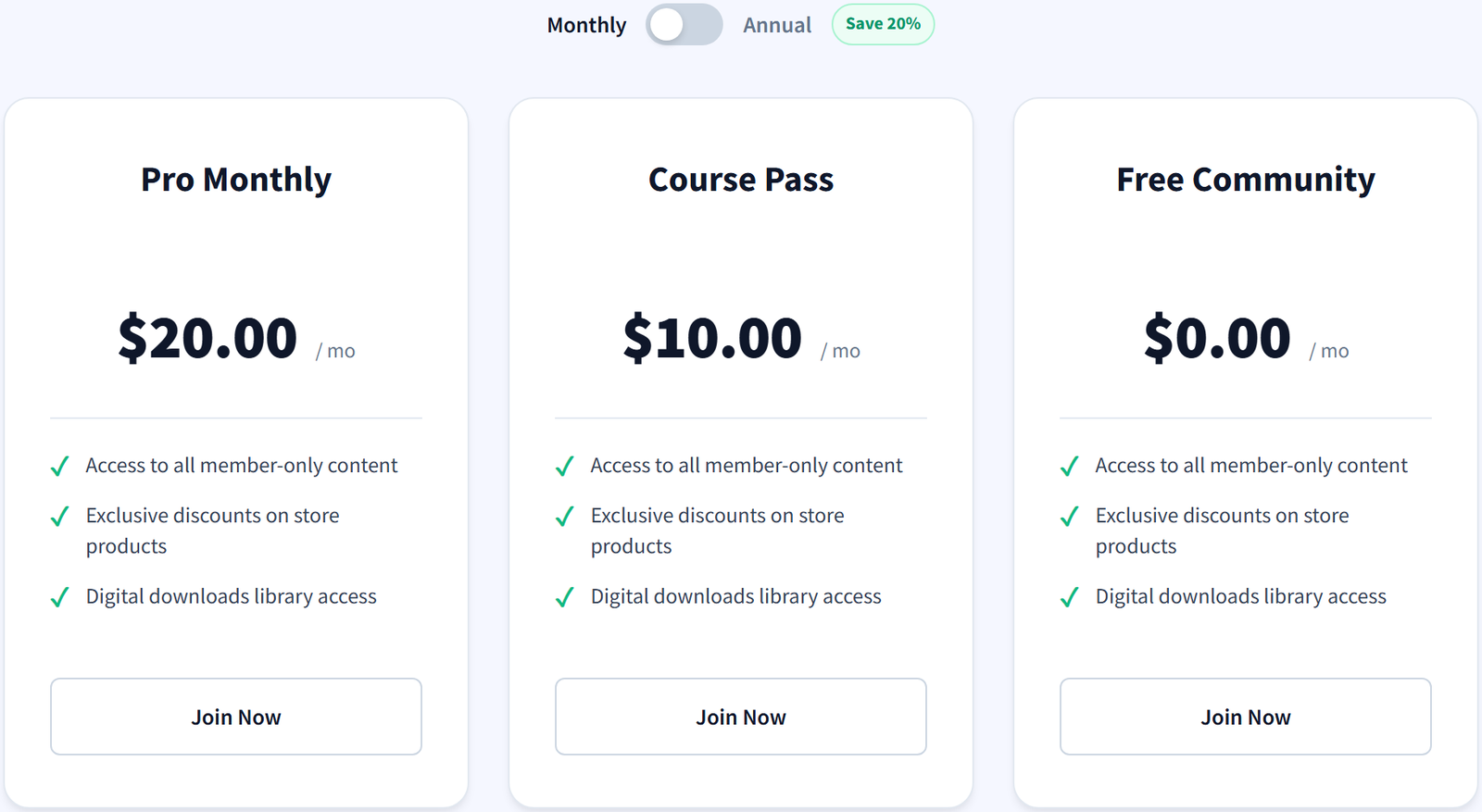
If you build pages with the block editor or Elementor, Pro adds ten member blocks and matching widgets: membership status, pricing tables, locked content, download credits, the drip schedule and more. You can also use shortcodes in any editor.
FlexWoo Memberships Free vs Pro
The free plugin is not a demo. You can run a complete membership site with it. Pro is for when you want to grow it.
| Feature | Free | Pro |
|---|---|---|
| Unlimited membership plans | Yes | Yes |
| Free, fixed-length and subscription plans | Yes | Yes |
| Lifetime plans, month and year durations | – | Yes |
| Content restriction and Access Rules table | Yes | Yes |
| Recurring payments via Stripe, PayPal and Razorpay | Day and week cycles | Plus monthly and yearly |
| Free trials and signup fees | – | Yes |
| Pause, resume and cancel rules | Yes | Yes |
| Member area in My Account | Yes | Yes |
| Member self-service: switch, pause, cancel | – | Yes |
| Paywall, teasers and content blocks | – | Yes |
| Content dripping | – | Yes |
| Gift memberships and subscription boxes | – | Yes |
| Member discounts and renewal pricing | – | Yes |
| Dashboard and WordPress widget | Yes | Yes |
| Advanced analytics | – | Yes |
| Login lockouts, signup rules, audit log | Yes | Yes |
| Two-factor login codes | – | Yes |
| Support | WordPress.org forum | Priority e-mail |
FlexWoo Memberships Pricing
Every Pro plan includes every Pro feature. The only difference is how many sites you can use it on. The part we are proudest of: renewals cost the same as what you paid, so there is no cheap first year followed by a price jump.
| Plan | Sites | Annual | Lifetime (one payment) |
|---|---|---|---|
| Starter | 1 | $99/year | $199 |
| Pro | 10 | $199/year | $349 |
| Business | 100 | $349/year | $699 |
| Unlimited | Unlimited | $599/year | $999 |
All plans come with a 30-day money-back guarantee. For a sense of scale, the official WooCommerce Memberships extension is $199 a year, plus $279 a year for WooCommerce Subscriptions if you want automatic renewals. See the full pricing page for the latest offers.
Performance and Compatibility
FlexWoo needs WordPress 6.4 or newer, WooCommerce 9.0 or newer, PHP 8.2 or newer and HTTPS, which Stripe, PayPal and Razorpay require anyway. It works with any well-coded theme, including block themes, with the classic and block-based WooCommerce checkout, and with Elementor.
Two practical tips from our own setup: exclude My Account, cart and checkout from page caching (most caching plugins already do this for WooCommerce), and set up a real server cron job so renewals and reminders run on time even when your site is quiet. After installing, open FW Memberships → Tools → System Status. It checks your server and tells you if anything needs attention.
Pros and Cons
Pros
Cons
FlexWoo Memberships vs the Alternatives
WooCommerce Memberships is the official option and integrates deeply with WooCommerce, but recurring billing needs WooCommerce Subscriptions as well. FlexWoo covers both jobs in one plugin and has a free version.
MemberPress is a strong all-in-one platform with course tools, but it has no free version and its first-year price doubles at renewal. It makes more sense if you do not run a WooCommerce store.
Paid Memberships Pro has a free open-source core and a huge add-on library, with its own checkout separate from WooCommerce.
We compared all of these and more side by side in our guide to the best WordPress membership plugins.
Final Verdict: Is FlexWoo Memberships Worth It?
If you sell with WooCommerce, FlexWoo Memberships is the simplest way we know to add memberships and subscriptions without a second checkout or a second subscriptions licence. Start with the free plugin, build one plan, buy it as a test customer and see how it feels. If you need monthly billing, trials, drip content or gifting, Pro starts at $99 a year and you have 30 days to change your mind.
If your site does not use WooCommerce, be honest with yourself: a standalone plugin will probably serve you better, and that is fine.
FlexWoo Memberships FAQ
Ready to see it for yourself? Grab the free plugin below and build your first plan in about ten minutes.