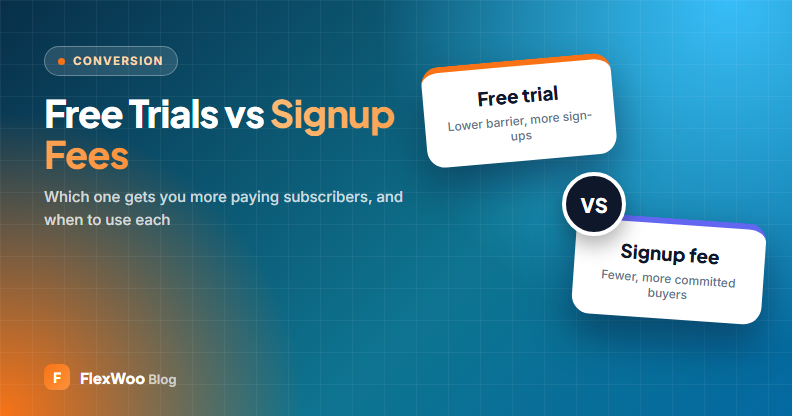
The first payment is the hardest one to get. Once someone is a subscriber, renewals mostly take care of themselves. So how should that first payment work? Give people a free trial to lower the barrier? Or charge a signup fee so only serious buyers join?
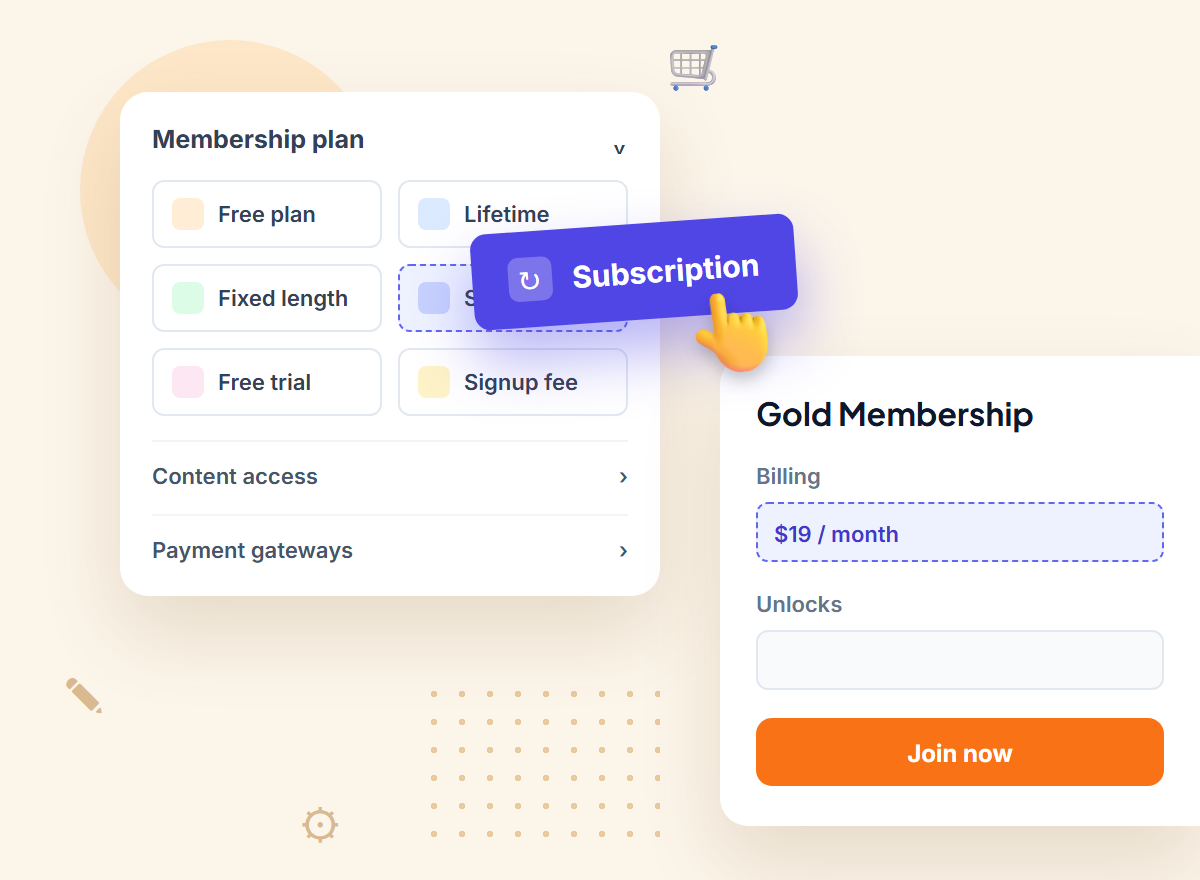
Both work, for different businesses. This guide compares a free trial vs a signup fee with real-world conversion ranges, explains when each makes sense, and shows how to set both up on a WooCommerce subscription.
Key takeaways
Free Trial vs Signup Fee: The Short Answer
A free trial converts better when your product is easy to try and proves its value quickly, like a video library or a software tool. A signup fee works better when you have real first-month costs or strong demand, like coaching onboarding, a starter kit or a waiting list. Many sites test a discounted first month as a middle ground.
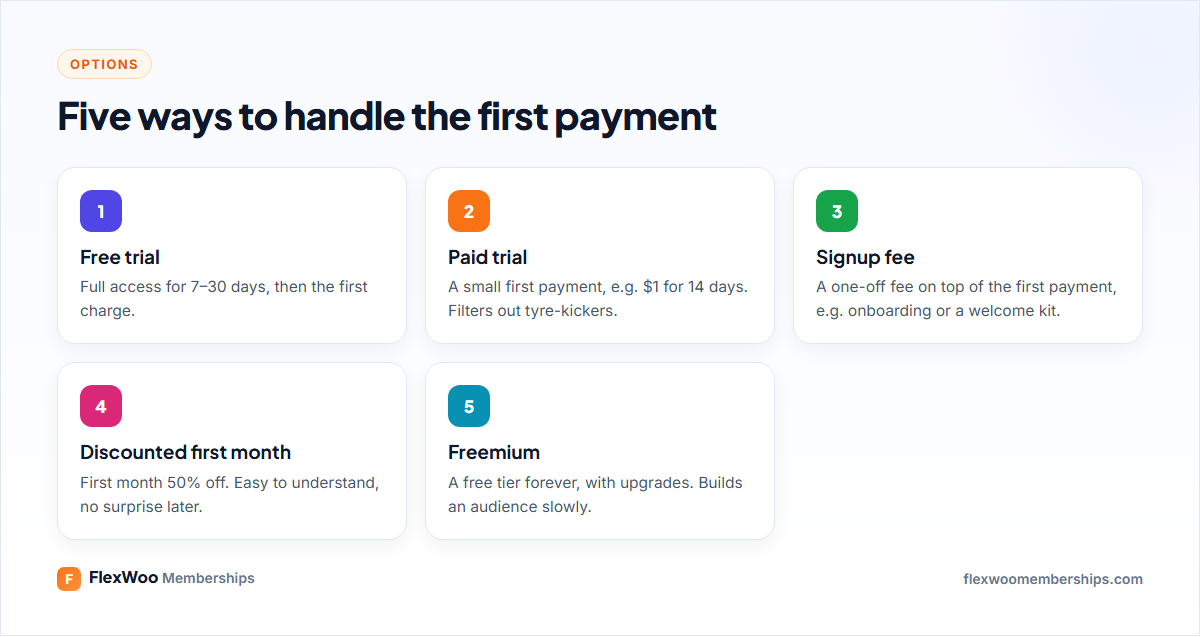
How Free Trials Work
With a free trial, the customer signs up, gets full access for a set time (usually 7, 14 or 30 days) and is charged automatically when the trial ends unless they cancel. There are two flavours:
For WooCommerce subscriptions, the trial is almost always opt-out, because the subscription is created at checkout with a saved payment method. That is good for conversion, but it raises the stakes on being clear: nobody likes a surprise charge.
Paid trials
A paid trial charges a small amount, such as $1 for 14 days, instead of nothing. It filters out people who were never going to pay and reduces fraud, while still feeling low risk. It is a good choice if free trials attract lots of sign-ups that go nowhere.
How Signup Fees Work
A signup fee is a one-off charge added to the first payment. It is not part of the renewals. A gym joining fee is the classic example: $49 to join, then $29 a month.
Signup fees make sense when the first month really costs you more than the rest:
If there is no real reason for the fee, customers notice. A fee that feels like a tax on joining will cost you more sign-ups than it earns.
Which Converts Better? A Worked Example
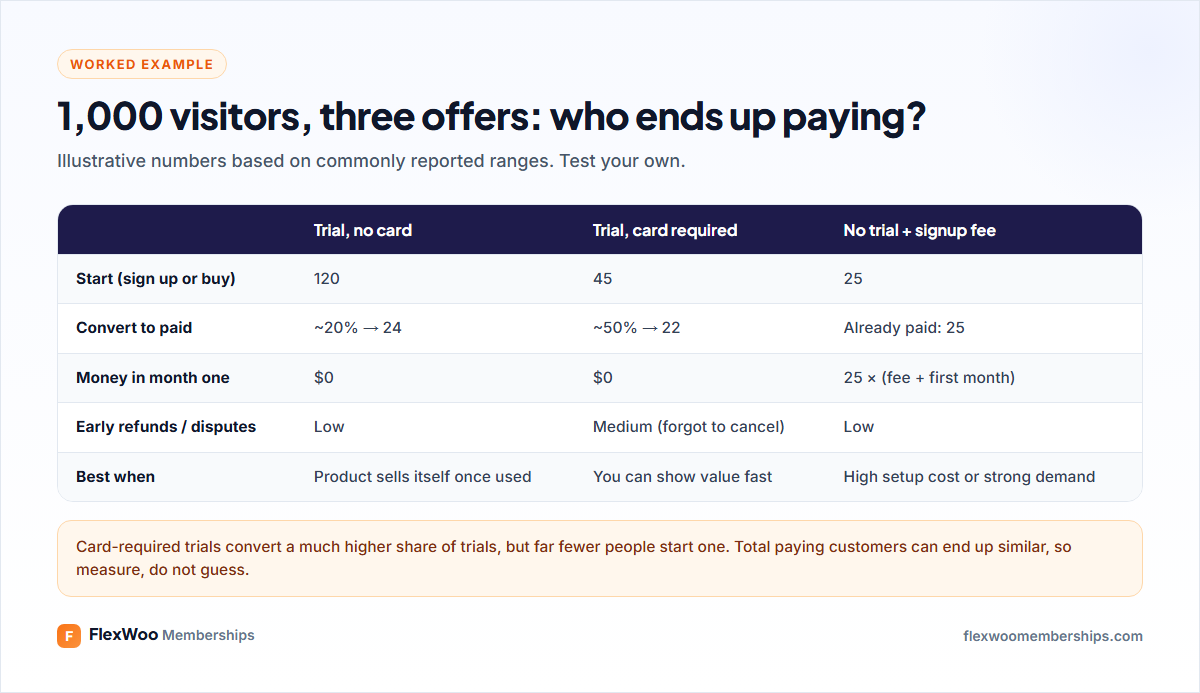
The example shows why there is no universal winner. The no-card trial gets the most people through the door, but most leave. The card-required trial converts well but starts with fewer people. The signup fee brings in cash on day one from the smallest, most committed group.
What matters is the number at the bottom: paying customers after 60 or 90 days, and how long they stay. Trial users who convert sometimes churn faster than people who paid from day one, so look at retention too, not just conversion.
When to Use Which
| Your situation | Best first-payment offer |
|---|---|
| Content library or software that is easy to try | Free trial (7–14 days), card required |
| Lots of trial sign-ups that never pay | Paid trial ($1–5) or shorter trial |
| Coaching, onboarding or a starter kit | Signup fee that covers the real cost |
| Physical box with shipping costs | Discounted first box, or signup fee for a welcome kit |
| Strong demand or waiting list | No trial; full price, possibly a joining fee |
| Building an audience from scratch | Free tier, with a clear upgrade path |
Make Trials and Fees Feel Fair
Most problems with trials come from customers who did not realise they would be charged. That leads to refunds, disputes and bad reviews. Avoid it:
Many countries now have rules about clear auto-renewal terms for subscriptions, so this is good practice and, increasingly, the law.
How to Set Up a Trial or Signup Fee in WooCommerce
With FlexWoo Memberships Pro, trials and signup fees are set on the subscription product:
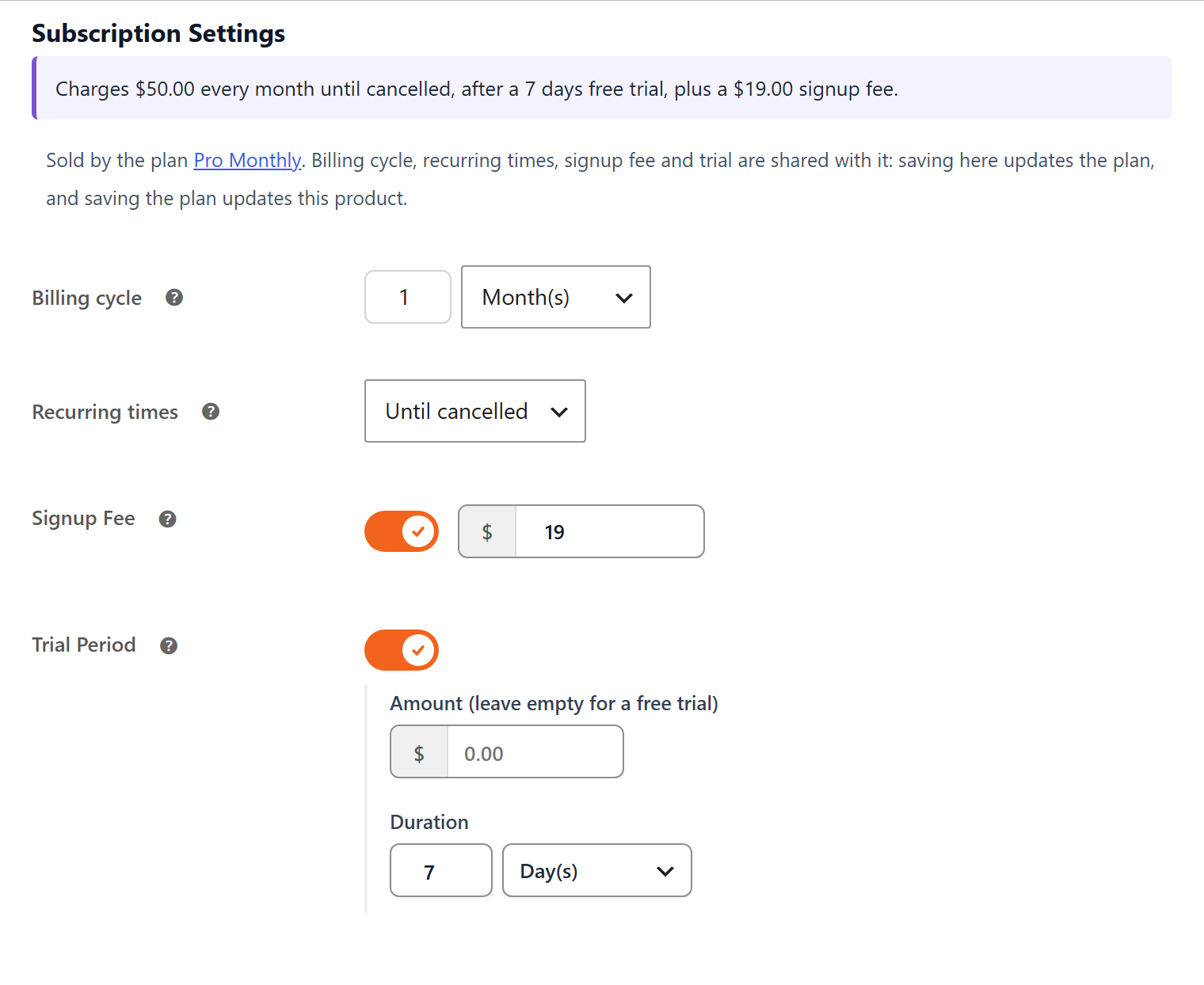
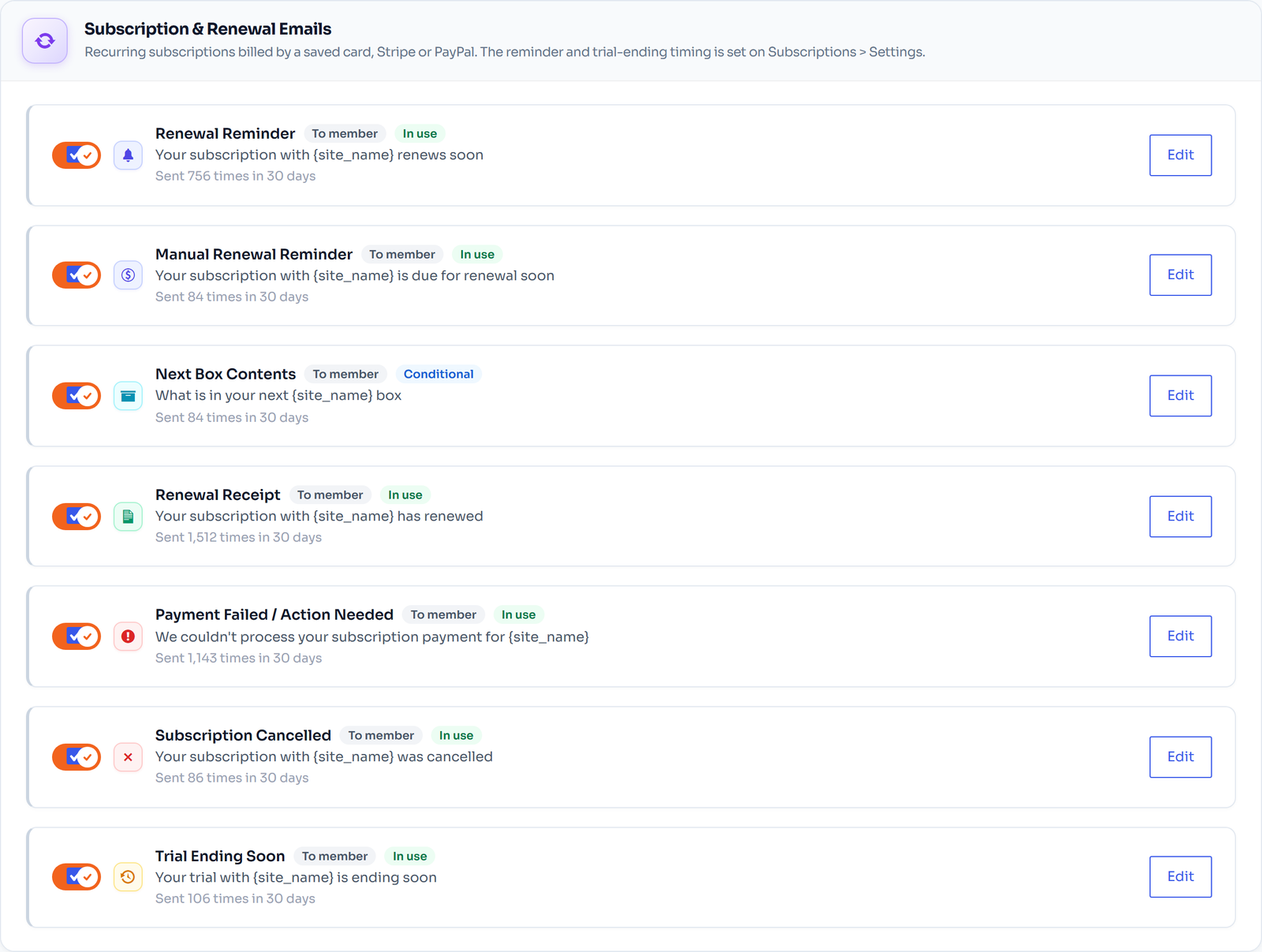
Then make it visible. Under FW Memberships → Subscriptions → Customization you can show the trial and the signup fee under the product price, add a “Trial Period” line in the cart, and hide a $0 subtotal on free-trial orders so the checkout does not look odd. The Trial Ending Soon e-mail goes out automatically; set its timing under Subscriptions → Settings → Reminder e-mails.
Free trials and signup fees are Pro features. The free plugin covers subscriptions billed every 1–7 days or 1–3 weeks without trials.
How to Test Your Offer
You do not need fancy split-testing software. Run one offer for a month, then the other, and compare:
Keep everything else the same while you test, and give each version enough visitors to mean something. For more on what to track, see membership metrics explained.
FAQ: Free Trials and Signup Fees
Pick One, Measure, Adjust
There is no perfect first-payment offer, only the one that suits your product. Start with the option that fits your costs, make every charge obvious, and let your own numbers decide after a month or two.