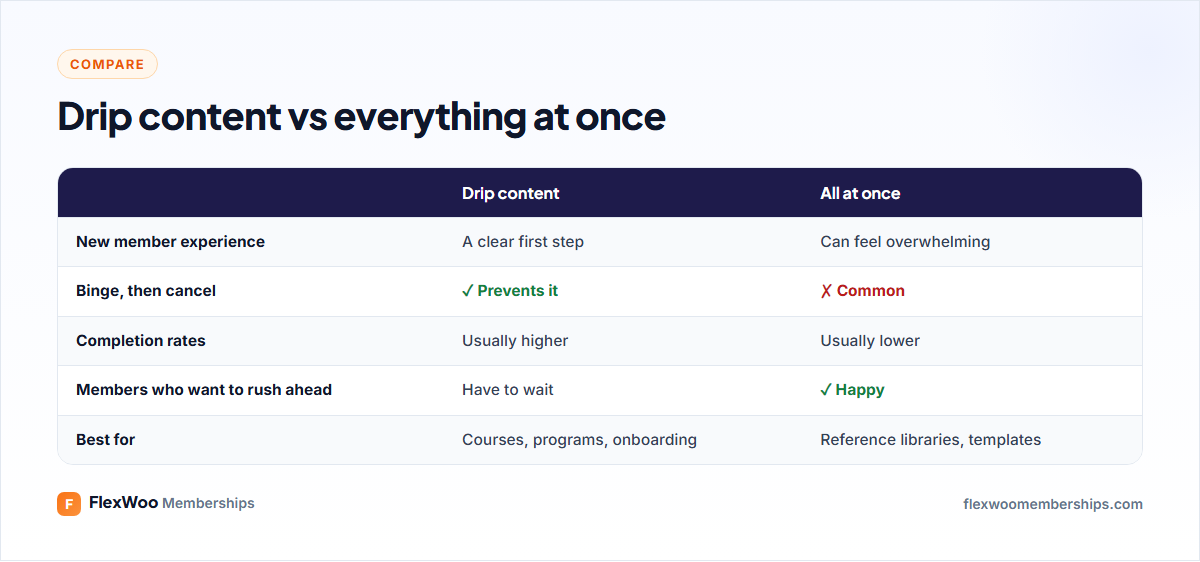
Picture a new member logging in for the first time and finding 140 lessons. Some will dive in. Most will scroll, feel behind before they have started, and quietly cancel next month. Too much content at once can be just as bad as too little.
Drip content fixes this by releasing lessons on a schedule. This guide explains what drip content is, when it helps and when it annoys people, how to plan a schedule, and how to set it up on a WordPress membership site.
Key takeaways
What Is Drip Content?
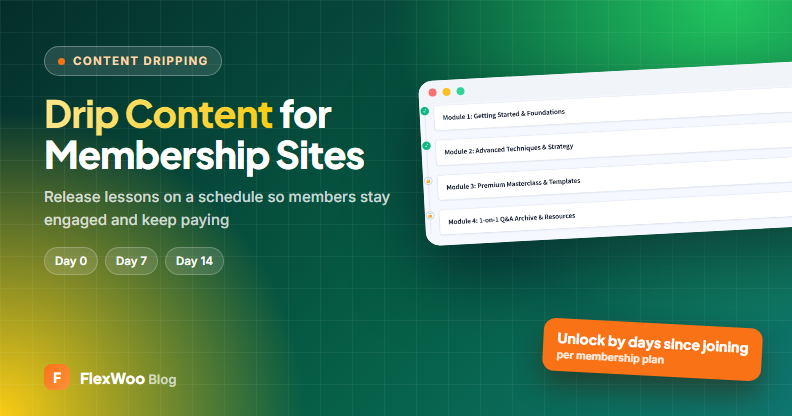
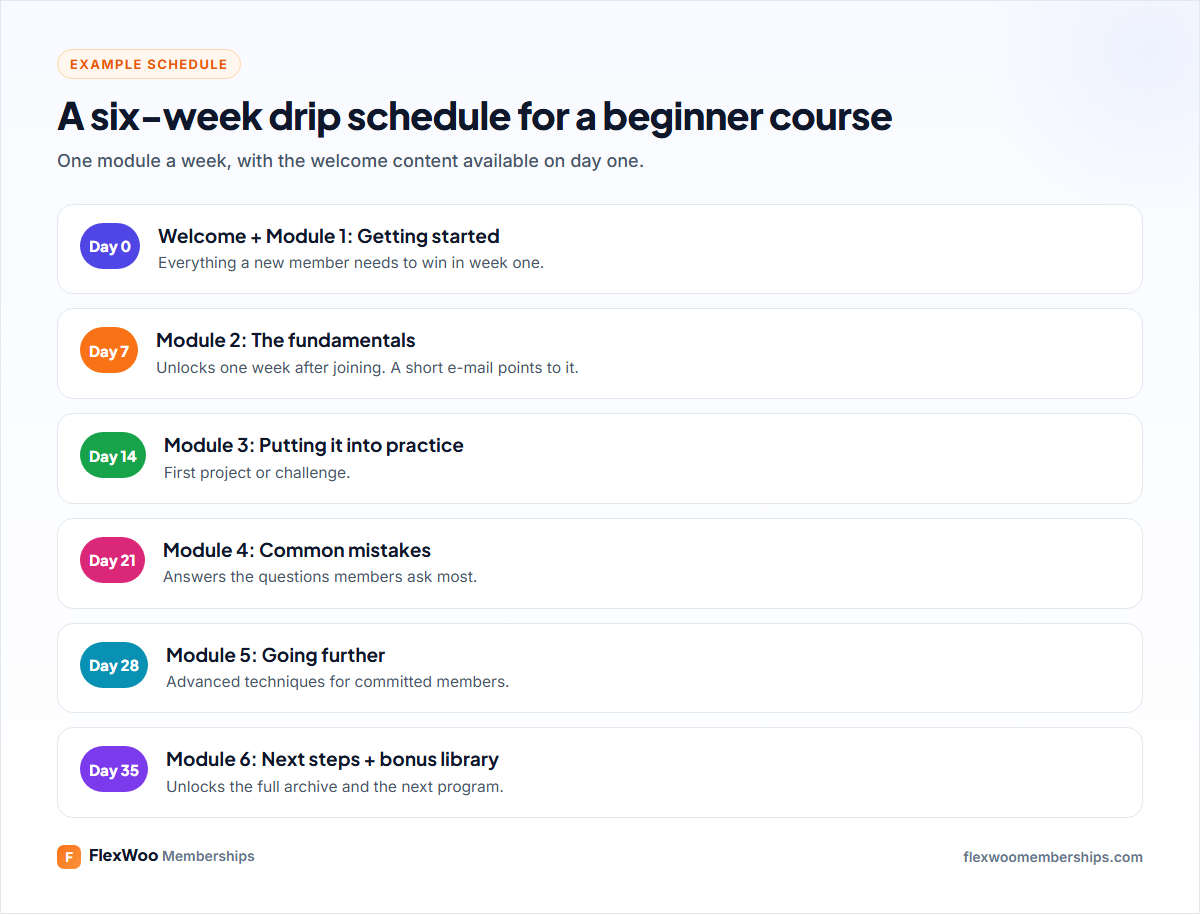
Drip content is content that unlocks gradually instead of all at once. Each lesson, post or download becomes available a set number of days after a member joins, for example module one on day 0, module two on day 7. The name comes from drip e-mail campaigns, which send messages on a schedule.
Why Drip Content Works
When You Should Not Drip Content
Drip content is a tool, not a rule. It frustrates members when:
A good middle ground: drip the structured program, and keep a reference library open from day one.
Two Ways to Schedule Drip Content
Relative to when each member joins
Every member gets the same journey, starting on their own signup date. Someone who joins today gets module two in seven days; someone who joins next month gets it seven days after that. This is ideal for evergreen courses and onboarding, and it is how drip works in most membership plugins, including FlexWoo.
On fixed calendar dates
Everyone gets new content on the same date, which suits cohort programs that start together, or a monthly magazine. In WordPress, the simplest way to do this is to schedule posts to publish on those dates in a members-only category, so they appear for all members at once.
How to Plan a Drip Schedule
How to Set Up Drip Content in WordPress
With FlexWoo Memberships Pro, drip settings live on each page, post or product:
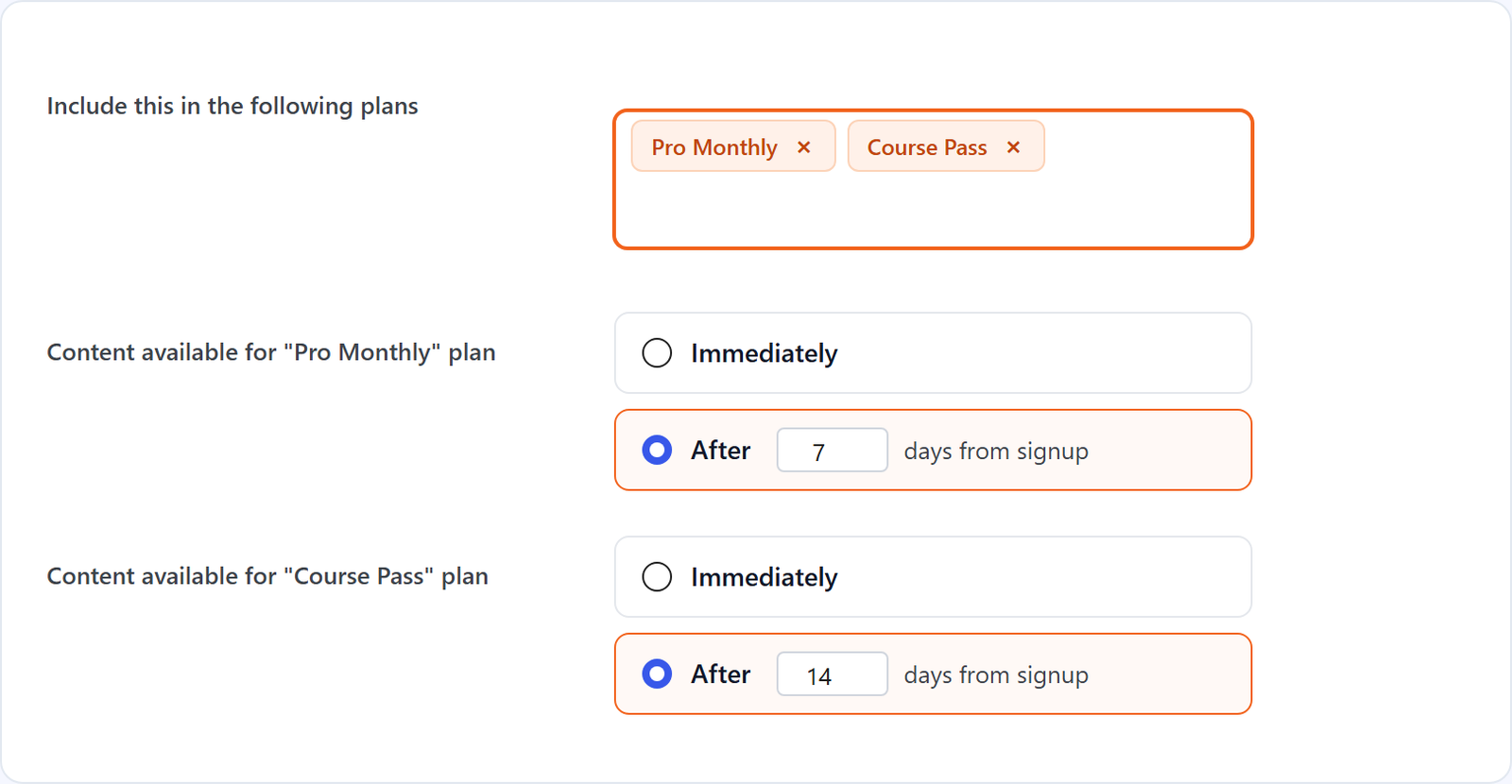
Until the delay passes, the content stays hidden for that member, even though their plan unlocks it. Because the delay is set per plan, you can reward higher tiers: Gold members get a module on day 0 while Silver members wait 7 days.
Show Members What Is Coming
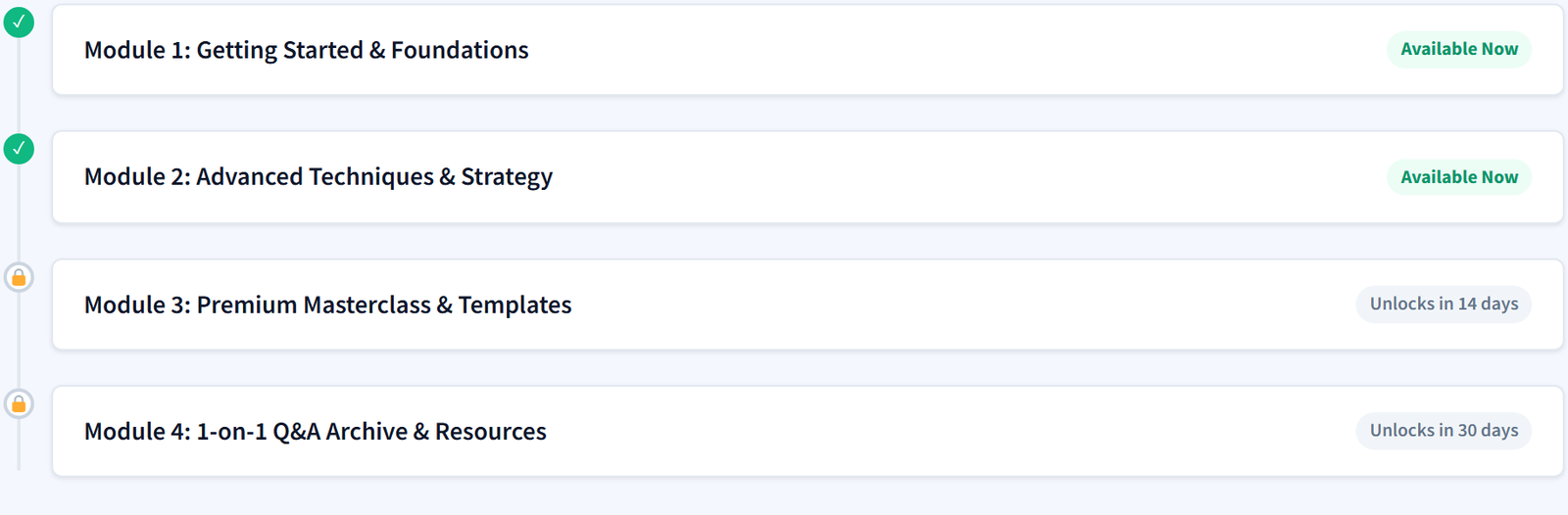
Nothing frustrates members like a locked lesson with no explanation. The Drip Content Schedule block (and matching Elementor widget) shows the logged-in member which content is available and what unlocks when. Put it on your members’ home page or at the top of the course.
Pair it with a short e-mail when each module unlocks. It does not need to be fancy: “Module 3 is ready: here is the link” is enough to bring people back.
Testing Your Drip Schedule
Test drip as a real member, not as an admin, since administrators see everything. Create a test member, check that day-0 content is available and later lessons are hidden, and confirm the Drip Schedule block shows the right dates. If a member asks why they cannot see a lesson, check the drip delay on that item first, then use the Rule Debugger under FW Memberships → Tools to see which rule allows or blocks it.
FAQ: Drip Content
Give Members a Path, Not a Pile
Drip content is really about respect for your members’ time. Instead of handing them a pile, you hand them a path: this week’s step, and a reason to come back next week. Use it for your programs, keep your reference material open, and show people what is coming. If you sell courses, our guide to selling online courses with WooCommerce puts it all together.