Skip to content
Launch offer
FlexWoo Pro is live: 30% off every plan
Launch offer: 30% off Pro
Code: FLEXLAUNCH30
  • 00
    d
  • 00
    h
  • 00
    m
  • 00
    s

How to Protect Downloadable Files So Only Members Can Access Them

In this article

Try this on your membership site. Log in as a member, copy the link to one of your premium PDFs, open a private window and paste it. If the file opens, so can anyone your members share it with. On most WordPress sites it does.

This guide explains why locking a page does not lock its files, and how to protect downloadable files so only members can access them: from quick fixes to signed, expiring links and download credits that keep heavy users in check.

Key takeaways

WordPress media files have public URLs. Locking the page does not lock the file.

Real protection checks membership on every download and uses links that expire.

Download credits let you offer generous access without someone grabbing your whole library in a day.

Watch your download logs: unusual spikes are the first sign of a shared account.

Why Members-Only Pages Do Not Protect Files

When you upload a file to the WordPress media library, it lands in /wp-content/uploads/ with a permanent URL. Your web server hands that file to anyone who asks for the URL. It never asks WordPress whether the person is logged in, let alone a member. So a locked page only hides the link; the file itself is wide open.
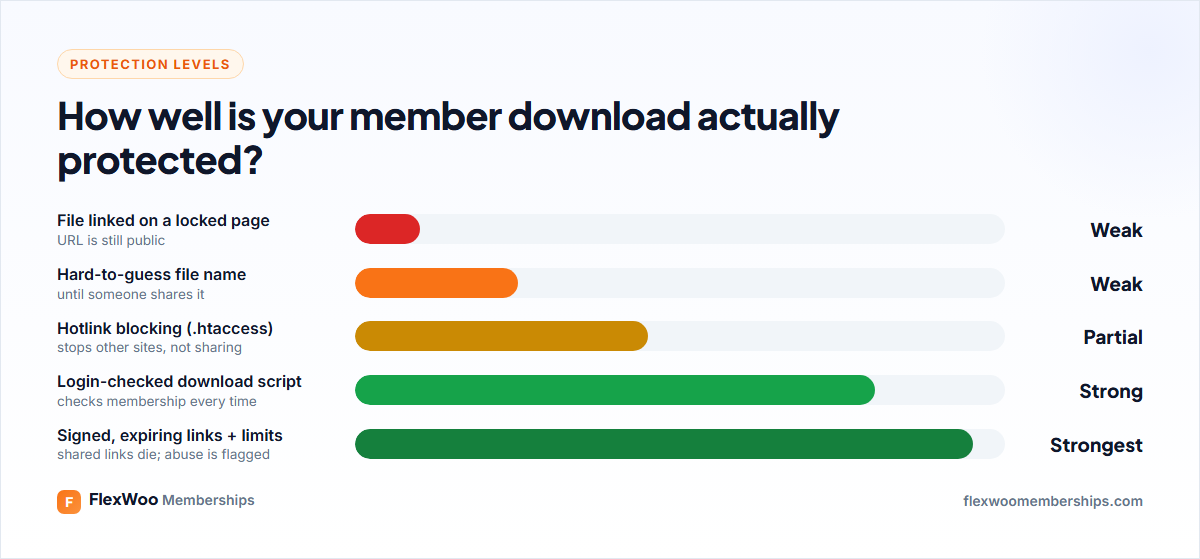
Levels of download protection in WordPress from weakest to strongest

Quick Fixes (and Why They Are Not Enough)

Random file names make links hard to guess but do nothing once a link is shared.

Hotlink protection in .htaccess stops other websites embedding your files, but not someone pasting the link in a group chat.

Robots rules keep files out of search results but do not stop anyone downloading them.

Password-protected ZIPs work until the password is shared along with the file.

They are fine as extra layers. On their own, they leave the door open.

What Proper Download Protection Looks Like

Real protection has three parts:

A membership check on every download. The file is served by WordPress, which checks the person is logged in and has access before sending it.

Signed, expiring links. Each link is tied to the request and stops working after a short time, so a copied link is useless to anyone else.

Limits and monitoring. Credits or limits per period, and alerts when someone downloads far more than normal.

How to Protect Member Downloads in WooCommerce

WooCommerce already knows about downloadable products, so it is a natural home for member files. With FlexWoo Memberships you build on that.

Step 1: Add files as downloadable products

Create a product for each file or bundle, tick Downloadable and Virtual, and upload the file. These products can still be sold to non-members if you like.

Step 2: Let a plan download them

In your membership plan, add the products (or their category) to what the plan unlocks, then choose how members download:
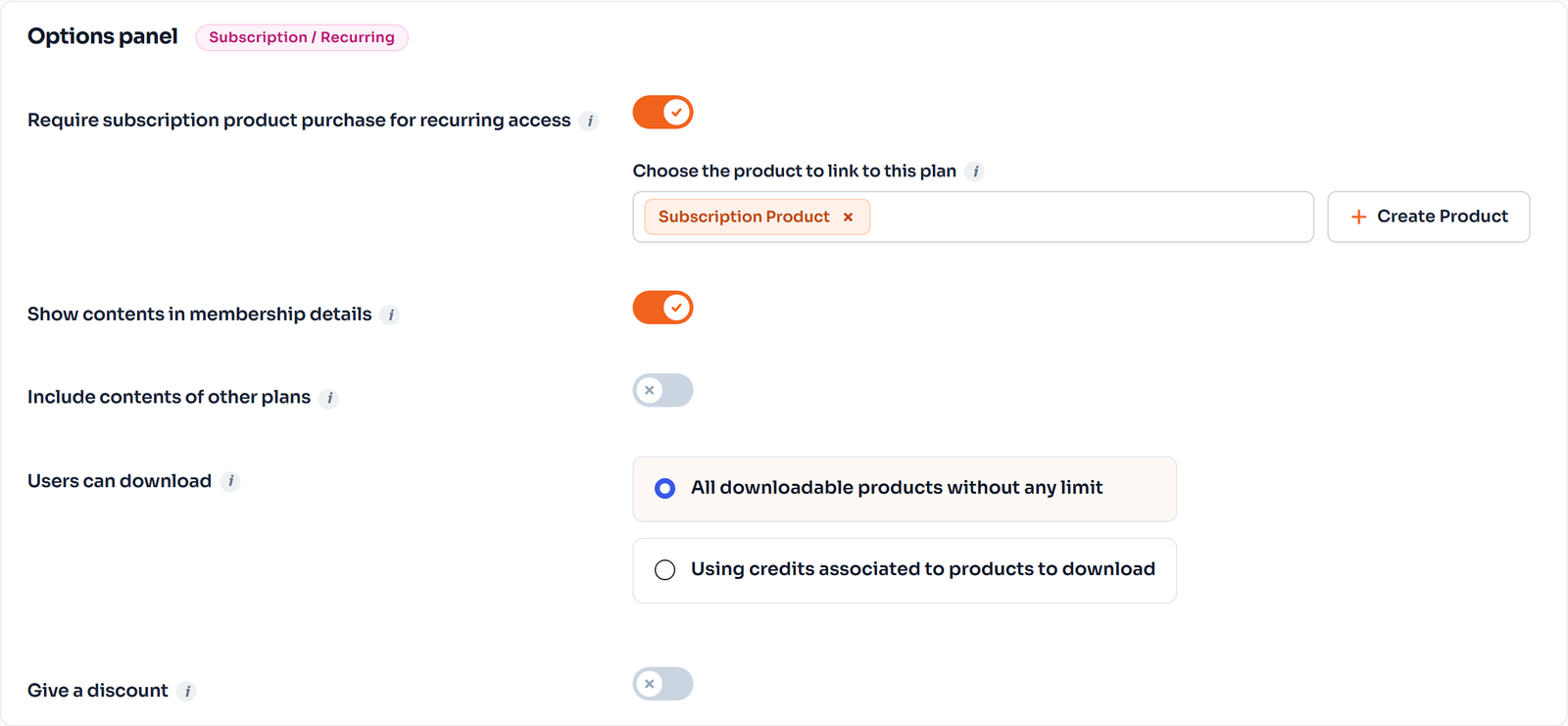
Membership plan options: linked WooCommerce product, downloads and discount
Download options on a membership plan

All downloadable products without any limit: members download any included file for free.

Using credits: each download costs credits, and the plan gives a number of credits that refill on a schedule (Pro).

Step 3: Serve files through protected links

With FlexWoo Memberships Pro, downloads are served through signed, expiring links, so a link copied to someone else stops working. Members find their files in My Account, or wherever you place the Downloads Vault block.

Shortcodes help on any page: [flexwoo_download_product_links] lists download links for products a member can access, and [flexwoo_protected_links] shows a product’s protected files only to members who may download them.

Download Credits: Generous but Fair

Unlimited downloads sound great until one member downloads all 800 of your templates in an evening and cancels. Credits solve that without feeling stingy.
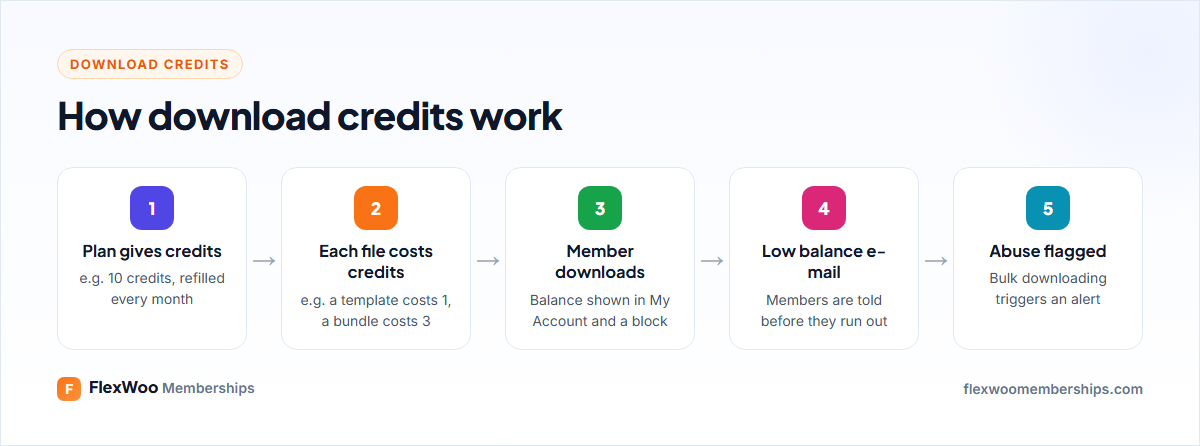
How download credits work for a membership plan

Set how many credits a plan gives and how often they refill, then set a credit cost on each downloadable product. Members see their balance in My Account and in the Member Credit Counter block, and get a low-balance e-mail before they run out. Higher tiers can simply get more credits, which makes a natural upgrade path. See membership tiers for ideas.

Spot Shared Accounts Early

Even with protected links, someone can share a login. The Downloads tab on the FlexWoo dashboard shows downloads over time and flags members who may be downloading in bulk. You set the threshold under Notifications → Credit Emails.
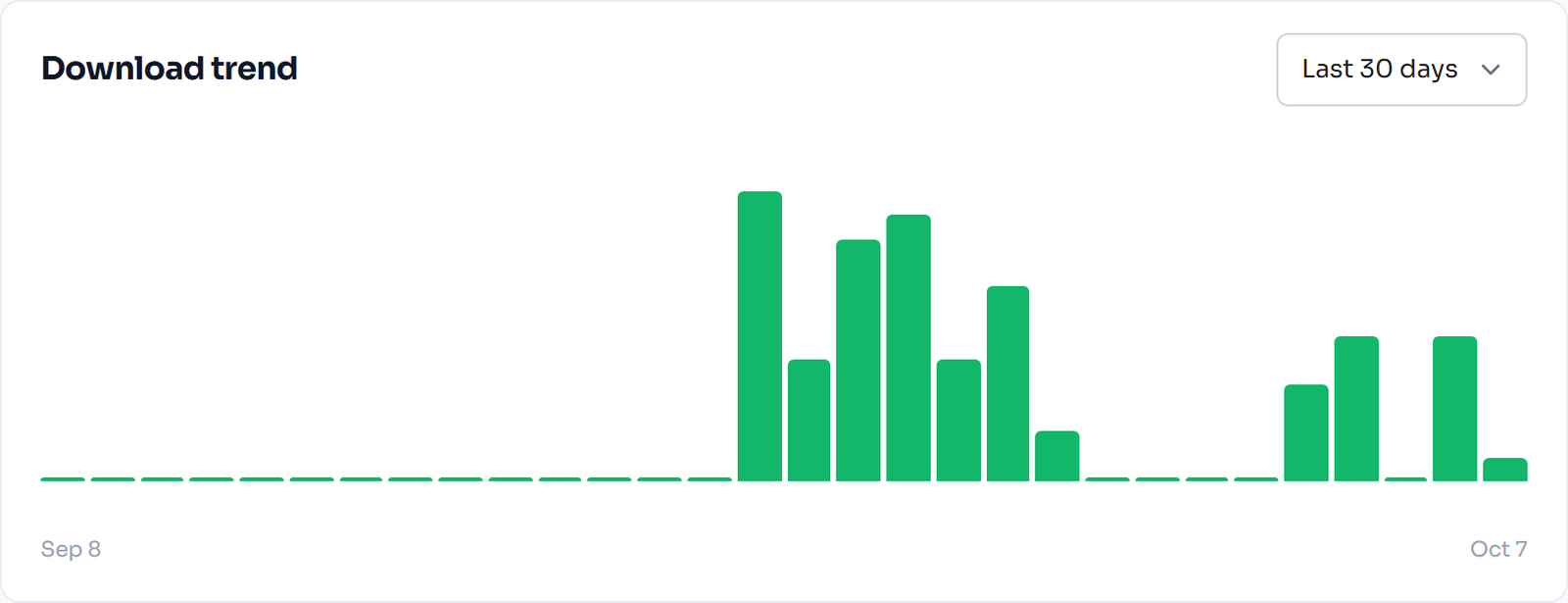

Download trend chart for member downloads in FlexWoo Memberships
Download trend chart
Possible download credit abuse alert
A possible download abuse alert

If you see someone downloading at a pace no human would, check their account, and consider login security settings such as lockouts after failed attempts and two-factor codes (Pro).

Extra Layers Worth Adding

Watermark PDFs with the member’s name or e-mail. It discourages sharing more than any technical measure.

Use a separate storage service such as Amazon S3 with private buckets for very large files.

Keep originals out of the media library if they are not attached to a protected product.

State the licence on your download page: personal use, number of projects, no resale.

FAQ: Protecting Member Downloads

No. Media library files have public URLs that the web server delivers to anyone, without checking whether they are logged in. Locking the page that links to a file does not protect the file itself.
Serve files through links that check membership and expire, so a copied link stops working for anyone else. FlexWoo Memberships Pro serves member downloads through signed, expiring links.
Download credits are a balance members spend on downloads. A plan gives a number of credits, for example ten a month, and each file costs one or more credits. It keeps access generous while preventing someone downloading your entire library at once.
Yes. Sell each file as a downloadable WooCommerce product, then add it to a membership plan so members download it free or with credits, while everyone else buys it as normal.
Look for unusual download patterns, such as many downloads in a short time. FlexWoo’s Downloads dashboard shows download trends and flags members who may be downloading in bulk.
Only partly. Hotlink protection stops other websites embedding or linking your files, but it does not stop a person pasting the direct link into a browser. Combine it with membership-checked, expiring links.

Protect the Files, Not Just the Page

Your downloads are often the most valuable thing in your membership, and the easiest to leak. Serve them through membership-checked, expiring links, add credits if you have a large library, and keep an eye on unusual activity. Then you can be generous with members without being generous with everyone else. For the bigger picture, read how to restrict content in WordPress.
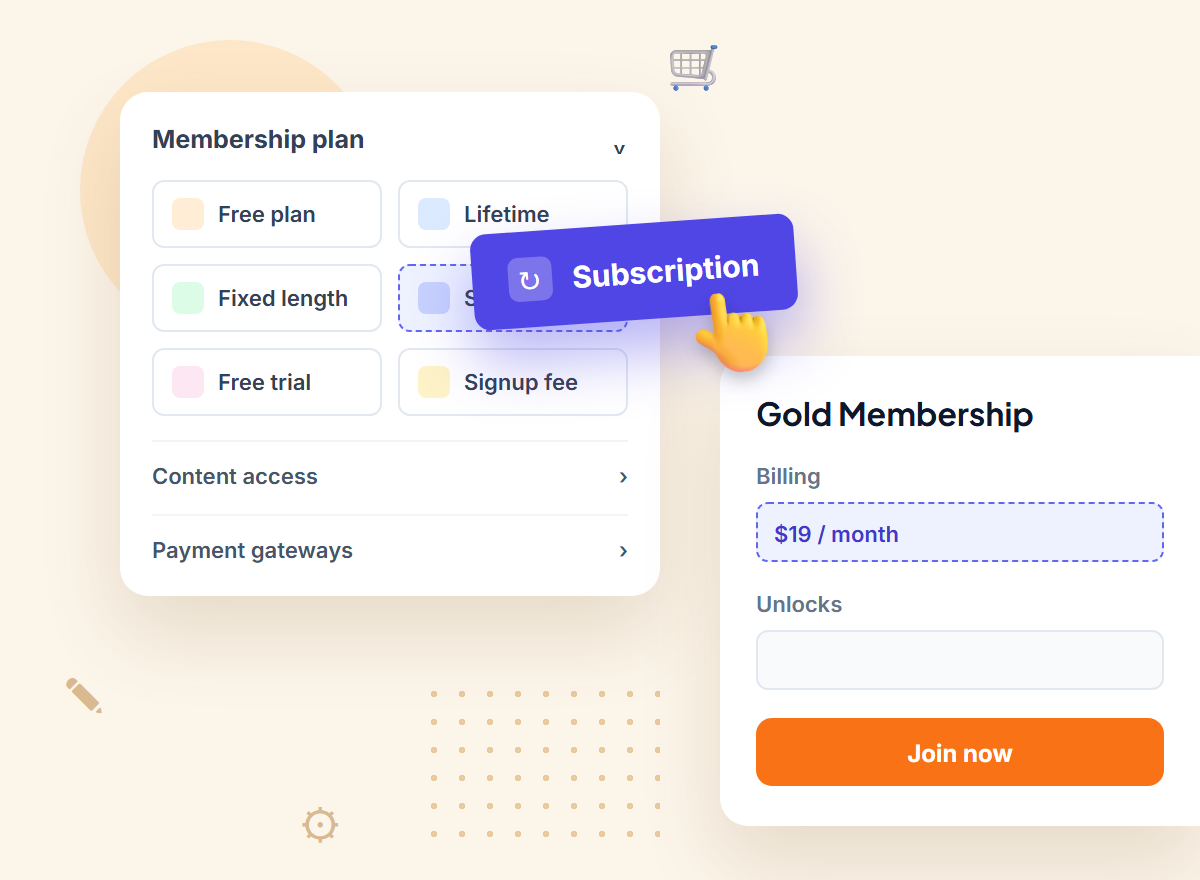

Start Selling Memberships on WooCommerce, Free
Membership plans, content restriction and recurring Stripe, PayPal & Razorpay payments in one plugin. The free plugin stays free.
Enter the URL of your WordPress website to get started
By continuing you agree to our Privacy Policy.
FlexWoo Memberships plan builder illustration with a subscription plan

Share this article

Leave a comment

On this page

Ready to sell memberships from your WooCommerce store?

Start free with FlexWoo Memberships, then upgrade to Pro when you need drip content, paywalls, gifts and analytics.