Skip to content
Launch offer
FlexWoo Pro is live: 30% off every plan
Launch offer: 30% off Pro
Code: FLEXLAUNCH30
  • 00
    d
  • 00
    h
  • 00
    m
  • 00
    s

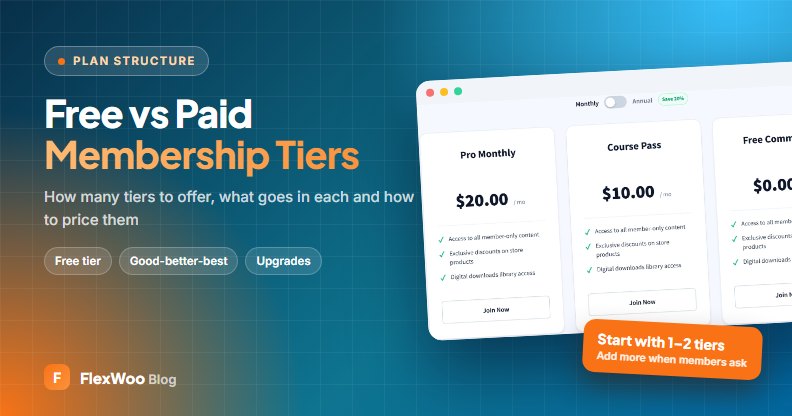
Free vs Paid Membership Tiers: How to Structure Your Plans

In this article

Membership tiers look simple on a pricing page: three boxes, three prices, the middle one highlighted. Behind those boxes are decisions that shape your whole business. What do free members get? What makes someone pay? And what makes them pay more?

This guide covers how to structure membership tiers so they are easy to choose from, easy to run and push people gently toward the plan that suits them. We cover free vs paid tiers, how many tiers to have, what to put in each and how to set them up in WordPress.

Key takeaways

If you are just starting, launch with one paid tier, or one free and one paid tier.

A free tier should be useful on its own, but stop short of what the paid tier sells.

Each step up should add one clear, easy-to-explain benefit, not ten small ones.

Design the upgrade path, and let members switch tiers without e-mailing you.

What Are Membership Tiers?

Membership tiers are different levels of access sold at different prices. Each tier unlocks a set of benefits, such as content, downloads, discounts or live sessions, and higher tiers usually include everything below them. Tiers let casual fans join cheaply while your biggest supporters pay for more.
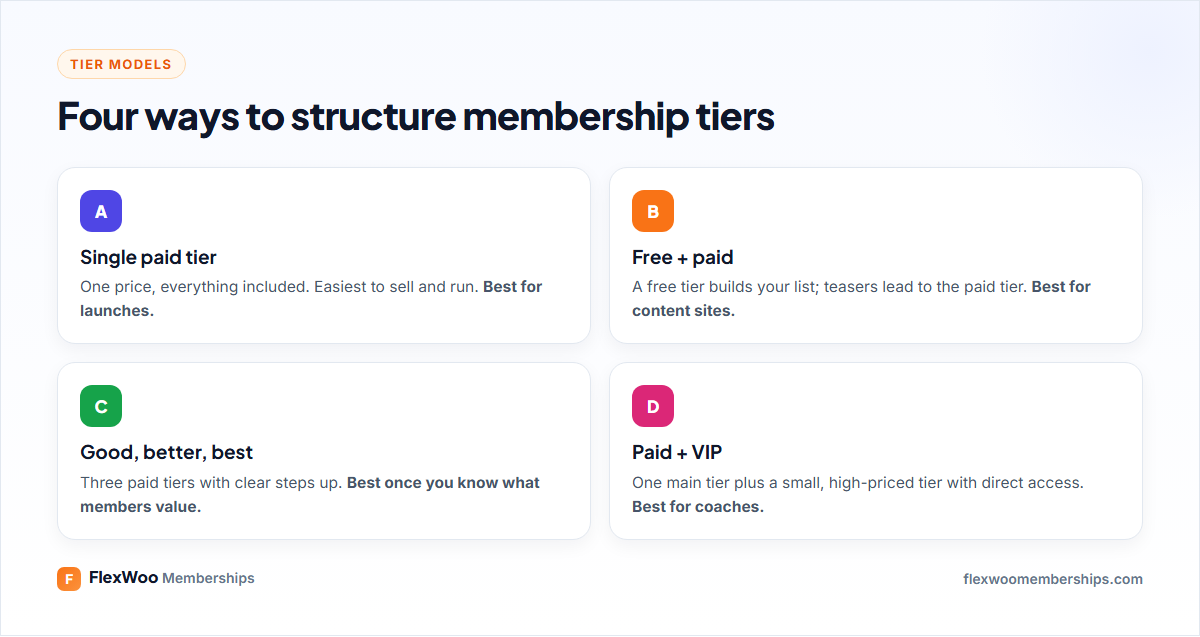
Four common membership tier models compared

Should You Offer a Free Tier?

A free tier is a membership that costs nothing but still requires an account. It is one of the most useful tools you have, and also one of the easiest to get wrong.

A free tier works well when…

you publish a lot of content and want readers to create an account, so you can e-mail them

the paid tier has something free members can clearly see but not use, like a full archive or downloads

you have a way to talk to free members regularly, usually a weekly e-mail

It backfires when…

free members get almost everything, so there is no reason to upgrade

support questions from free members eat the time you need for paying ones

you never actually ask free members to upgrade

A good test: write one sentence that completes “Free members get ___, paid members also get ___.” If the second blank is not obviously worth paying for, rework the split.

Free trial or free tier? A free tier lasts forever and builds an audience. A free trial gives full access for a short time and converts faster. Many sites use both. We compare the two approaches in free trials vs signup fees.

How Many Membership Tiers Should You Have?

Fewer than you think. Every extra tier is another thing to explain, another set of rules to maintain and another decision for a visitor who just wants to join.

StageRecommended tiersWhy
Launching (under 100 members)1 paid, or free + 1 paidYou do not yet know what members value most.
Growing (100–1,000 members)Free + 2 paidAdd a higher tier once members ask for more access.
EstablishedFree + 3 paid at mostGood-better-best, with the middle tier as the default.

Three paid tiers is a natural ceiling. Beyond that, people stop comparing and start leaving. If you sell to very different groups, like individuals and companies, use separate pricing pages instead of a fourth tier.

What to Put in Each Tier

The easiest way to split benefits is by how much of you a member gets. Content scales; your time does not. So the cheaper tiers get content and the higher tiers get access to you.
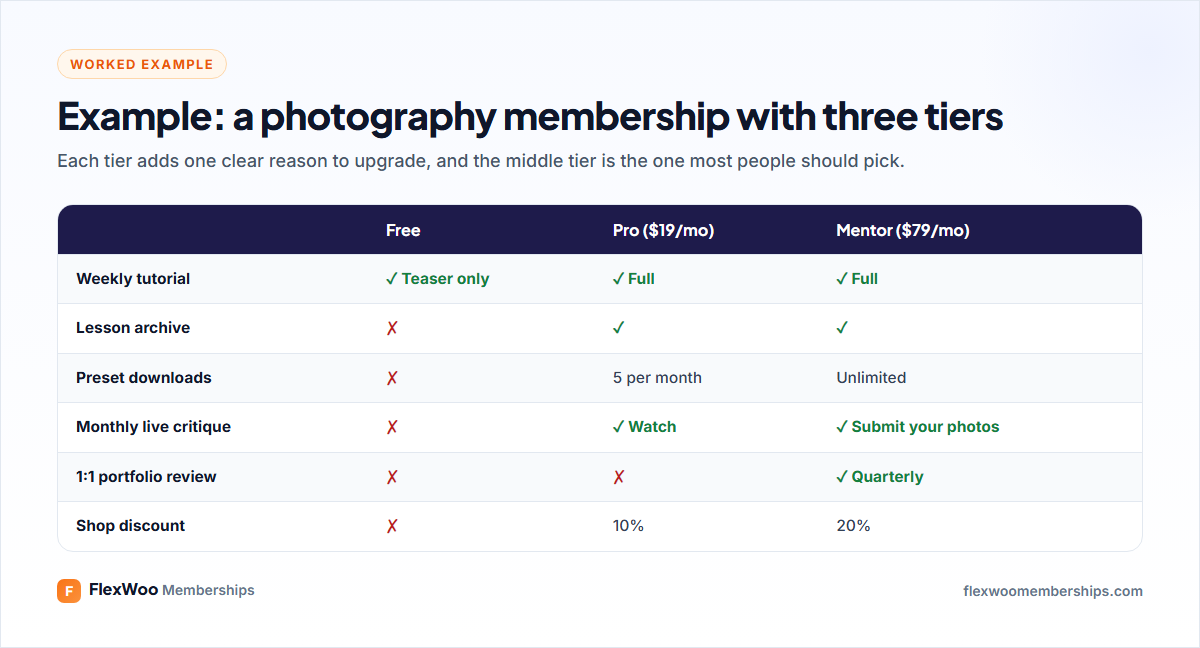
Example membership tier ladder for a photography membership

Free: samples, a newsletter, teasers of paid content, community read-only access.

Core paid tier: the full library, downloads, the community, member discounts. This is where most members should land.

Premium tier: live sessions, feedback, priority support, one-to-one time. Price it at 3–5 times the core tier.

Notice that the example above does not add a long list of tiny extras to each tier. One or two strong reasons to move up beat a feature checklist every time.

How to Price Membership Tiers

Pricing tiers is mostly about the gaps between them:

Anchor with the top tier. A $79 tier makes $19 feel very reasonable, even if few people buy the $79 plan.

Make the middle tier the obvious pick. Highlight it as “Most popular” and make sure it has the benefits most people want.

Leave real gaps. Tiers at $15, $19 and $25 confuse people. $9, $19 and $79 do not.

Offer annual billing. Pricing a year at about ten months’ cost rewards commitment and cuts monthly churn.

Design the Upgrade and Downgrade Path

Tiers only make money if people move between them. Plan three journeys:

Free to paid: show free members exactly what they are missing. A paywall with a teaser on premium posts does this better than any sales page.

Paid to premium: invite your most active members personally. They are your best upgrade candidates.

Premium to paid, instead of cancelling: let people step down rather than leave. A downgrade keeps a member; a cancellation loses one.

Making these switches self-service matters. If changing plans means e-mailing you, many people will simply cancel instead.
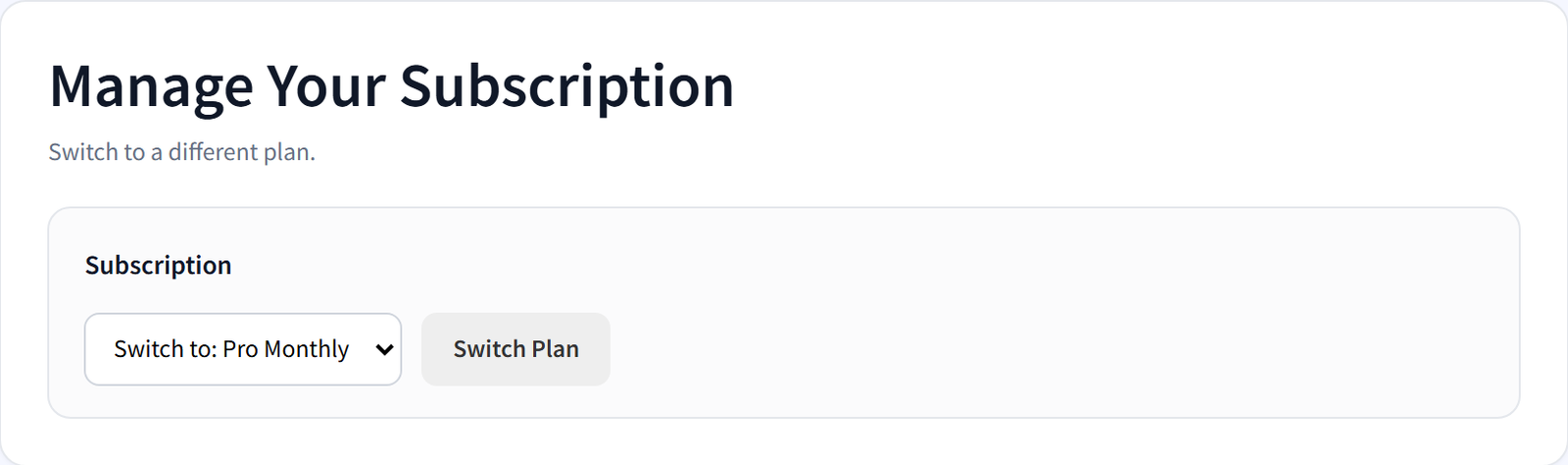
Member self-service: switch subscription plan from My Account
Members switching plans from My Account

How to Set Up Membership Tiers in WordPress

With WooCommerce and FlexWoo Memberships, each tier is a membership plan linked to a product. Here is the setup in short:
Create one plan per tier under FW Memberships → Memberships → Membership Plans. A free tier uses the Free plan type; paid tiers use Subscription or Fixed Duration.

Give everyone the free tier automatically with “Auto assign membership plans to new user” under Memberships → Settings.

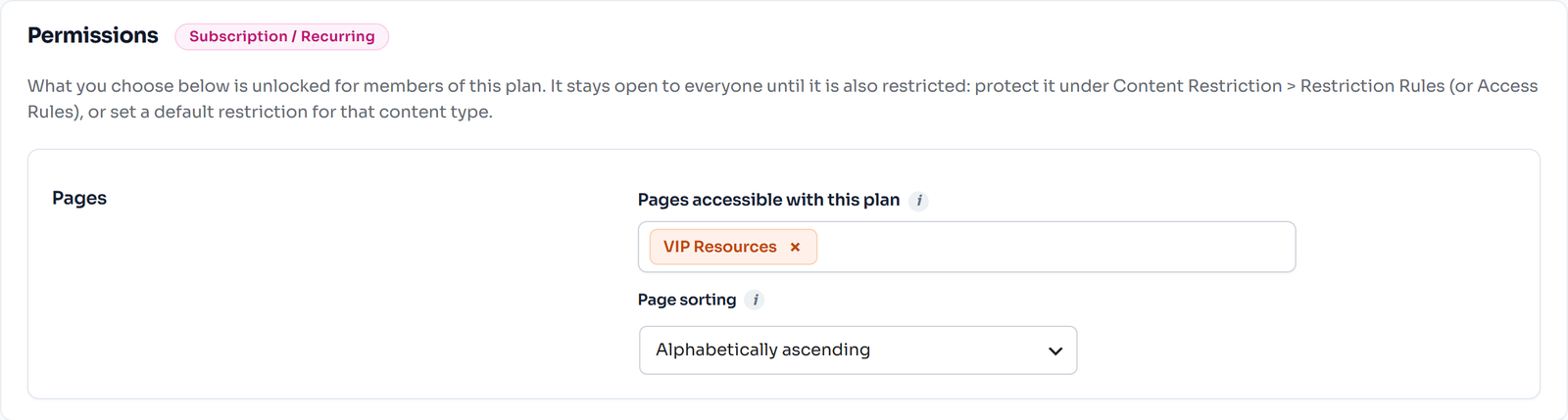
Choose what each tier unlocks in the plan’s content section. Turn on “Include contents of other plans” on higher tiers so they inherit everything below.

Add member discounts per tier, for example 10% for Pro and 20% for Mentor (Pro feature).

Show the tiers side by side with the Membership Pricing Table block, which adds the right product to the cart (Pro feature).

Let members switch tiers from My Account, with optional proration so they pay or get credit for the difference (Pro feature).

Membership plan permissions for pages, posts and products
Choosing what a membership plan unlocks

The complete WooCommerce membership tutorial covers each of these screens step by step.

Common Tier Mistakes

Launching with four tiers before a single person has joined.

Names nobody understands. “Bronze, Silver, Gold” is fine. “Seeker, Wanderer, Sage” makes people guess.

Benefits that are hard to compare. Use the same rows on every tier so people can scan across.

Changing tiers on existing members without warning. Keep current members on their old price (grandfathering) when you raise prices.

A free tier with no follow-up. If you never e-mail free members, they will never upgrade.

FAQ: Membership Tiers

For most sites, one to three paid tiers, with or without a free tier. Start with one paid tier at launch, then add a higher tier once members ask for more access. More than three paid tiers usually confuses people and lowers conversion.
A good free tier gives real value, such as a newsletter, sample lessons or read-only community access, while keeping the main benefit for paid members. Free members should clearly see what they would get by upgrading.
Price the core tier from the value it delivers, then set a premium tier at roughly three to five times that price with access to you. Leave clear gaps between prices and offer annual billing at about ten months’ cost.
Usually, yes. Members expect that upgrading adds benefits without taking any away. In FlexWoo Memberships, “Include contents of other plans” lets a higher tier inherit what lower tiers unlock, so you do not have to repeat settings.
They should be able to, ideally without contacting you. FlexWoo Memberships Pro lets members switch, pause or cancel from My Account, with optional proration so they pay or receive credit for the price difference.
Use names that make the order obvious, such as Basic, Pro and VIP, or names tied to your niche that still read as steps. Avoid clever names that force visitors to read every box to work out which is which.

Keep It Simple, Then Listen

The best tier structure is the one your members barely have to think about. Start with one or two tiers, watch which benefits people actually use, and build the next tier around what your best members ask for. Your pricing page will get better every time you do.

Start Selling Memberships on WooCommerce, Free
Membership plans, content restriction and recurring Stripe, PayPal & Razorpay payments in one plugin. The free plugin stays free.
Enter the URL of your WordPress website to get started
By continuing you agree to our Privacy Policy.
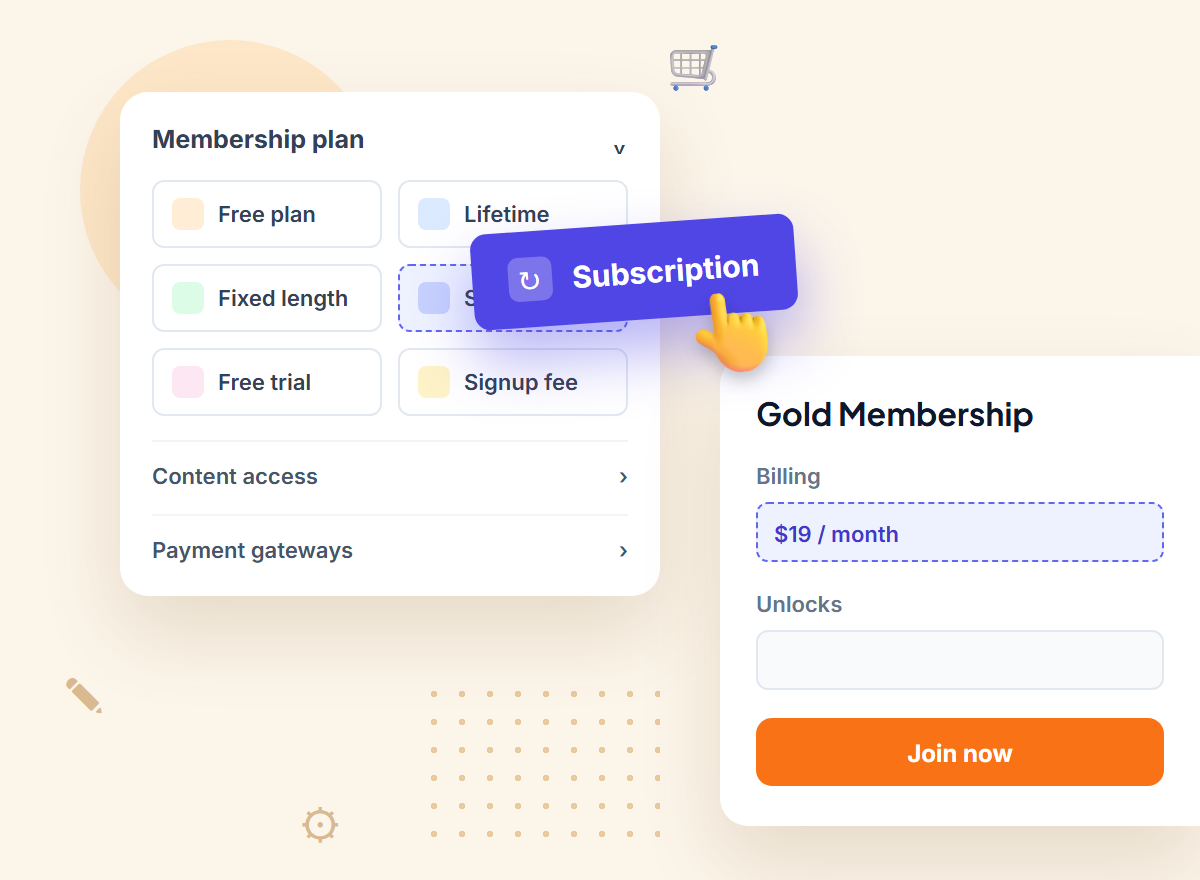
FlexWoo Memberships plan builder illustration with a subscription plan

Share this article

Leave a comment

On this page

Ready to sell memberships from your WooCommerce store?

Start free with FlexWoo Memberships, then upgrade to Pro when you need drip content, paywalls, gifts and analytics.