A subscription box looks like the dream business: customers pay every month, you know how many boxes to pack, and revenue grows as long as subscribers stay. The reality is a little messier. Margins are thin, shipping eats more than you expect, and the first three months decide whether a subscriber sticks around.
This guide covers how to start a subscription box business on WooCommerce: choosing a box model, working out your costs before you buy stock, setting up a box product customers can build themselves, and running the monthly cycle without chaos.
Key takeaways
Step 1: Choose Your Box Model
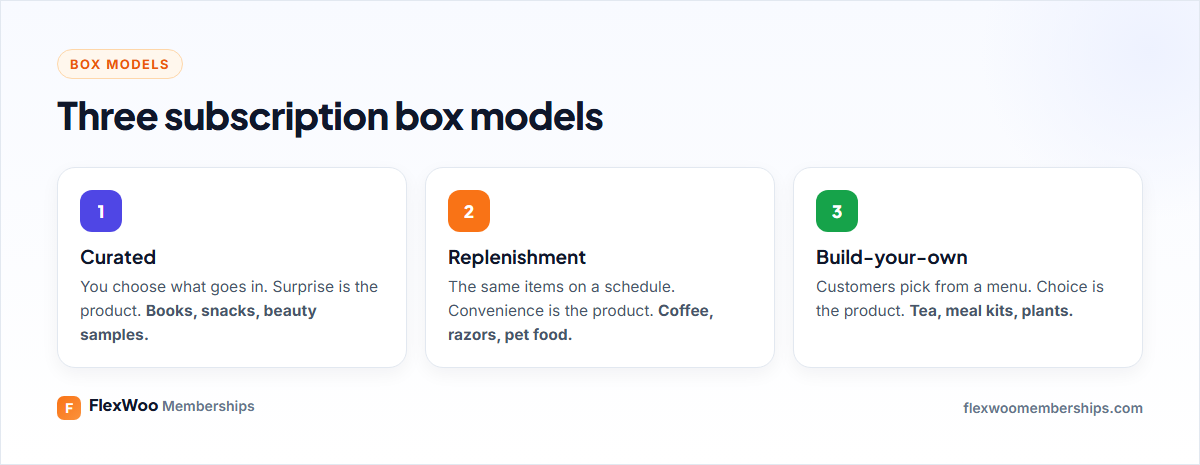
The model decides almost everything else: how you buy stock, how you build the product and why people cancel.
Step 2: Validate the Idea Before Buying Stock
The cheapest way to test a box is to pre-sell it. Put up a simple page describing the first box, the price and the ship date, and take pre-orders or a refundable deposit. Twenty paid pre-orders from people who are not your friends is a strong signal. Two hundred “looks great!” comments is not.
While you are at it, check three things about your niche:
Step 3: Work Out Your Unit Economics
Most subscription boxes that fail do not fail for lack of customers. They fail because each box makes too little money. Do this sum before you order anything:
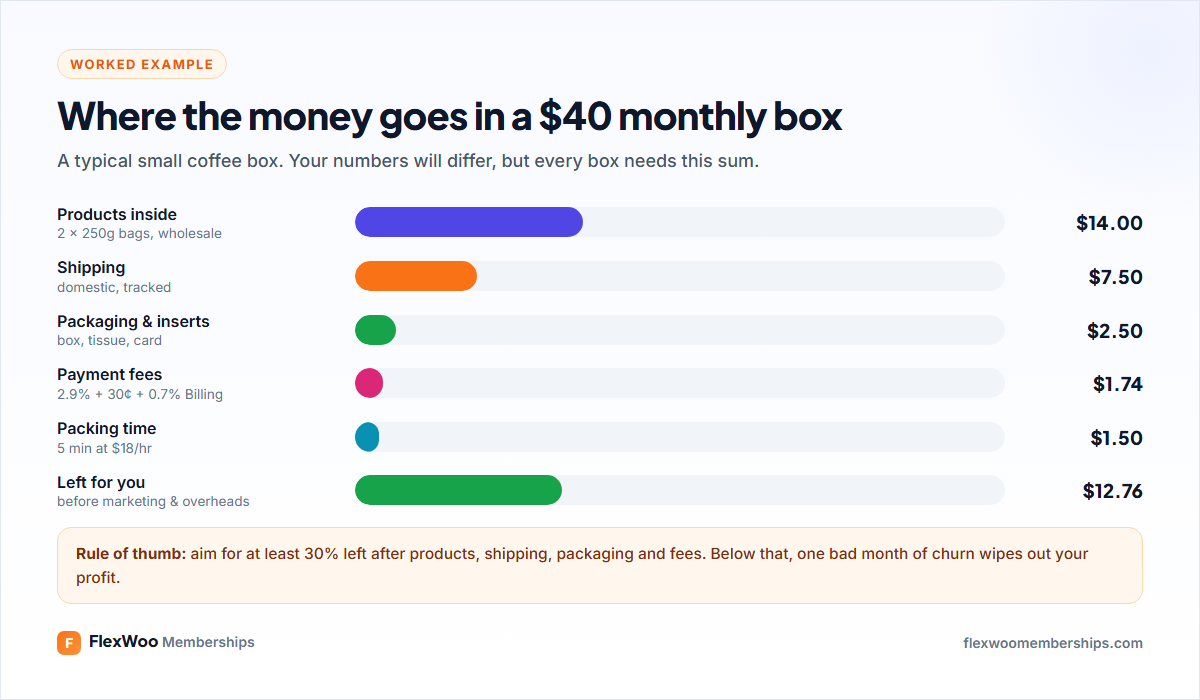
In the example, a $40 coffee box leaves about $12.76 per box before marketing, software and your own time. If it costs you $25 in ads to win a subscriber, they need to stay at least two months before you make a cent. That is why reducing churn matters so much for boxes.
Ways to improve the numbers: raise the price slightly, offer a quarterly plan that ships three boxes’ worth at once, charge shipping separately, or add a signup fee that covers the welcome kit.
Step 4: Set Up WooCommerce for Boxes
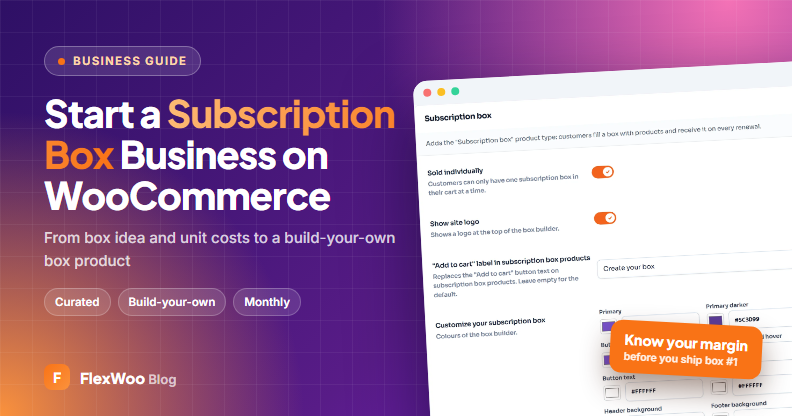
You need two things on top of WooCommerce: subscription billing and a way to sell a box. FlexWoo Memberships Pro does both in one plugin, with a dedicated Subscription box product type. If your box never changes (pure replenishment), a normal subscription product is enough.
Create a subscription box product
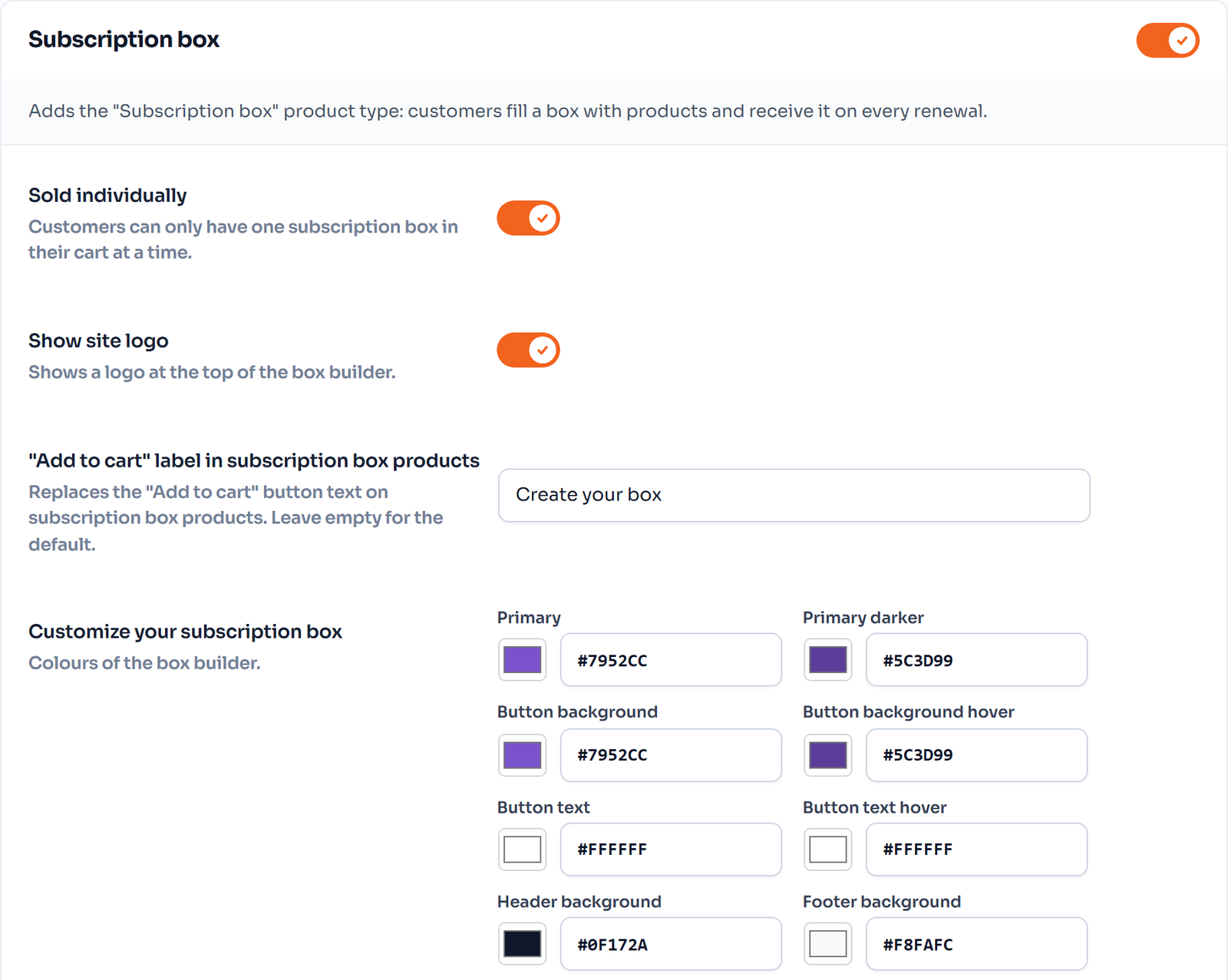
Customers then build their box on the product page. Each renewal ships the current box, and before it renews they get a Next Box Contents e-mail, so they can change their picks in time.
Plan note: subscription boxes and monthly billing are FlexWoo Memberships Pro features. The free plugin can bill every 1–3 weeks, which works for weekly or fortnightly boxes using a normal subscription product.
Step 5: Pick a Fixed Shipping Day
If every subscriber renews on the day they joined, you will be packing boxes every single day. Most box businesses ship once a month instead. Renewal synchronization makes that easy: all renewals fall on a fixed day, such as the 1st of the month.
Turn it on under FW Memberships → Subscriptions → Settings → Renewal synchronization, choose which products it covers and what to charge at signup, then set the day on the product. Now every box is paid by the 1st, you order stock for exactly that many boxes and pack in one go.
Test a checkout after enabling it. If you choose to charge nothing at signup, the first box is paid on the next renewal date, which can surprise customers who expect to pay today.
Step 6: Add Member Perks to Your Shop
A box subscriber is your best customer, so treat them like one. Link the box to a membership plan and you can give subscribers:
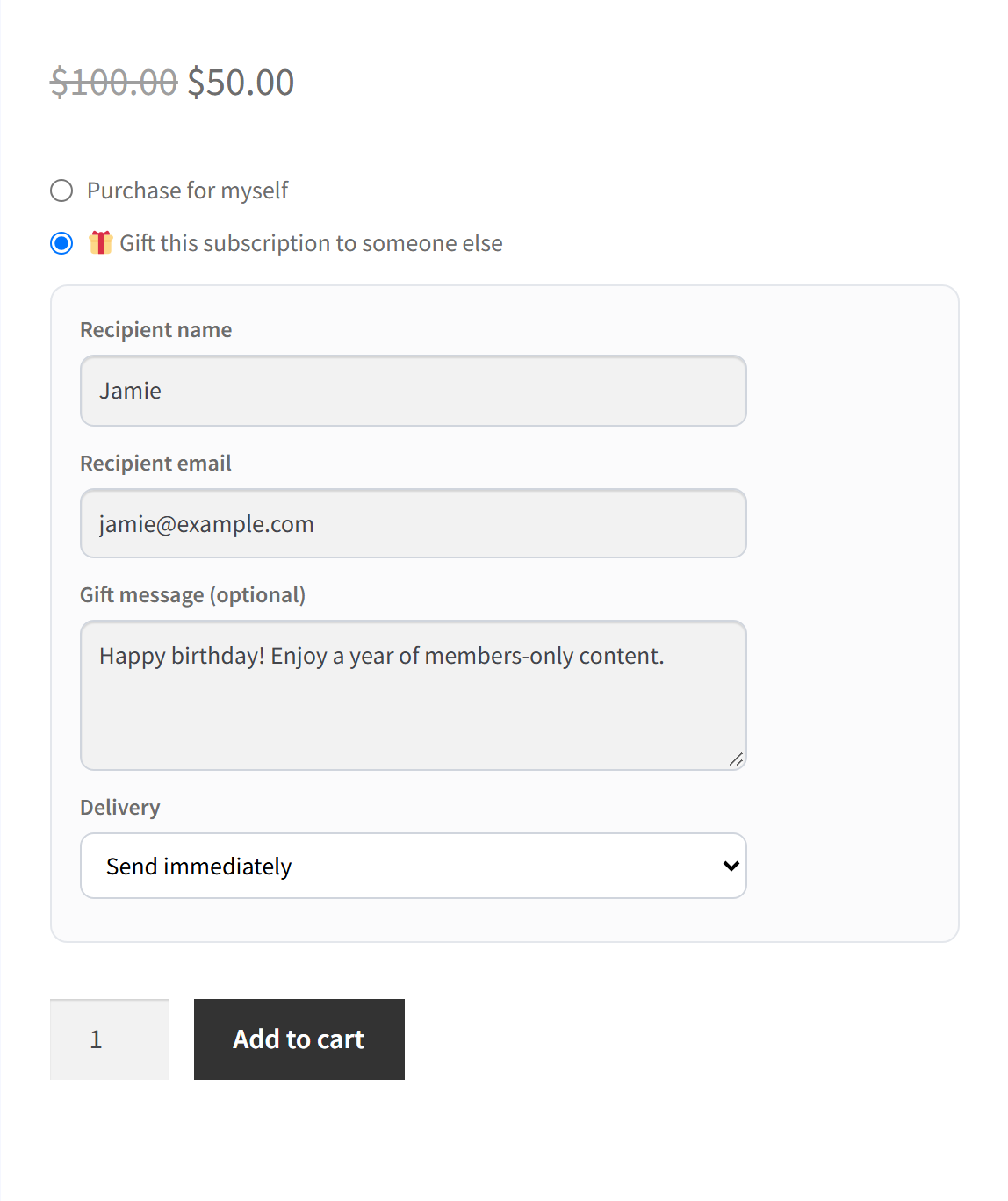
More on how this works in member discounts in WooCommerce.
Step 7: Run the Monthly Cycle
| When | What to do |
|---|---|
| 10 days before renewal | Finalise the box contents, update product photos |
| 5–7 days before | Next Box Contents and renewal reminder e-mails go out; customers adjust picks |
| Renewal day | All subscriptions renew; check failed payments |
| 1–3 days after | Retry failed payments, export orders, pack and ship |
| After delivery | Ask for photos and reviews; note what people loved or skipped |
Stock management can follow renewals too: in Subscriptions → Settings you choose whether each renewal reduces stock, so your inventory stays right.
Keeping Subscribers Past Month Three
The first three boxes are where most cancellations happen. A few things that help:
FAQ: Subscription Box Business
Ready to Pack Your First Box?
A subscription box rewards careful planning. Do the maths, pre-sell before you buy, ship on one day a month and treat subscribers like VIPs. Get those right and every new subscriber adds to a base of revenue that is already there next month.